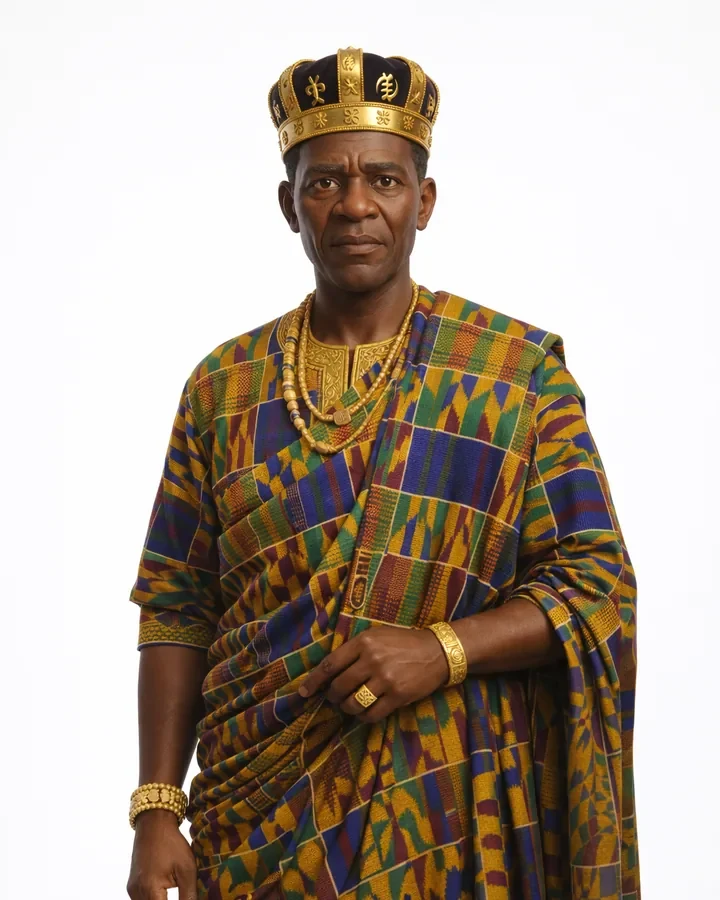
The King
The King
Head of the kingdom, whose son has been murdered in cold blood. A calm, soft-spoken and deeply emotional ruler.
I'm a designer working across UI/UX, branding, packaging, motion graphics and film — helping people, businesses and ministries express who they are with clarity and confidence.

Five areas I work across. Click into any of them for the full set of case studies.
Screens, flows and product case studies.
From concept through print-ready artwork.
Logo, identity and general graphic design work.
Event logos rolled out across print, social, screens and motion.
Short films, 3D animation, an AI-assisted series and visual effects.
Product and interface work — from flows and wireframes through to finished, tested screens.
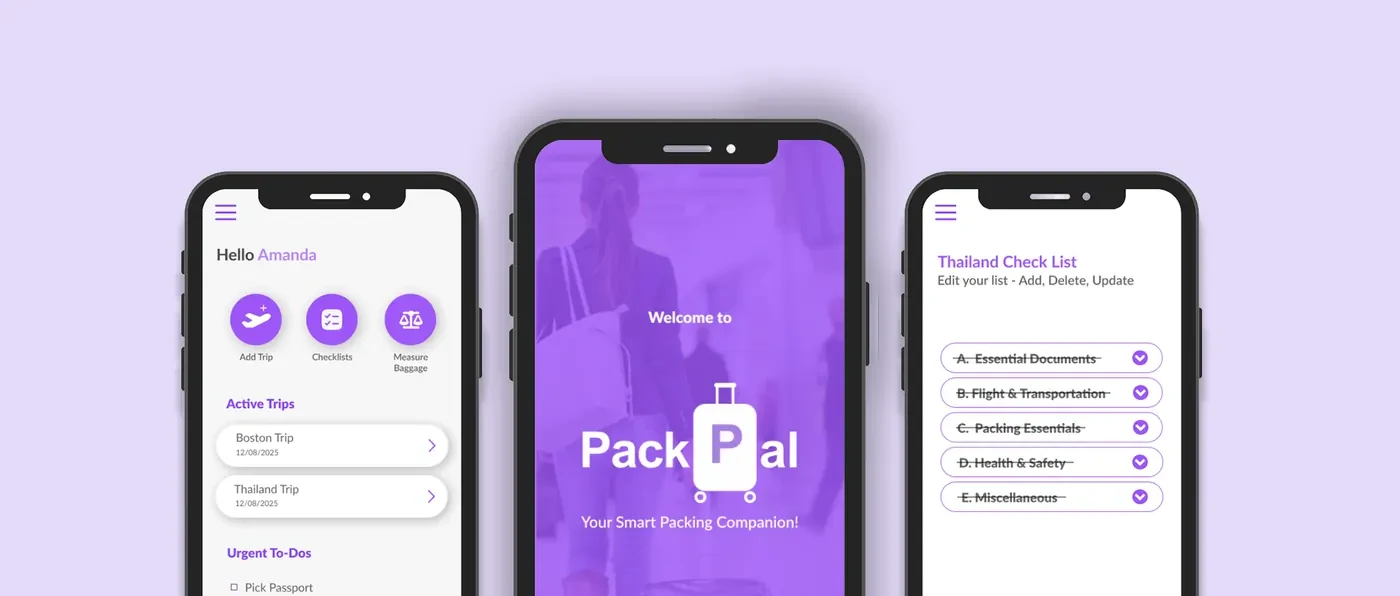
A smart travel-prep app that turns scattered checklists into one calm, guided flow.

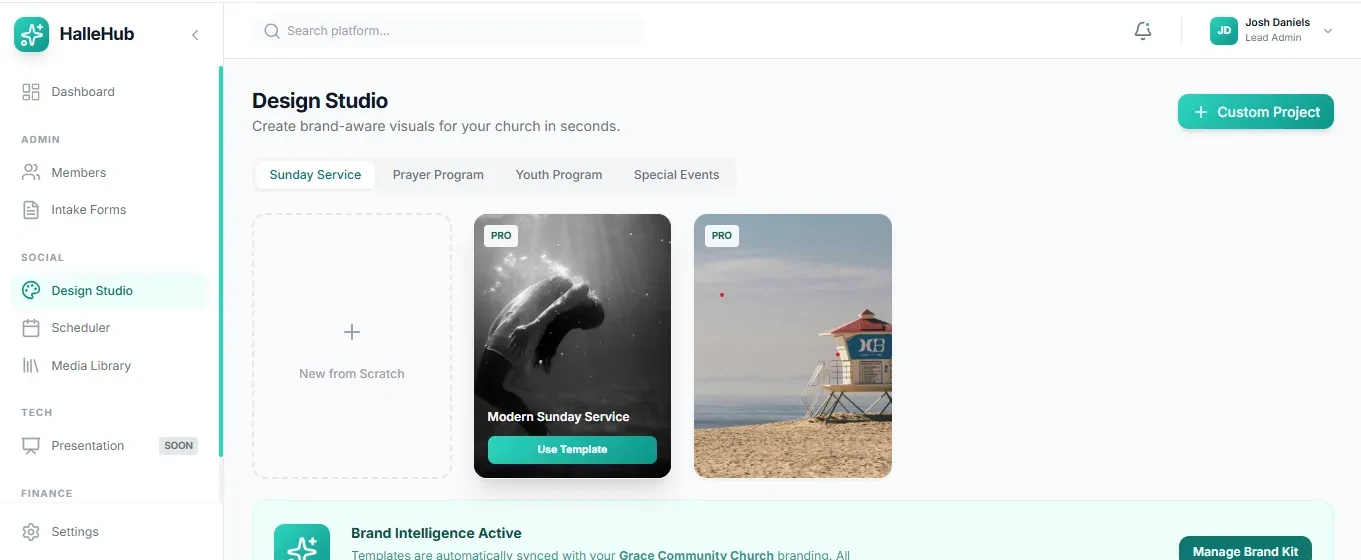
An all-in-one church operations and media hub — design, schedule and run services in one place.
Retail packaging systems built to hold up on shelf and in production — labels, dielines, print files and all.
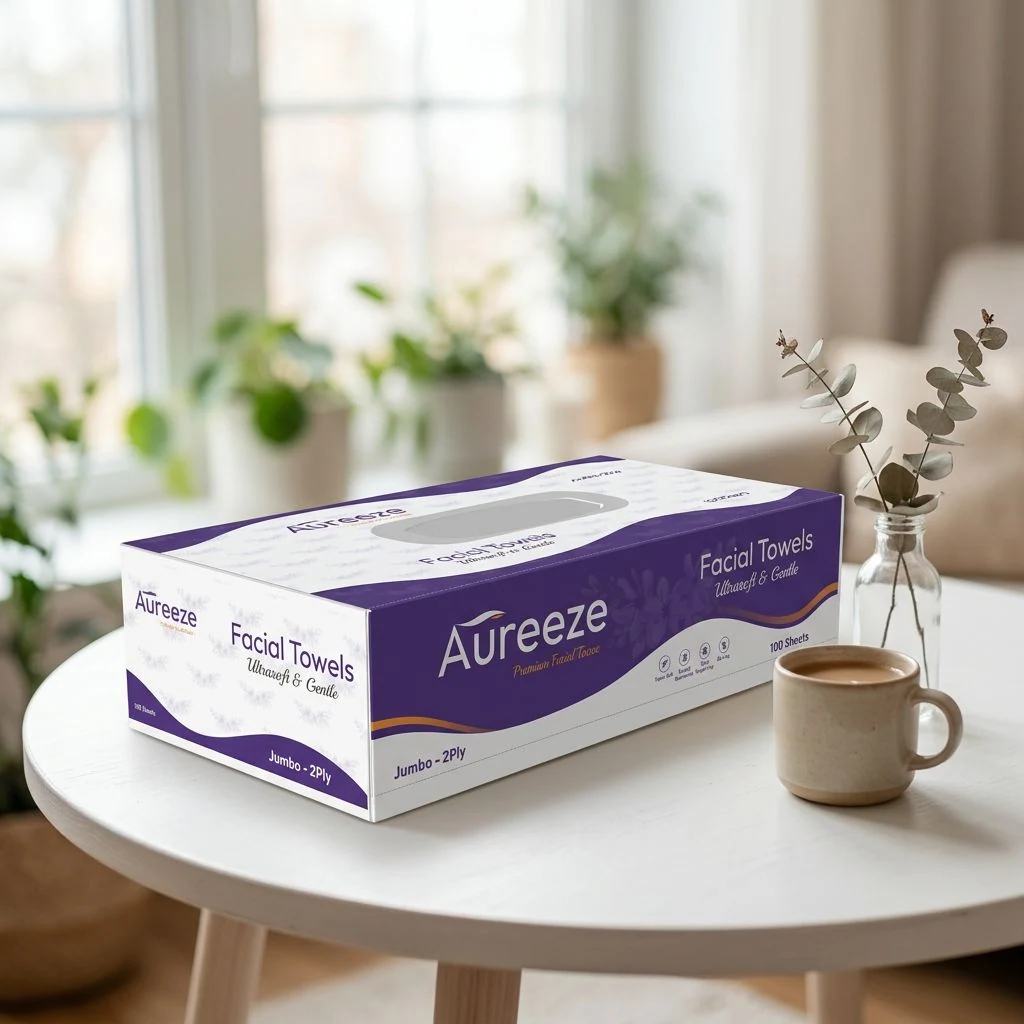
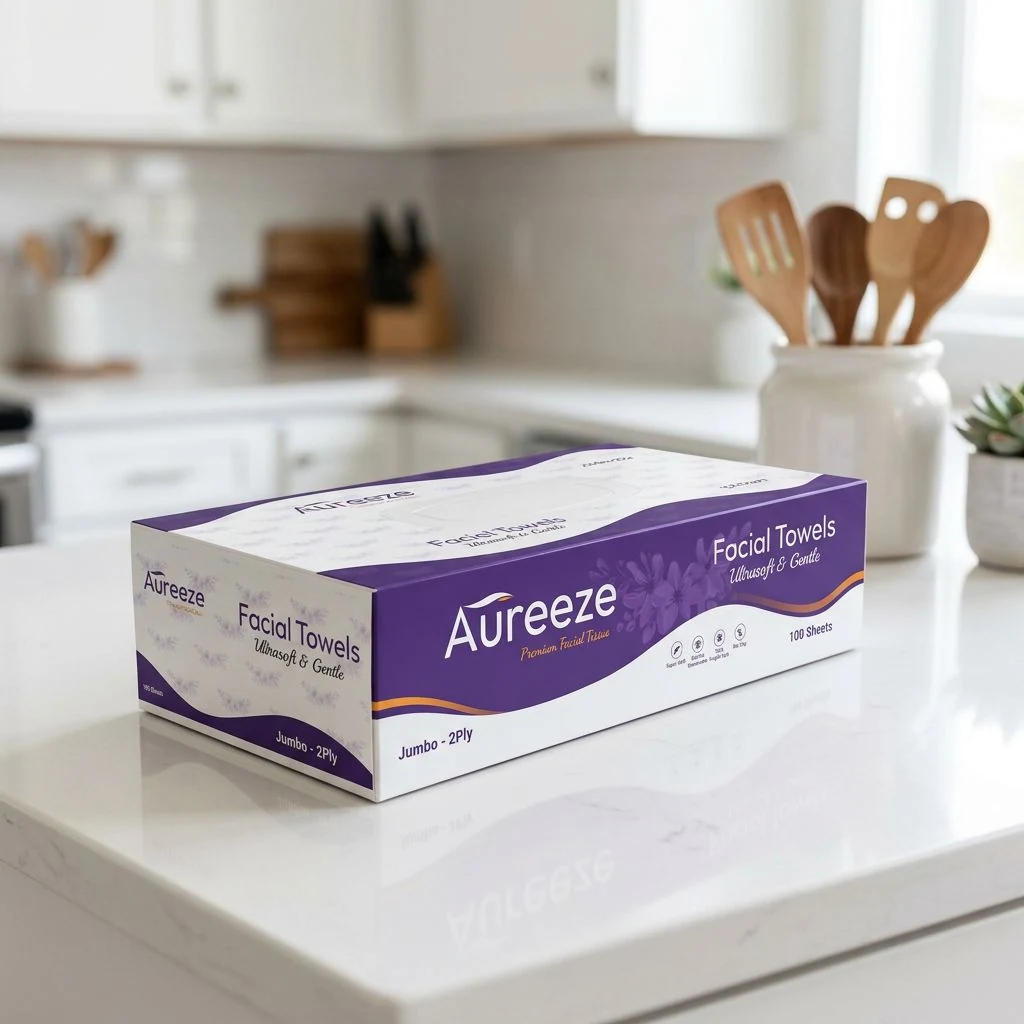
A premium facial tissue brand, designed from the name and logo to the box.
Retail packaging system for a Ghanaian spice brand, from concept to print-ready files.
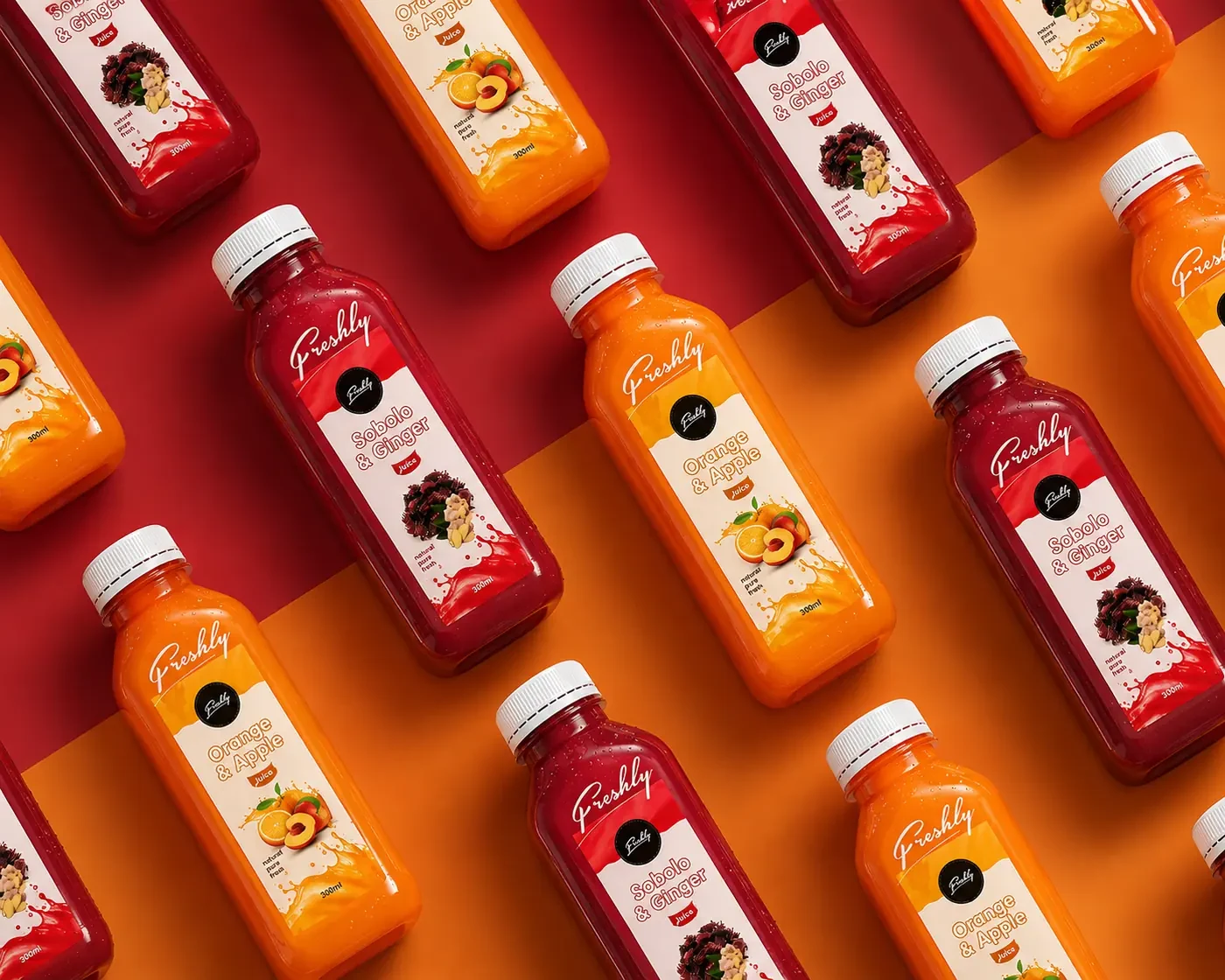
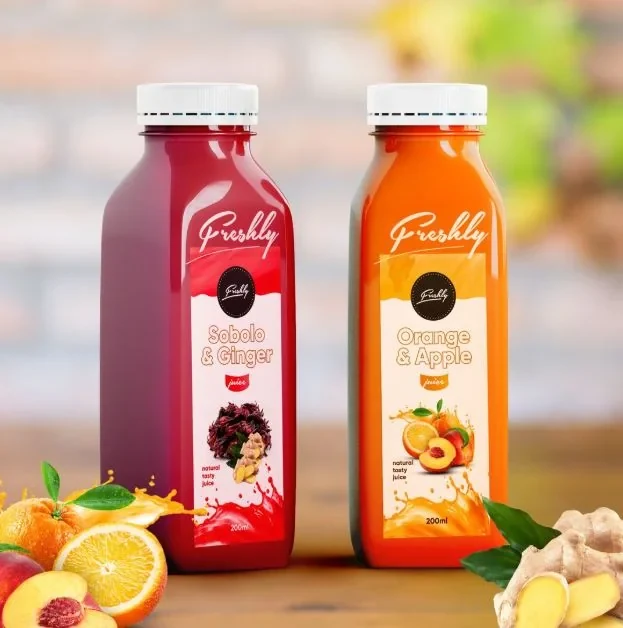
Bottle packaging and brand identity for a fruit juice line, from label to shelf.
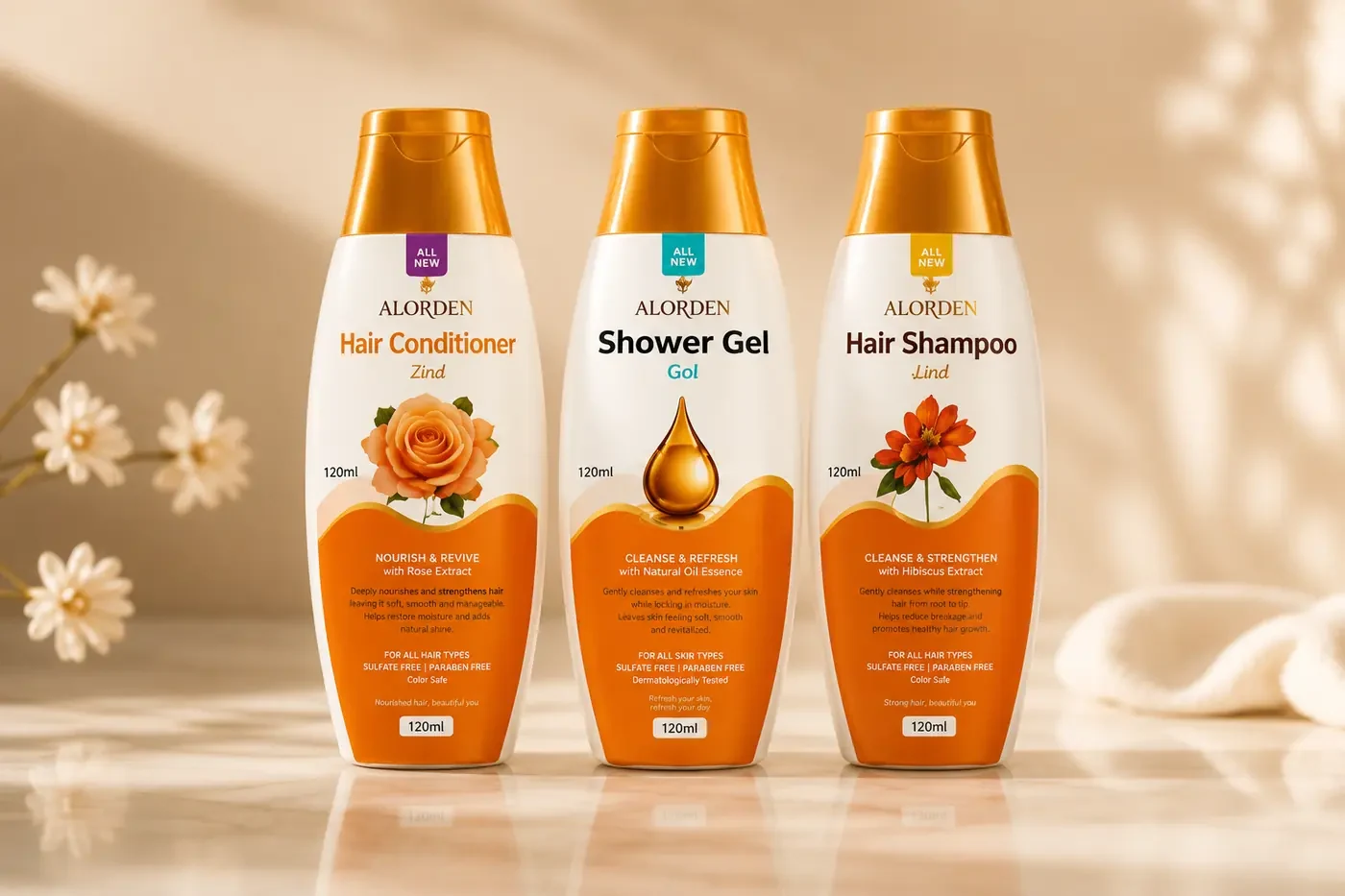
A premium bottle packaging system for a haircare and personal care line.
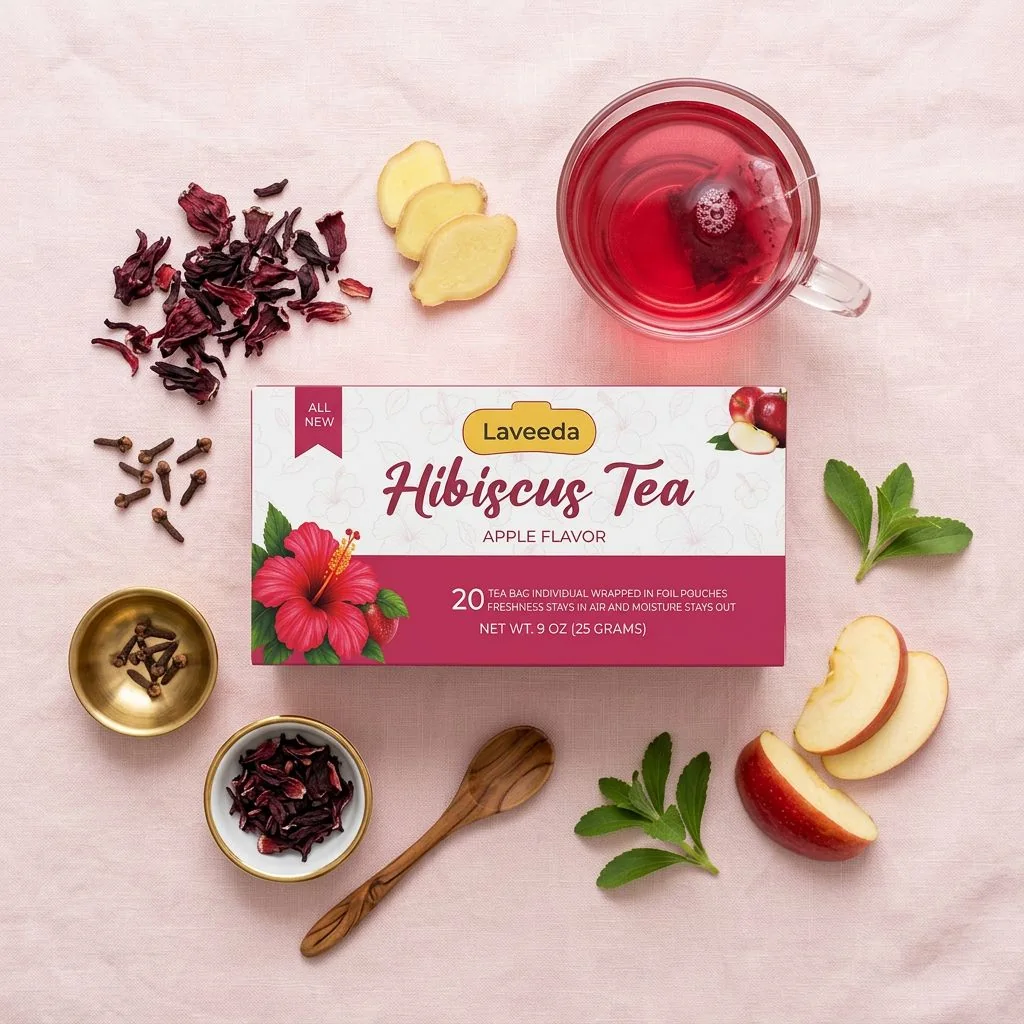
Packaging and brand identity for a Ghanaian wellness tea brand, elevated to a premium shelf-ready product.
A premium facial tissue brand, from the name and logo to the box.
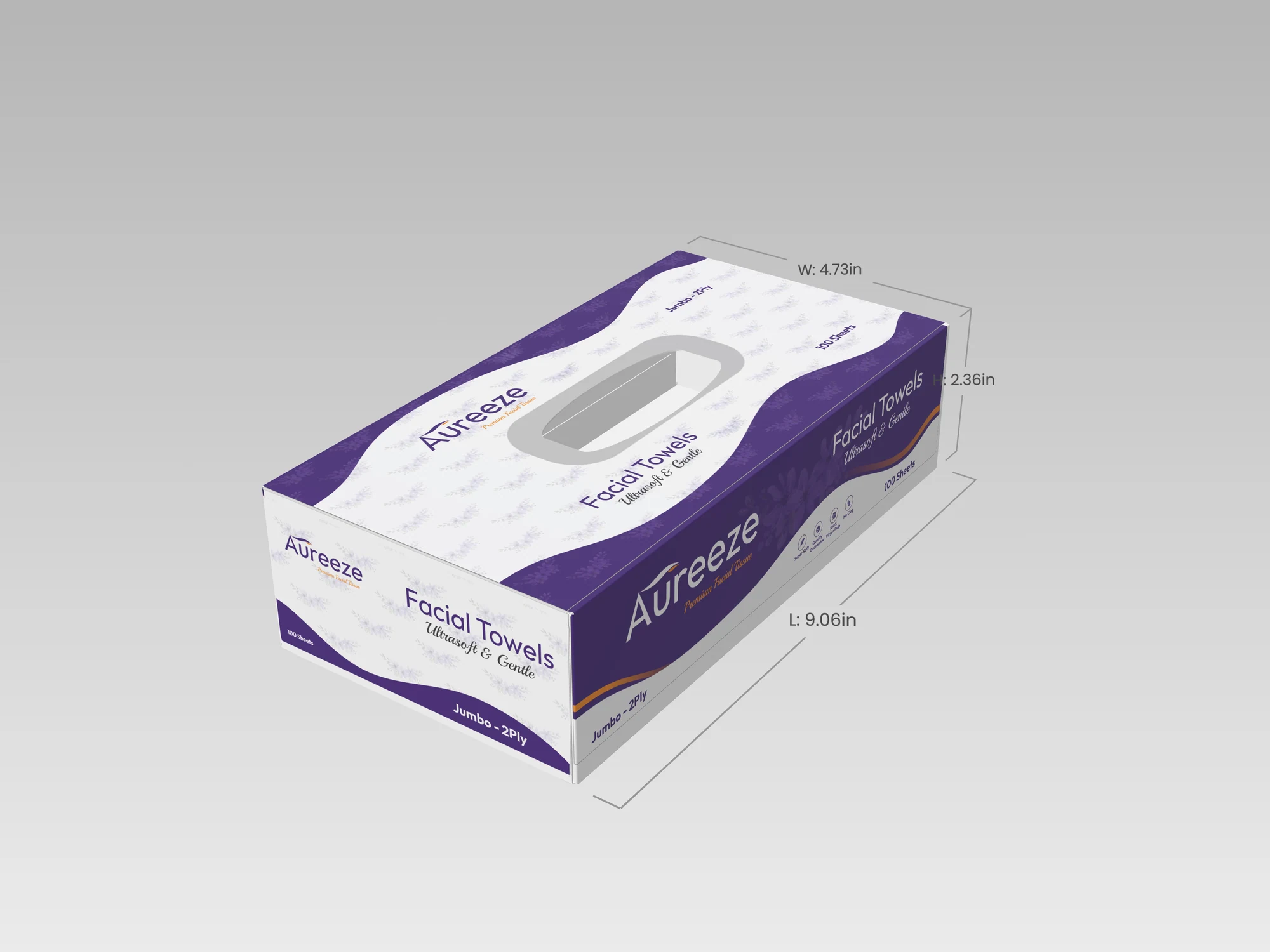
Aura + breeze: a name and logo built around softness you can feel.
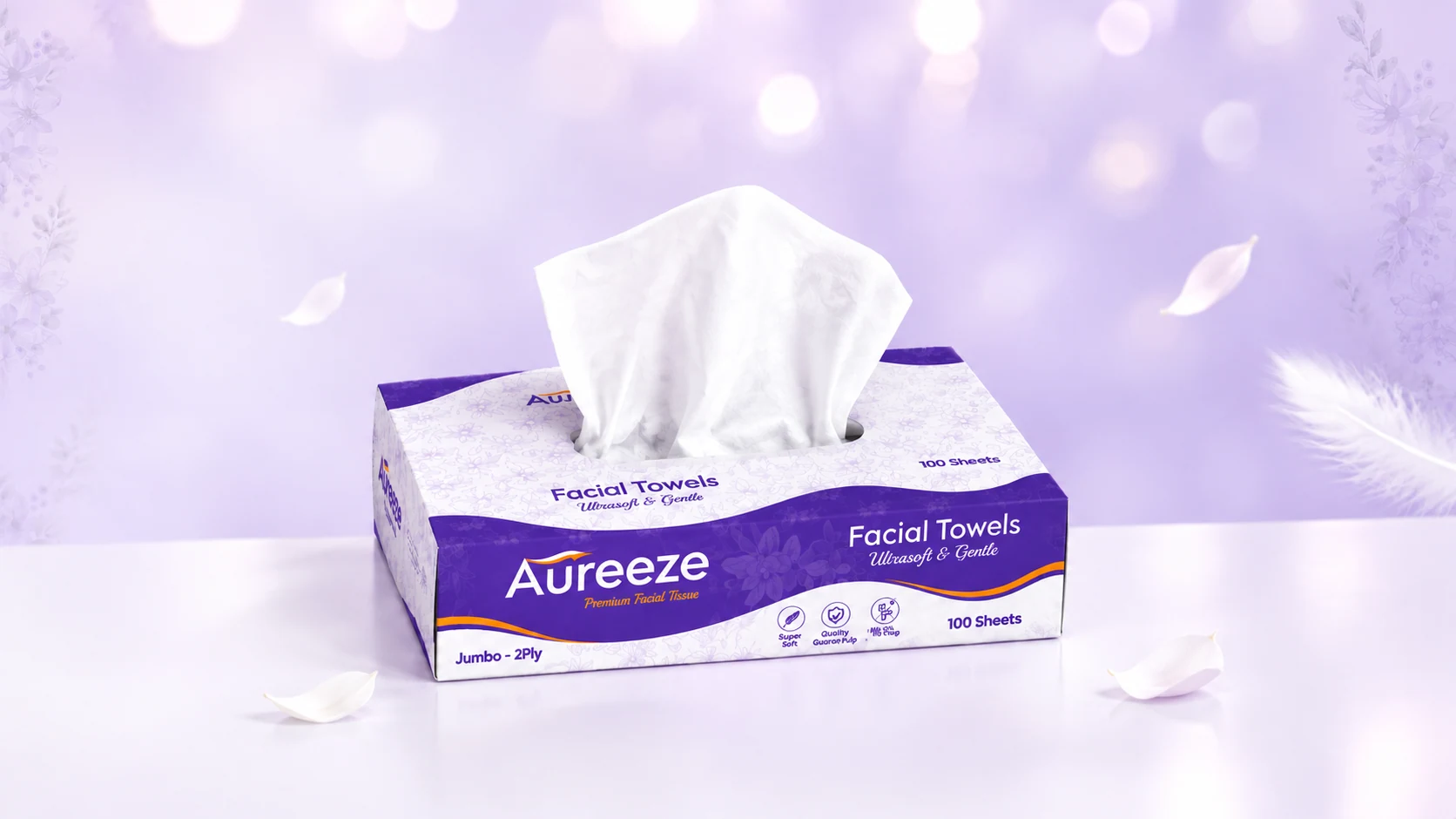
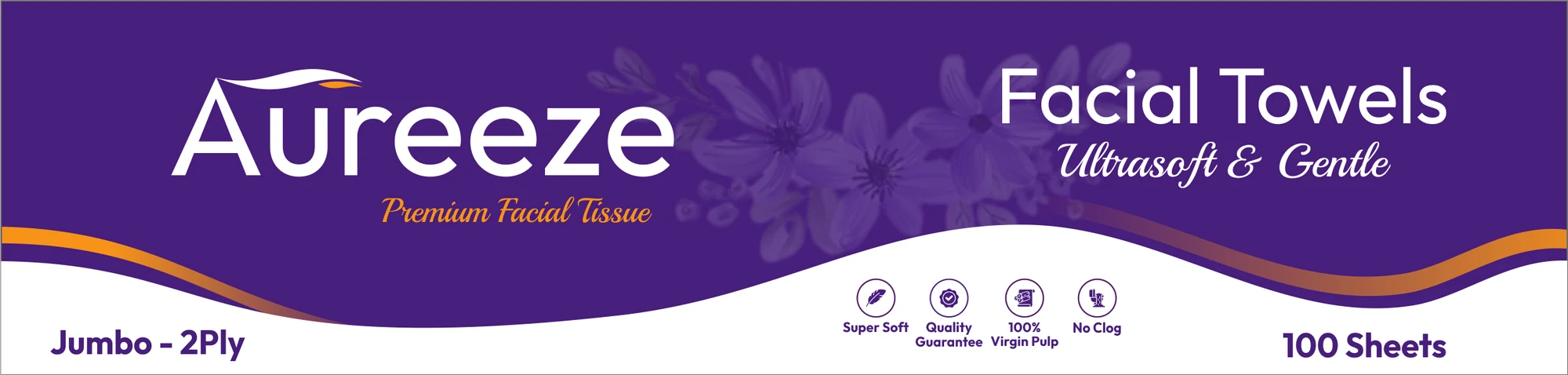
The name blends aura and breeze: the calm, comforting presence of a premium tissue and the lightness of a gentle breeze. Aureeze is a self-initiated brand, designed from scratch: the name, the logo, the packaging system and everything in between. The wordmark pairs a clean, rounded sans-serif with a flowing purple-and-orange swoosh over the A, like a soft breeze, and a script tagline, “Premium Facial Tissue”.


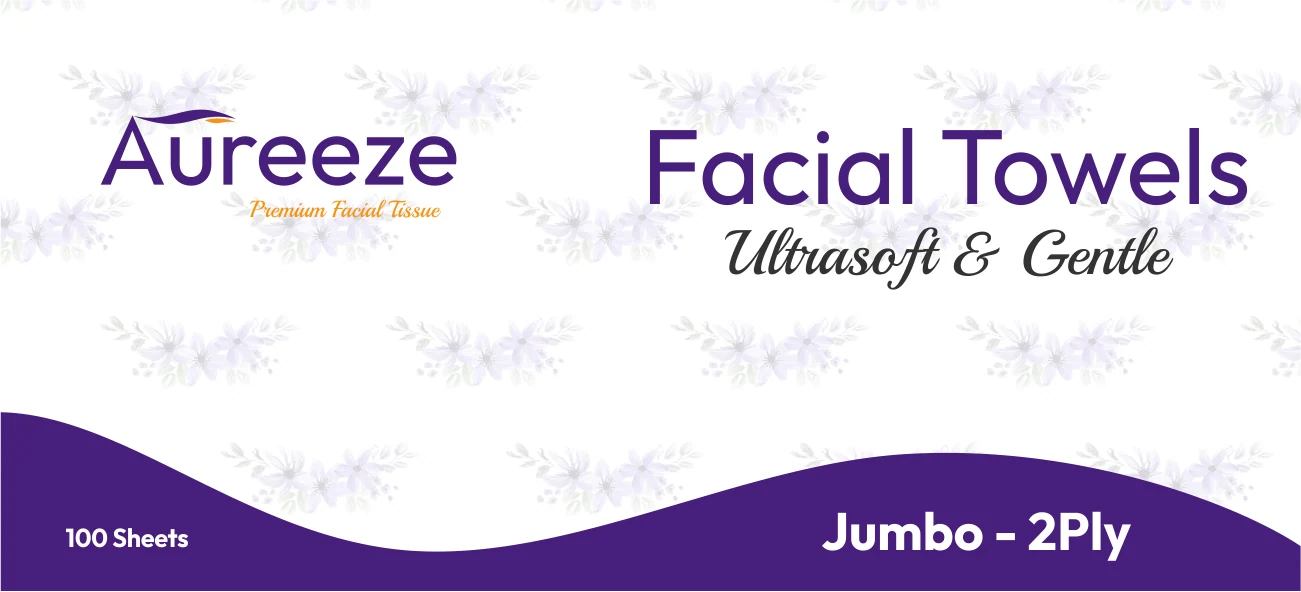
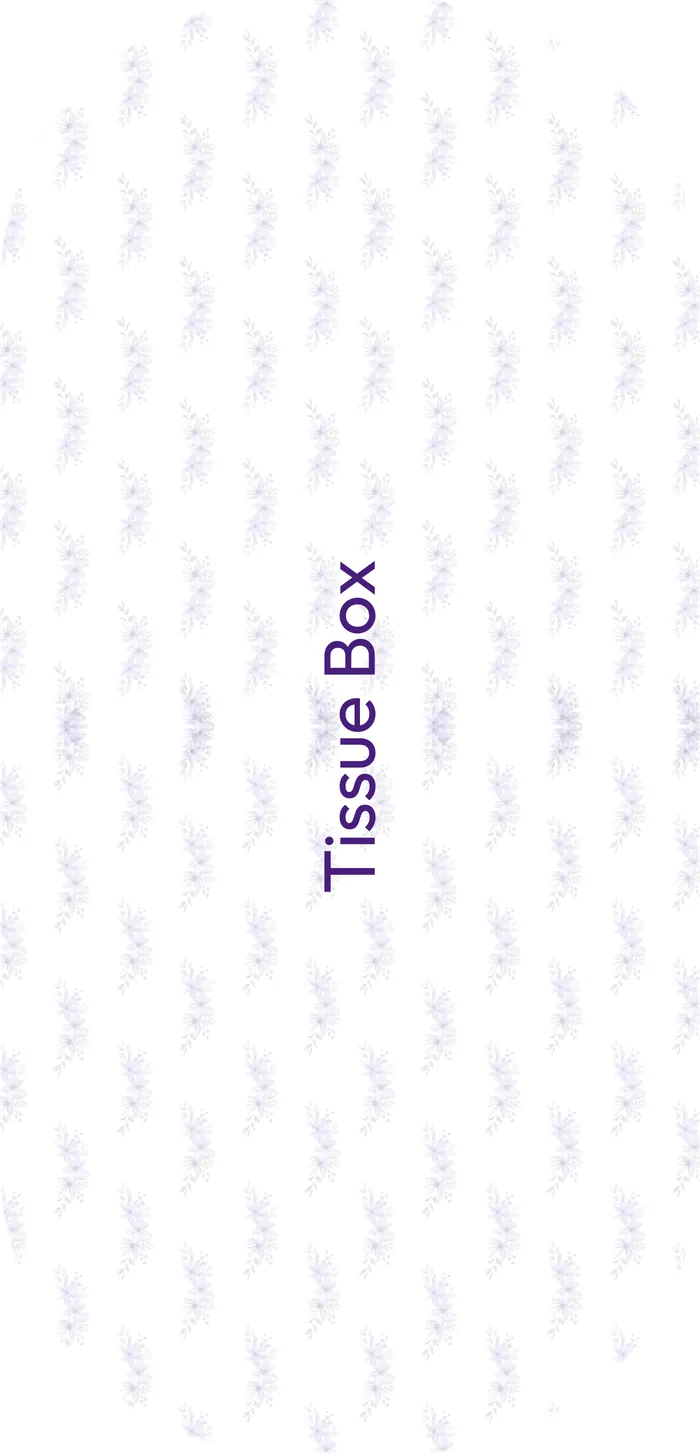
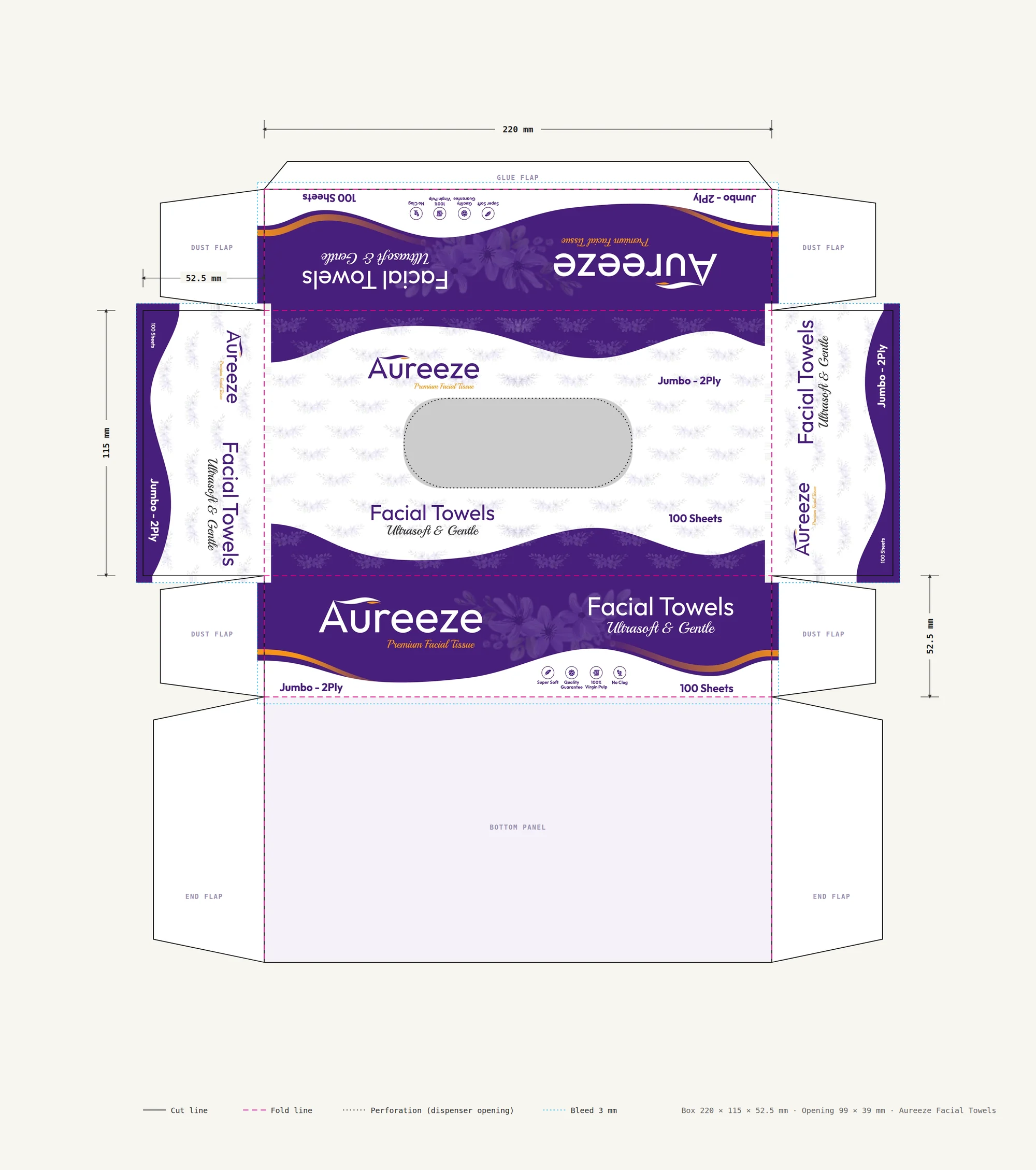
One wave-and-floral system wrapping every side of the box.
Deep purple waves frame each panel, with a soft lilac floral pattern on white in between. The top carries the logo, the product name “Facial Towels: Ultrasoft & Gentle” and the dispenser opening; the long side leads with a large reversed logo; the short sides repeat the lockup at a smaller scale.
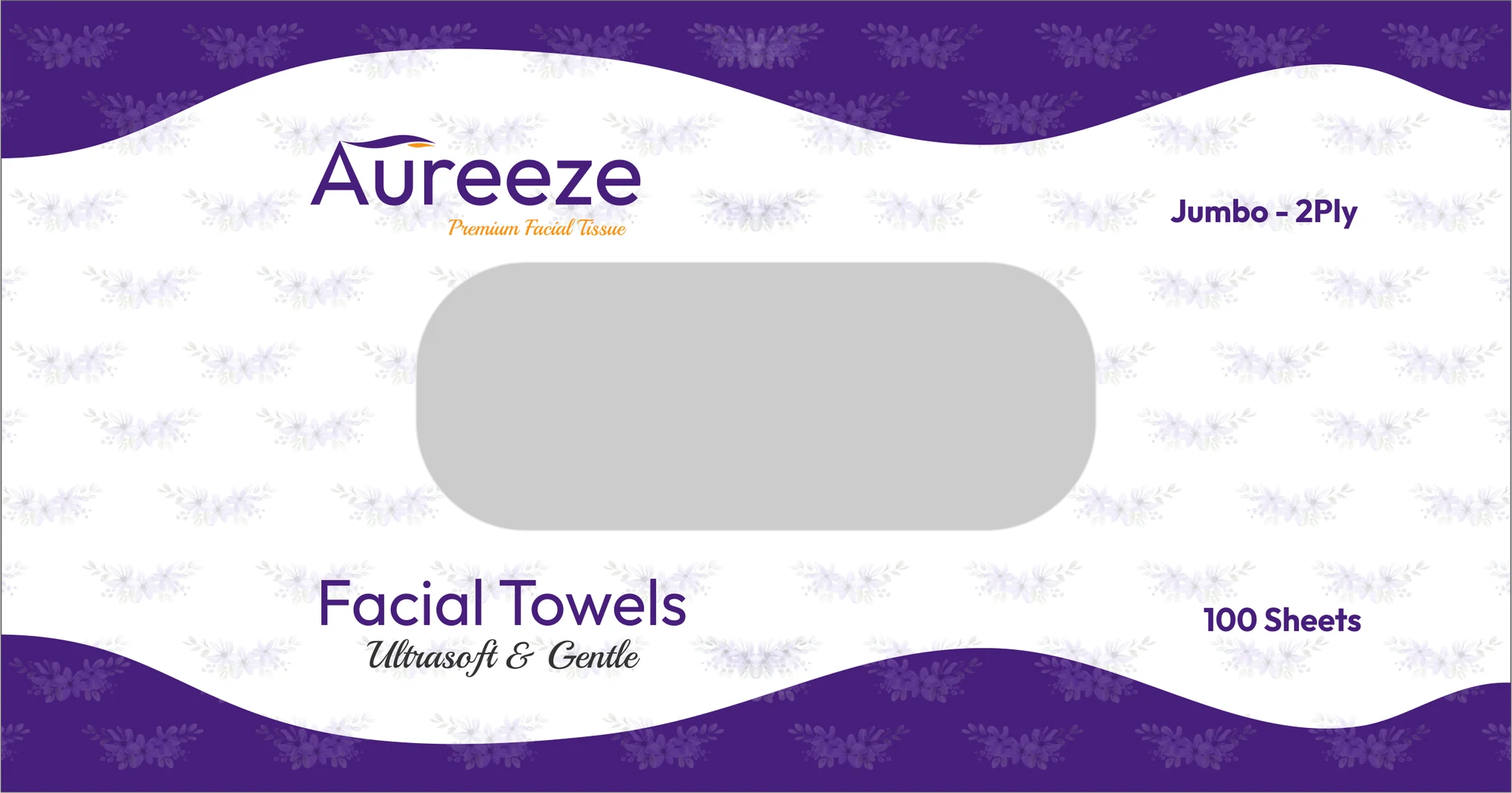
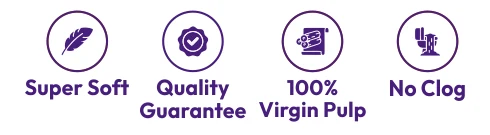
Four promises, said simply.
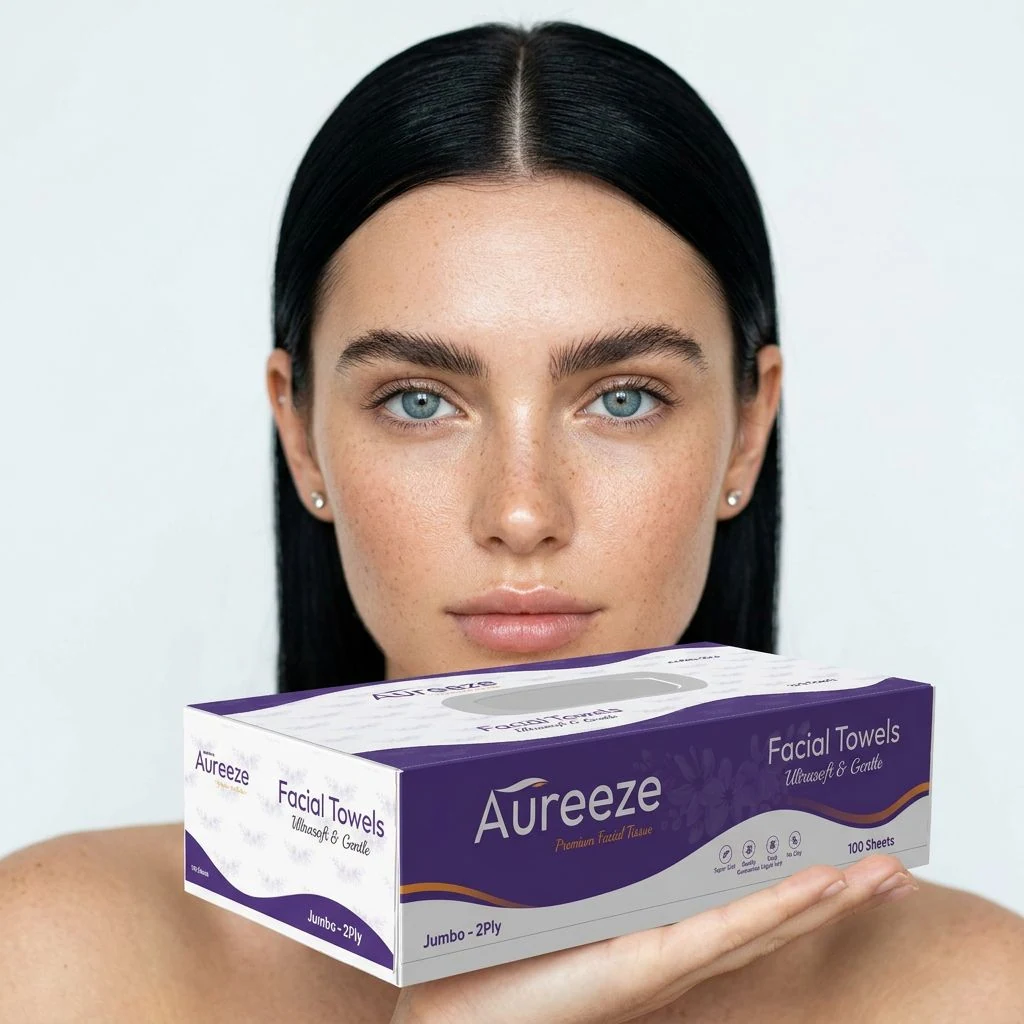
A row of line icons, Super Soft, Quality Guarantee, 100% Virgin Pulp and No Clog, gives shoppers the reasons to choose Aureeze at a glance, alongside the pack details: Jumbo 2-Ply, 100 sheets.
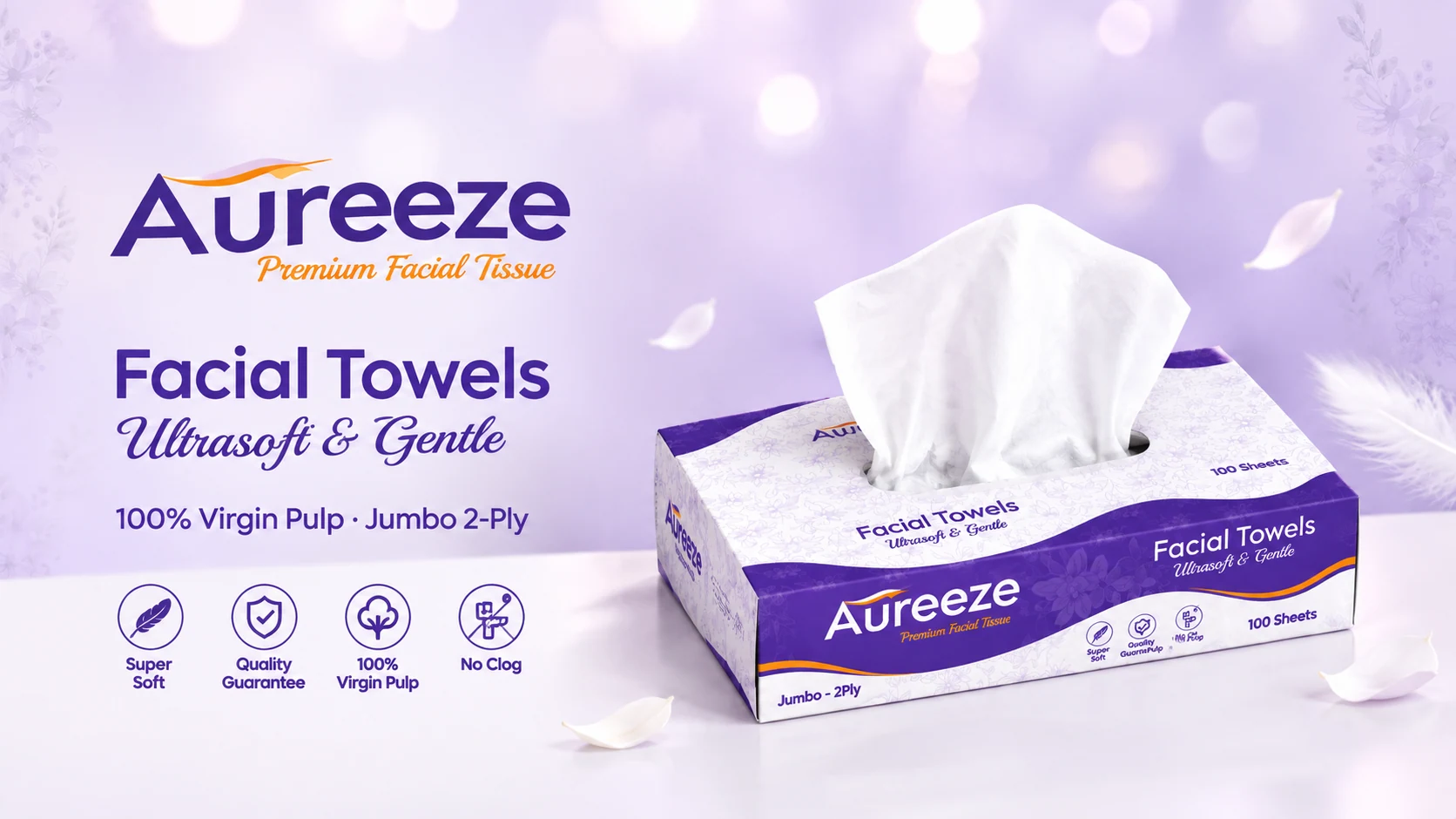
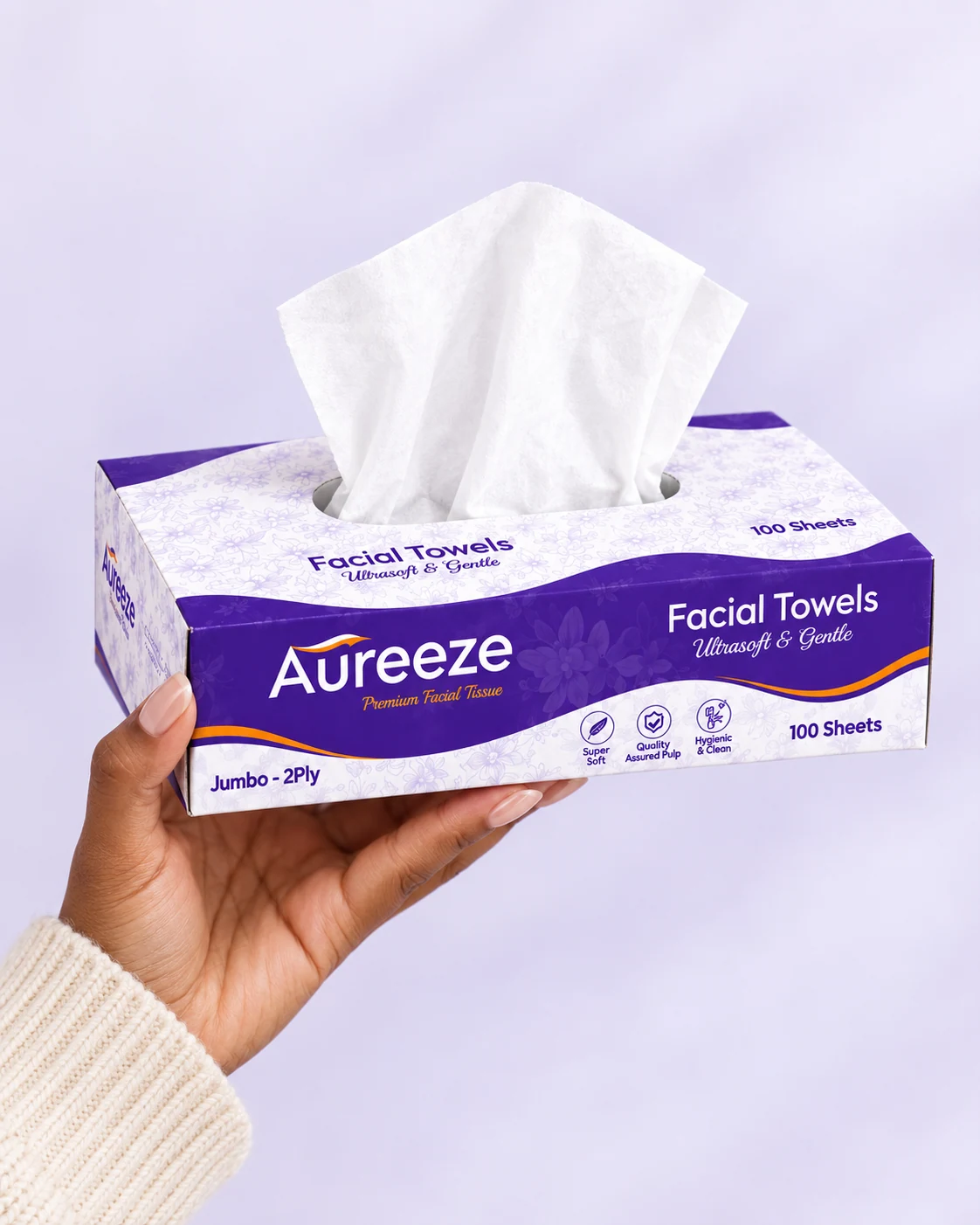
The brand speaking, living and on the shelf.
A key visual introduces Aureeze the way an ad or website banner would: the box, the promise “Facial Towels: Ultrasoft & Gentle” and the four features. Lifestyle scenes then place the box where it lives, by the bed and in the hand, and a stacked display shows it ready for the shelf.


What building a brand from zero taught me.
Aureeze started as a name and ended as a box I could turn around in 3D. Designing everything myself, from the wordmark to the last flap of the dieline, showed me how many small decisions make up a brand, and how closely they depend on each other: the swoosh in the logo became the waves around the box, and the lilac florals had to work as a subtle pattern on a full panel as well as beside the logo.
The packaging taught me to think in three dimensions. Laying the panels out as a real dieline, with every side facing the right way once folded, made me rethink proportions I had only judged flat. Presenting it became the final design challenge: I built the box in 3D from my own artwork, so it can be turned in every direction, folded from its dieline and placed into everyday scenes, with every detail exactly as designed.
A sparkling soda where every can comes with a surprise second flavour.
Every can pairs a main flavour with a surprise second note: the bonus.
BONUS is a modern sparkling soda, lighter than classic soda and bolder than flavoured water. Each flavour comes as a pair, such as Mango + chili, so the surprise is the product. The brand idea: a little extra in every can, the small reward you give yourself in an ordinary day.
One constant mark: BONUS running vertically up every can.
Stacked and rotated versions of the wordmark were tested at real can size, and the one that read fastest on a shelf was kept. The typeface is bold and characterful, deliberately distinct from other vertical-name drinks brands.
A hero colour per flavour, an accent for the bonus, one shared neutral.
Colour carries the flavour story: sunny orange with chili red, bright yellow with ginger brown, watermelon pink with mint green, deep magenta with lime. Typography pairs a bold display face for flavours with a contrasting script for the bonus note.
Four flavours, one family.
The launch range is four 12 fl oz cans. A shared layout keeps the family together while each flavour owns its colours and illustration.
Flat artwork, dieline and the 4-pack carton.
Each can wrap is designed flat on a standard 12 fl oz template, with the wordmark on the front panel and nutrition and legal text on the back. The 4-pack carton shows the flavour mix at a glance.
BONUS as the little extra in a real moment with friends.
Lifestyle imagery is bright, candid and warm: a hand lifting the can to drink, friends clinking different flavours, one friend handing another a can. Hero shots make the can the star, with the line “A little extra in every can” standing behind it.
A storefront built to sell the surprise.
A Shopify-style storefront: a homepage hero, a product grid, and a product page with a flavour switcher and add-to-cart, shown on desktop and phone.
Social posts and a one-line billboard.
Six to nine social posts carry the tone of voice, such as “Mango with a little kick. That’s the bonus.”, shown as a grid beside a phone.
The bonus reveal and short loops for social.
The signature animation: “MANGO” appears, then “+ chili!” pops in. Supporting loops include a can spin, a pour and a seamless flavour cycle.
What a self-initiated brief taught me.
Reflection to be written once the project is complete.
Brand identity systems, flyers, social sets and general graphic design work.

A full brand identity and packaging system for a catering and juice brand.
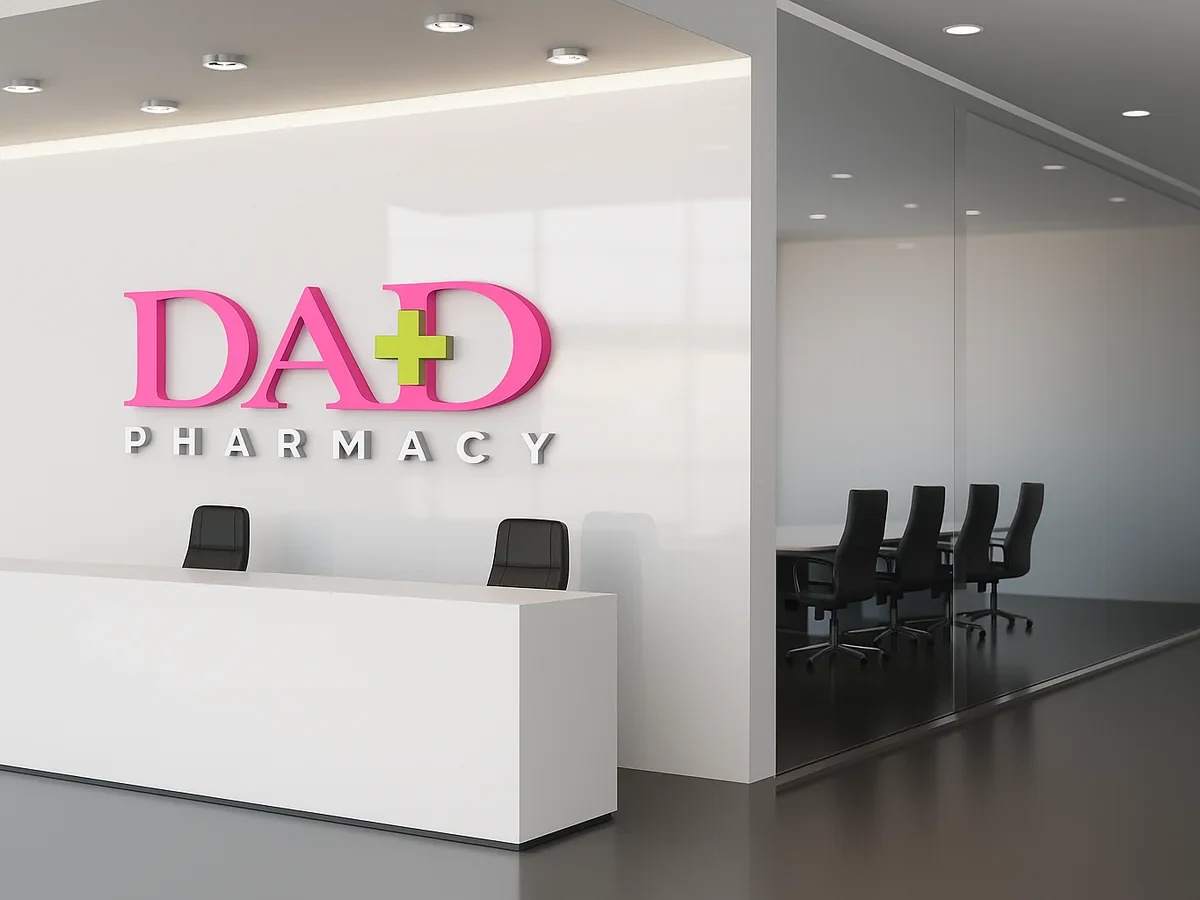
A bold pink and lemon-green identity for a community pharmacy, from logo concepts to applications.
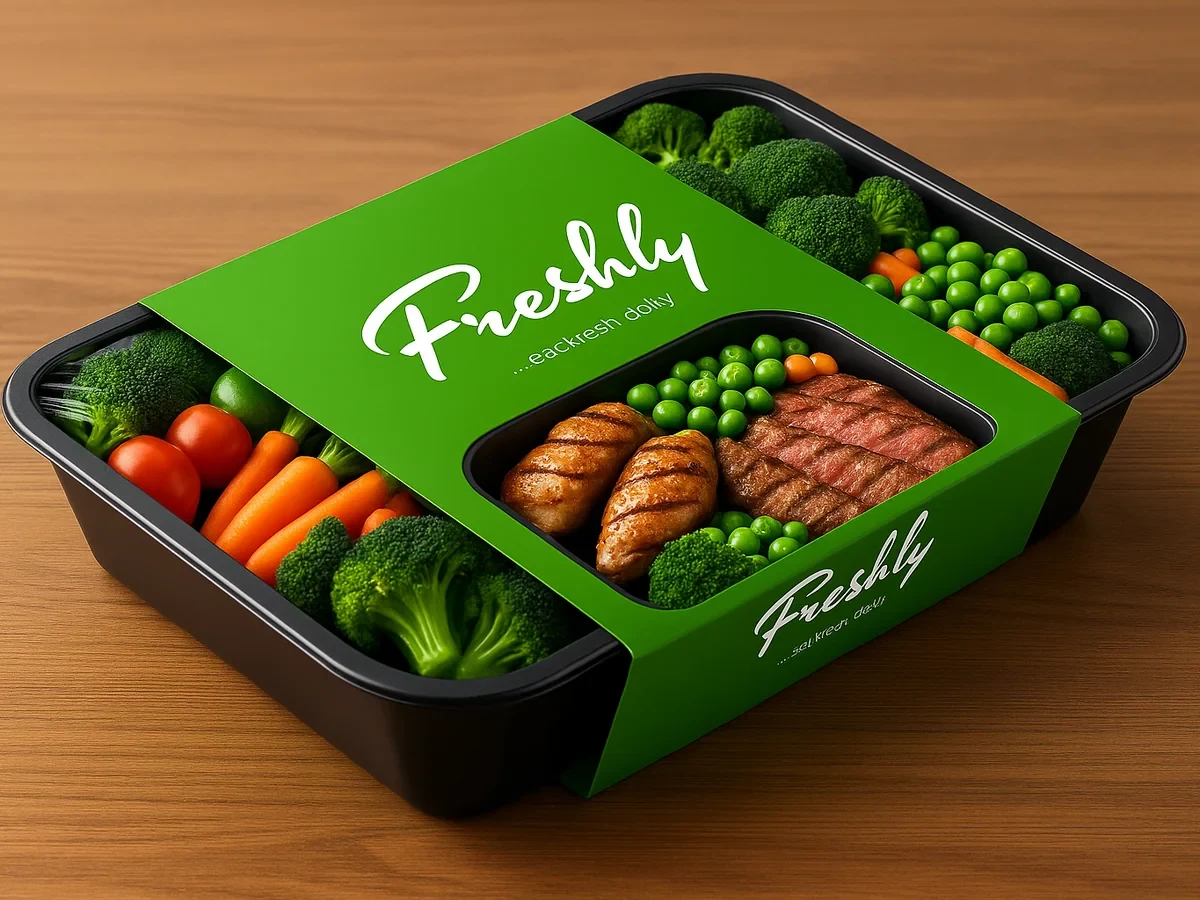
A natural, hand-lettered identity for a fresh food brand built around one promise: eat fresh daily.
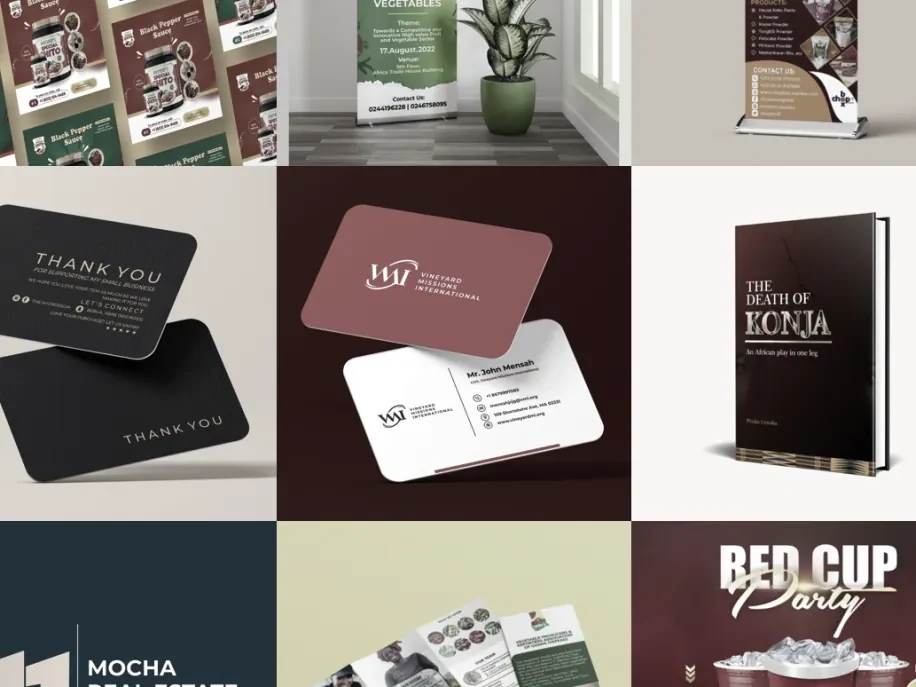
Banners, business cards, book covers, logos, brochures and flyers for clients across industries, 2020–2025.
Brand campaigns built around live events. Each one starts from an event logo and colour system, then rolls out across flyers, speaker graphics, social media, in-service screens and motion.

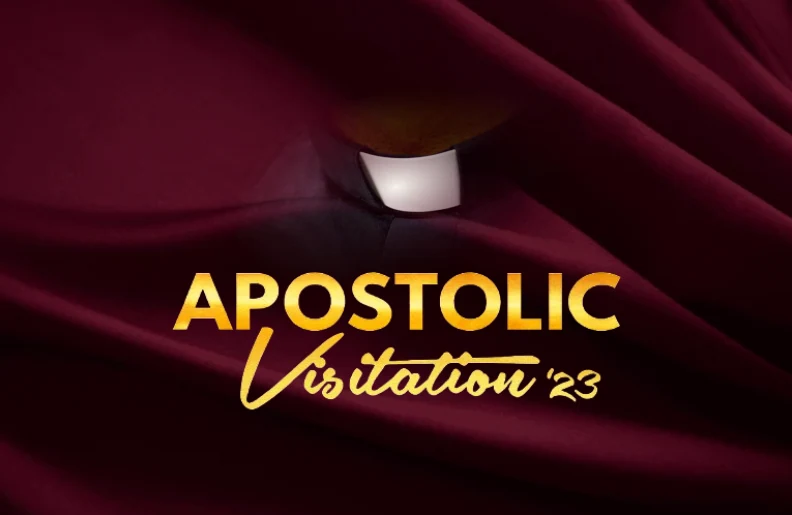
Maroon-and-gold branding for a landmark visit by the Apostle General.
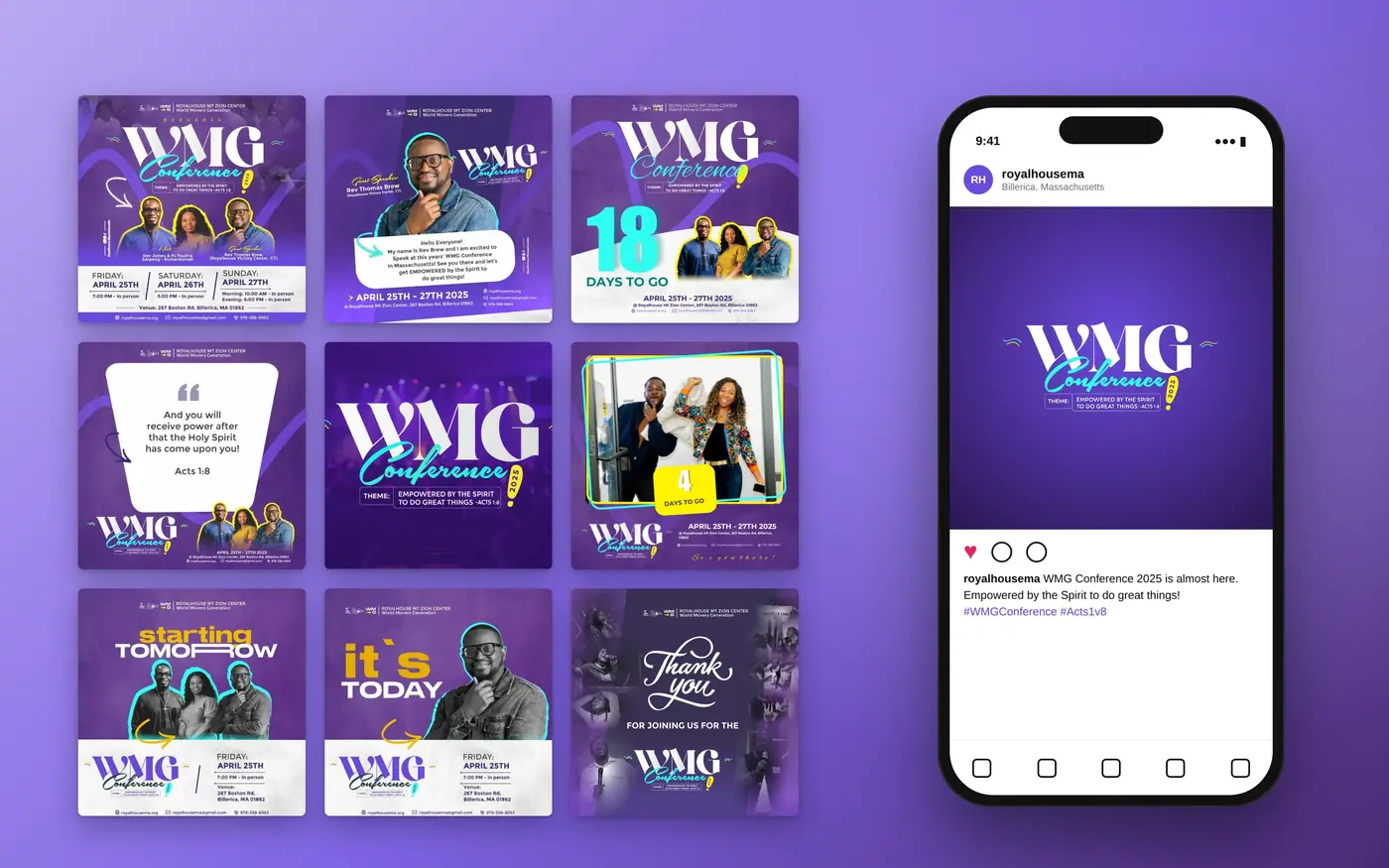
Event identity and promotional suite — flyers, banners, countdowns and speaker graphics.
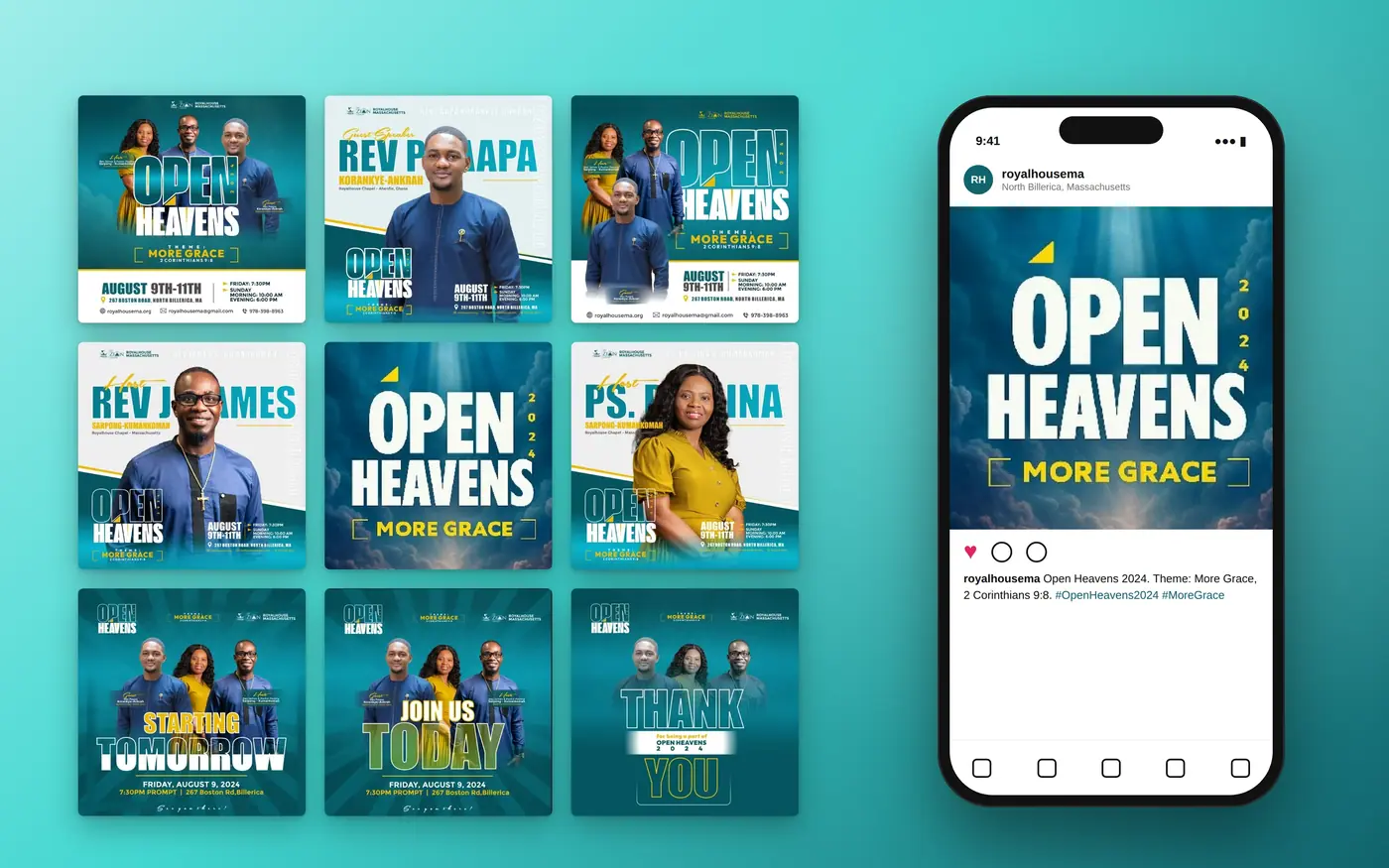
Full visual identity for a church conference themed "More Grace."
Moving-image work — motion graphics, short films, 2D and 3D animation, and visual effects that bring stories to life.
A 60-second cut of motion graphics, event visuals and animation from across my projects.
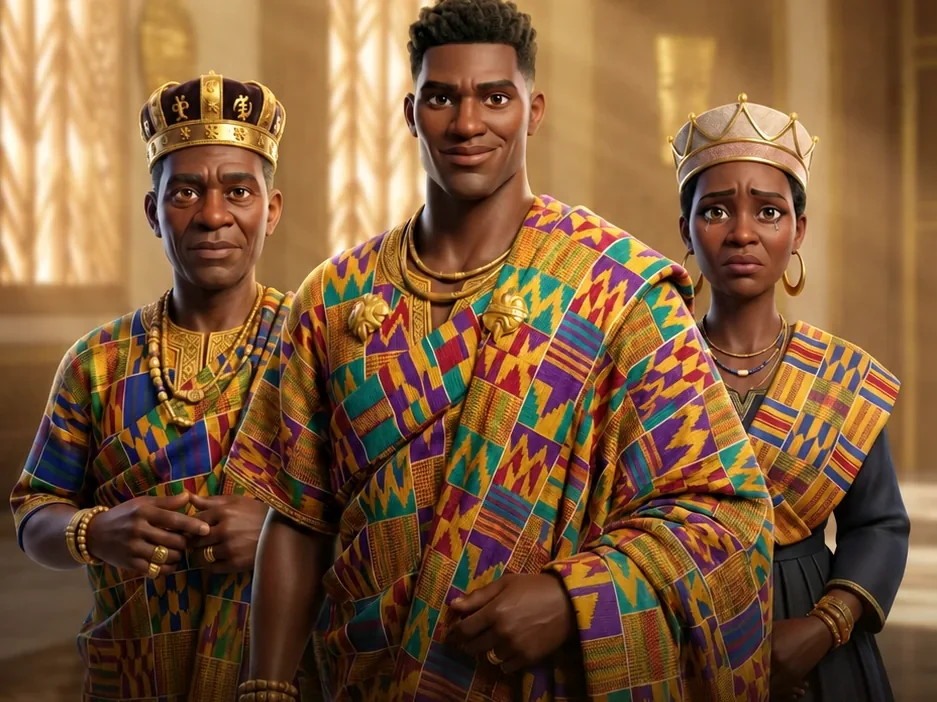
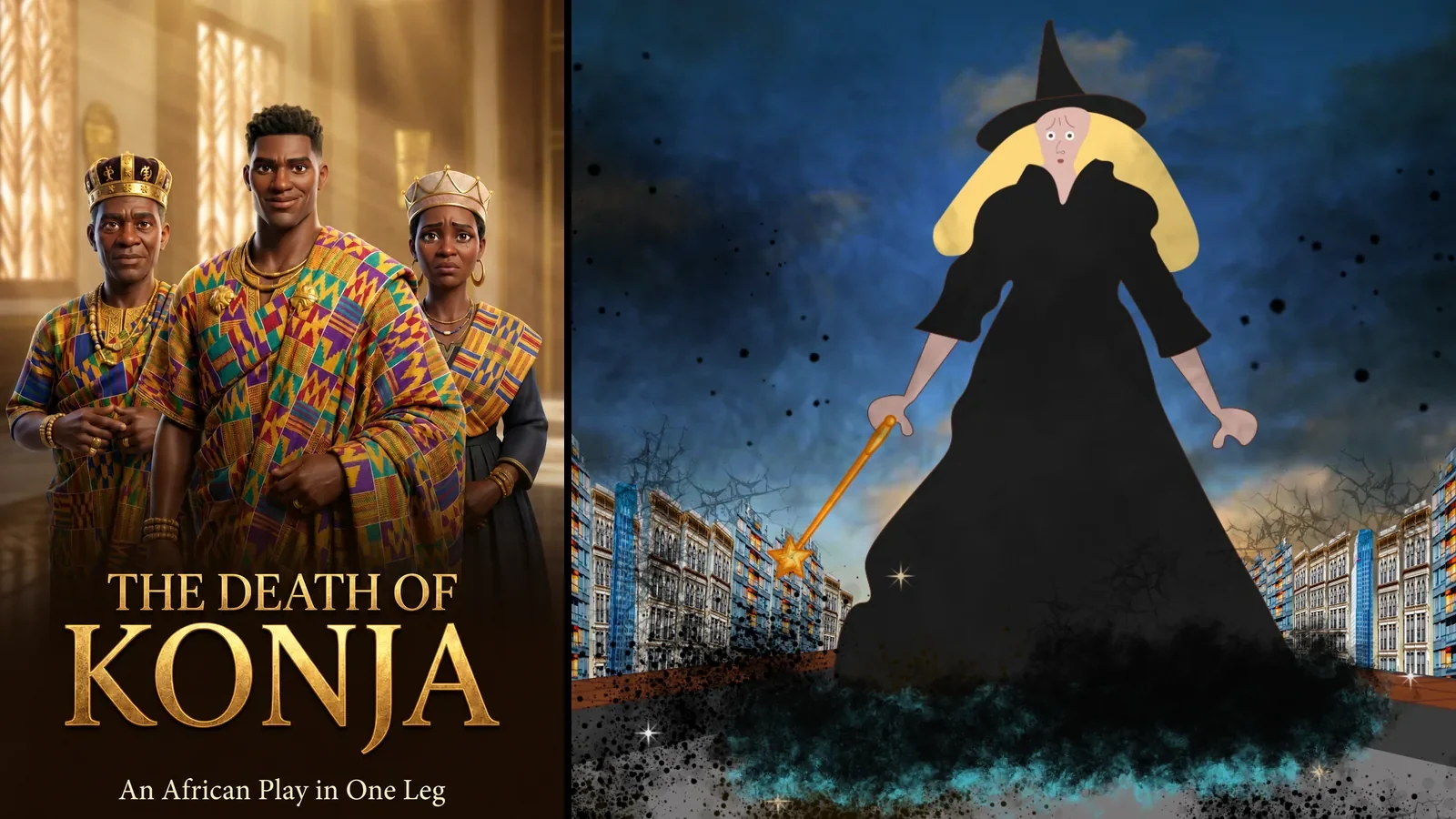
A traditional African drama brought to life with AI visuals, After Effects compositing and an original Suno AI soundtrack.
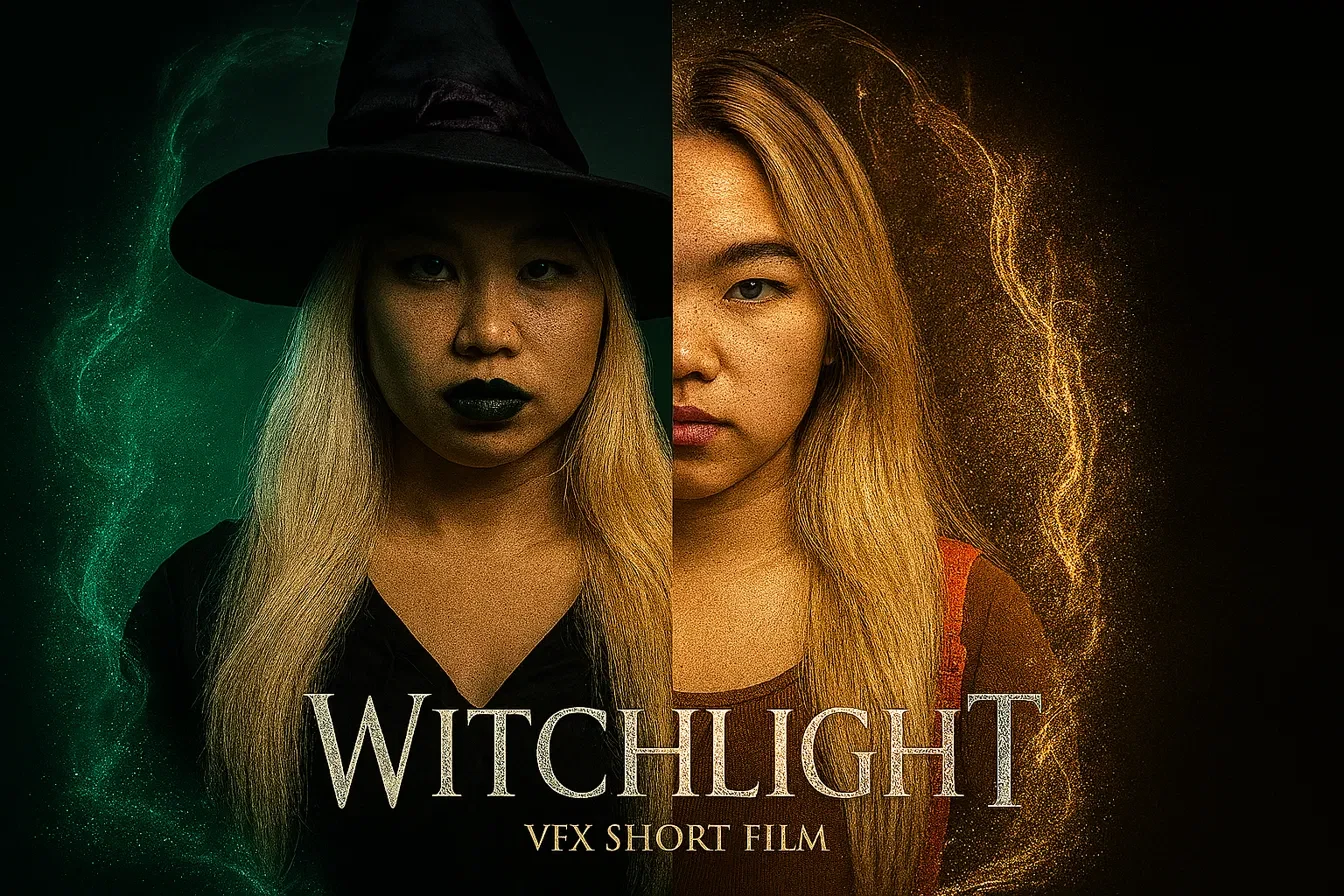
A live-action fantasy short: one touch of a firefly unleashes a power a lost woman can't control.
Papa Atinga dozes off at a traffic light — and wakes up to a police chase he caused himself.
One-off motion pieces made for single events.
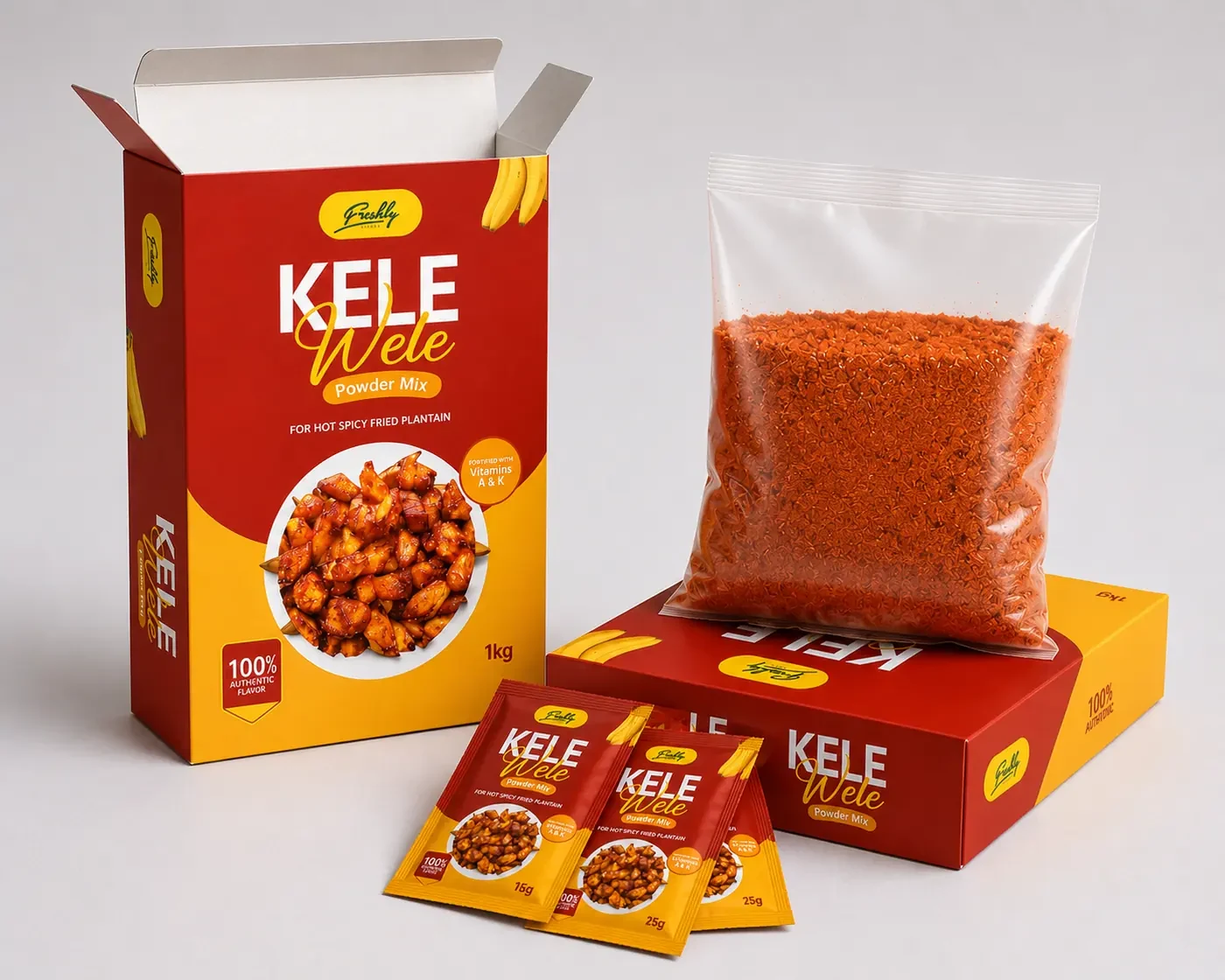
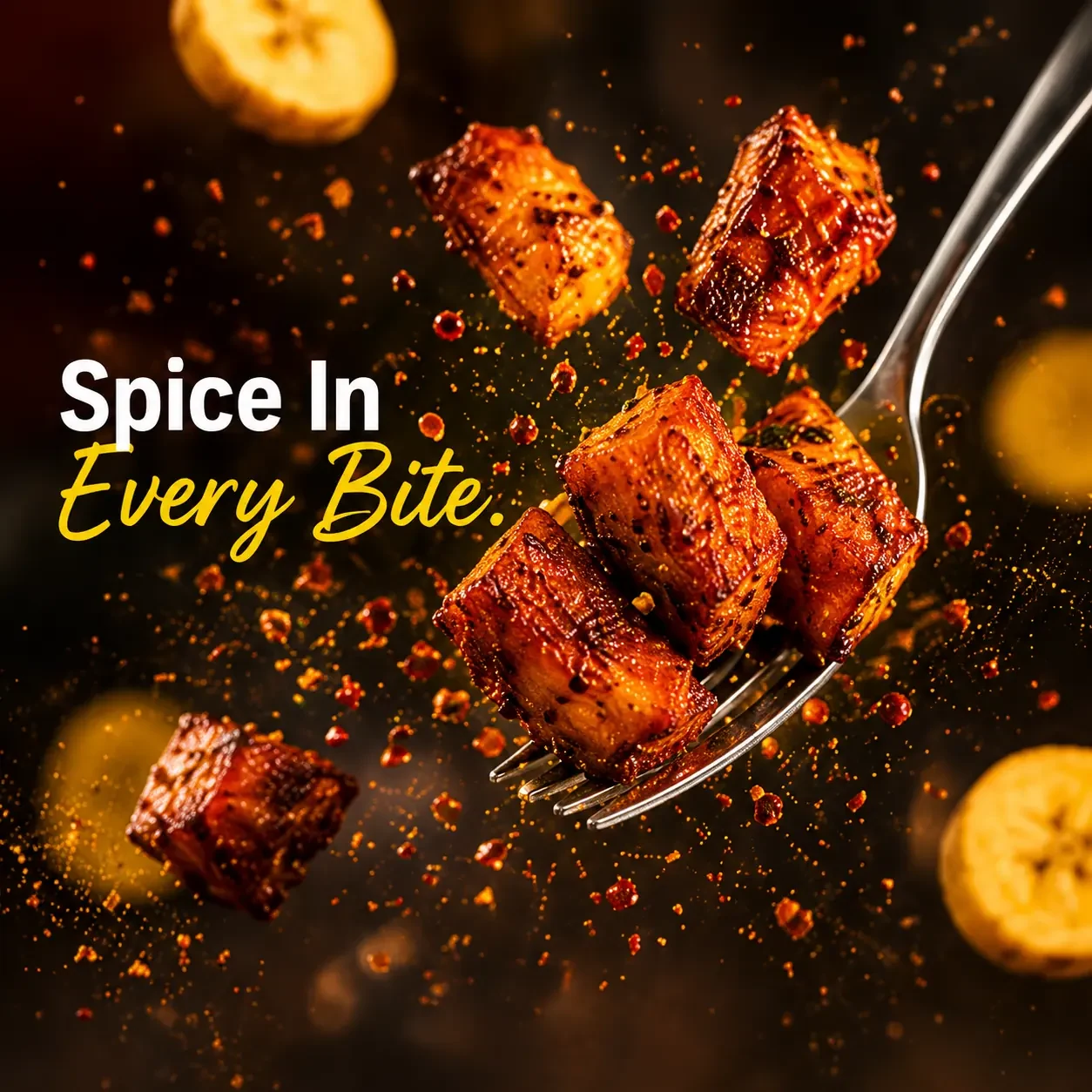
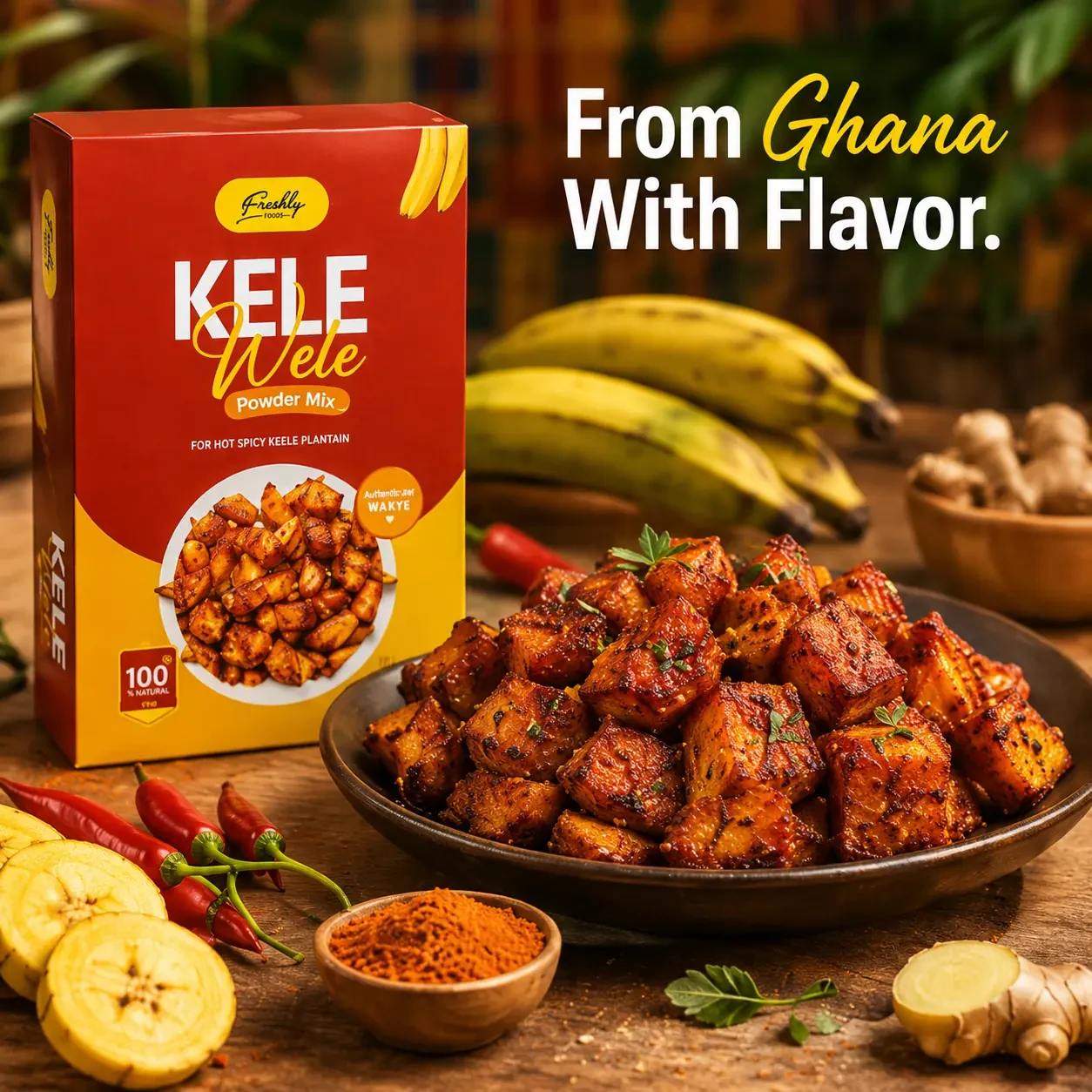
A packaging system for a Ghanaian spice brand, built to carry a street-food favorite from the frying pan onto a retail shelf.
Kelewele is a well-loved Ghanaian street food — plantain cubes fried in ginger, pepper and spice. This project turns that flavor into a shelf-stable powder mix people can use at home, and gives it a packaging system built to feel both authentically Ghanaian and premium enough to compete on a modern grocery shelf.
A bold red-and-golden-yellow palette carries the warmth and energy of the spice itself, while staying flexible enough to support future flavors and pack sizes without a redesign.

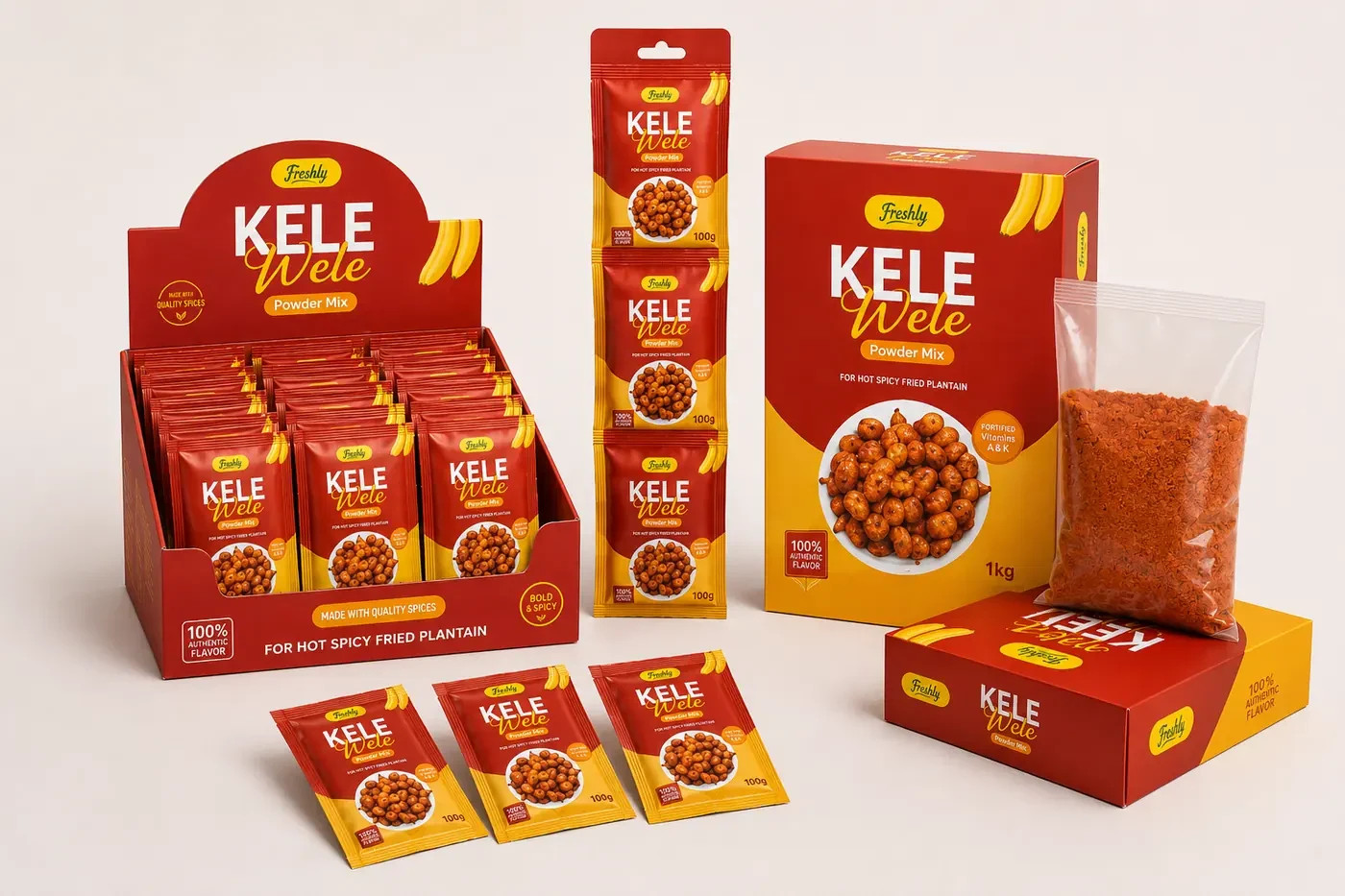

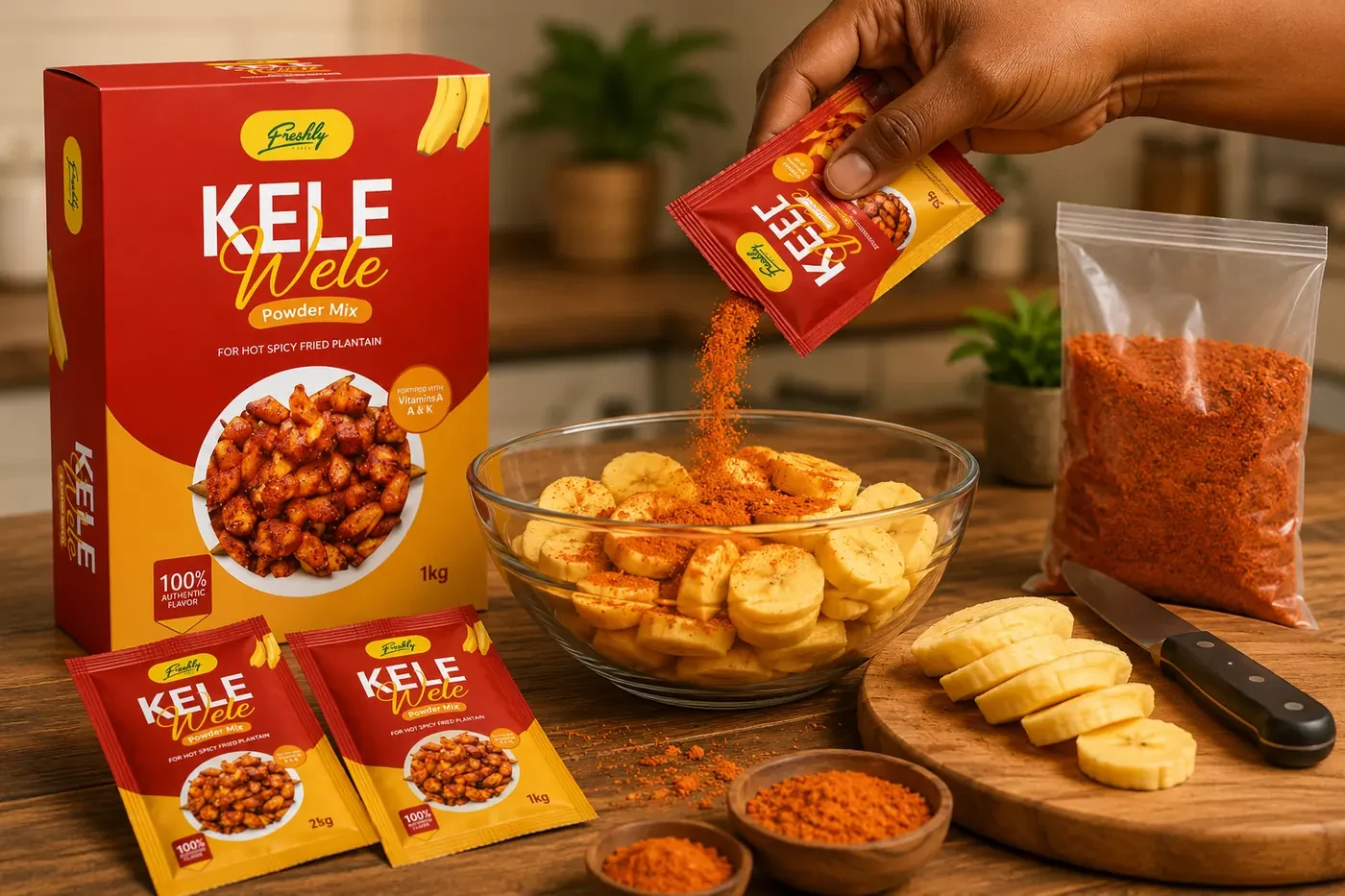
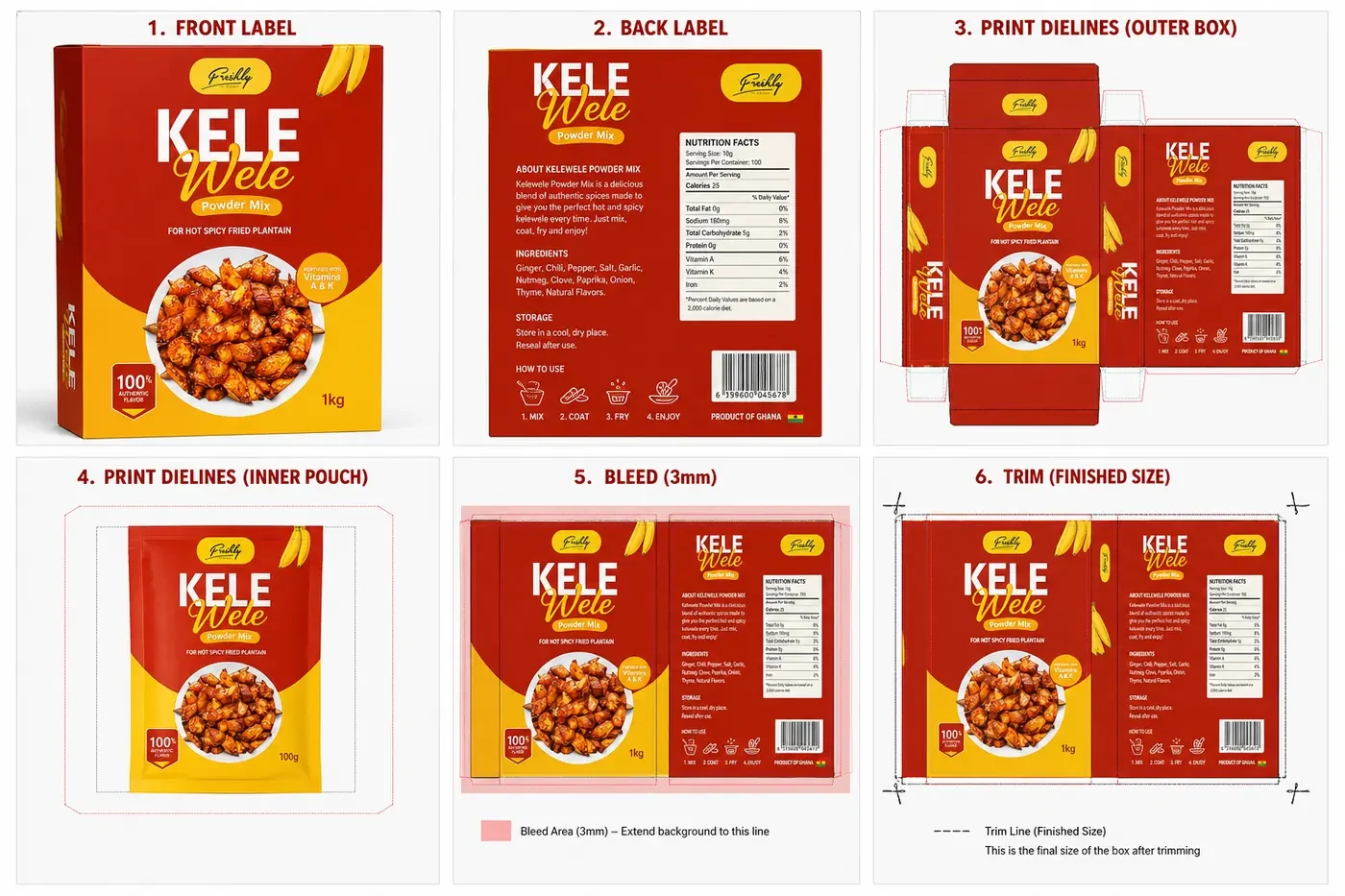
Every panel was built to production spec — front and back labels, dielines for the outer box and inner pouch, bleed allowance and trim marks — so the file could go straight from design to print without rework.
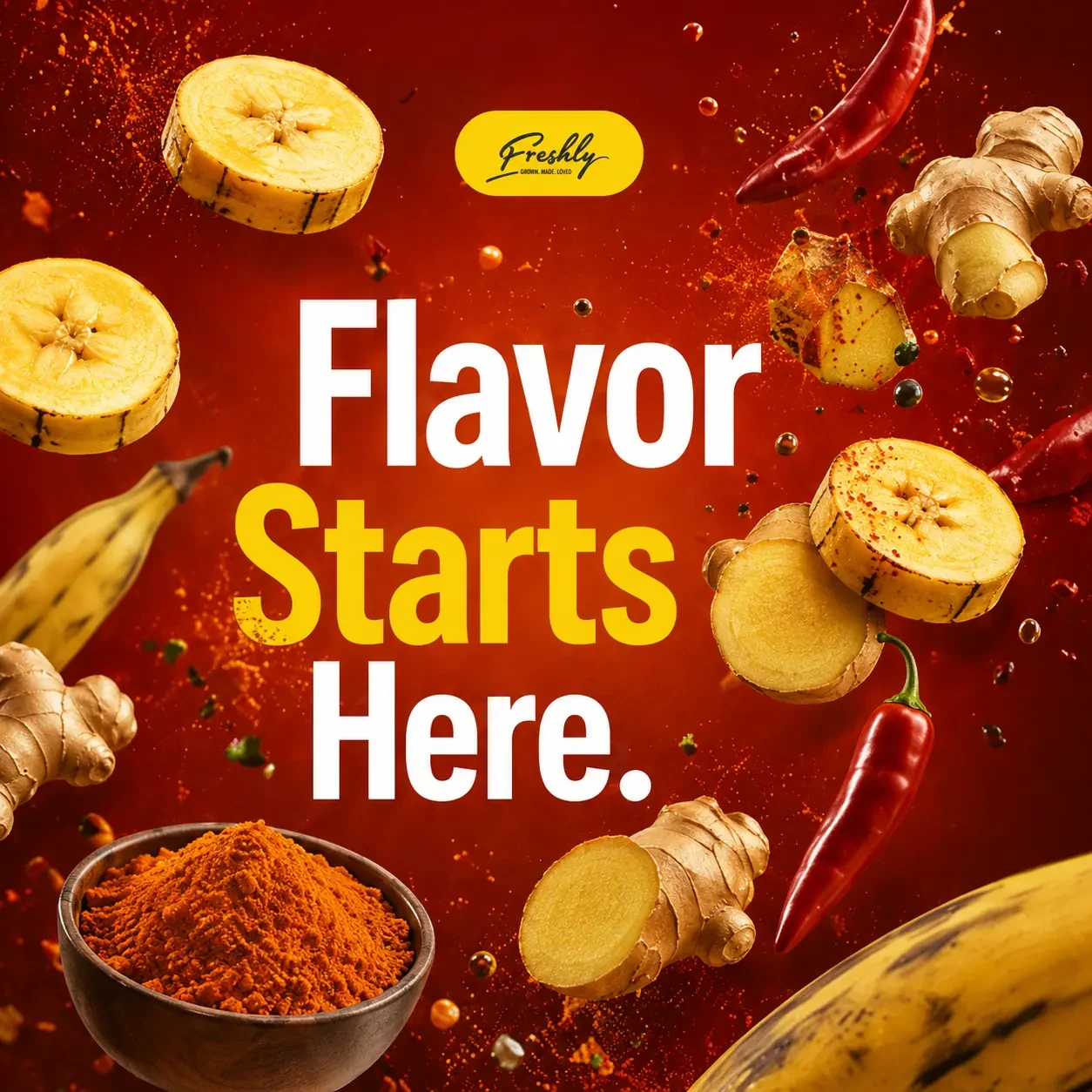
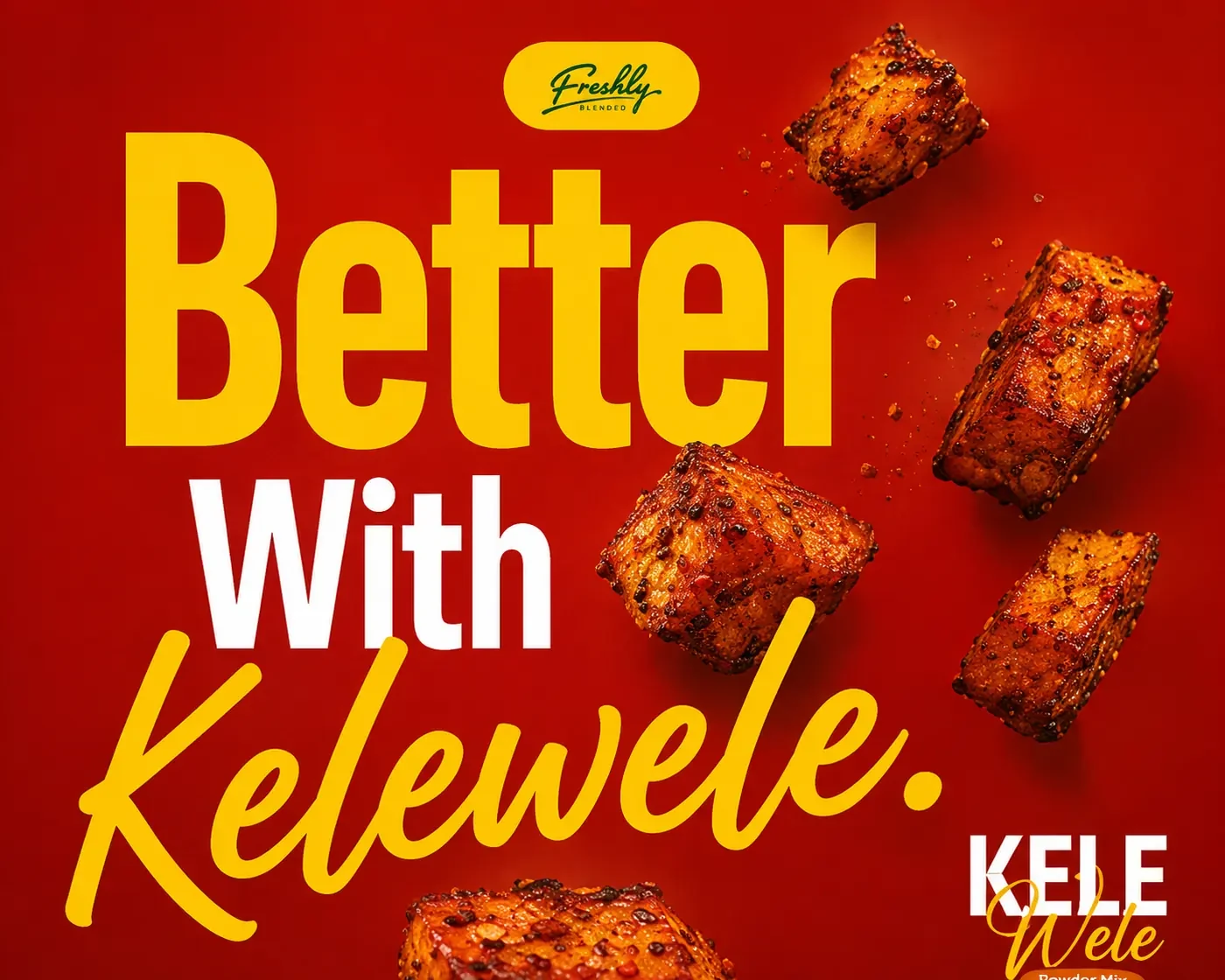
The packaging language extended into a set of advertising visuals for social and in-store use, built around the same palette and voice.

Role: Brand identity designer, packaging designer, product visualization, creative direction, print preparation.
A bottle packaging system and brand identity for a fruit juice line, designed to feel energetic and fresh while giving each flavor its own personality within one recognizable family.
Freshly is a fruit juice brand built around natural ingredients and everyday healthy living. The goal was a packaging system that feels energetic and approachable, with a consistent bottle structure and identity that lets every flavor keep its own personality — from the deep red of Sobolo & Ginger to the warm orange of Orange & Apple — while staying instantly recognizable as one family on the shelf.
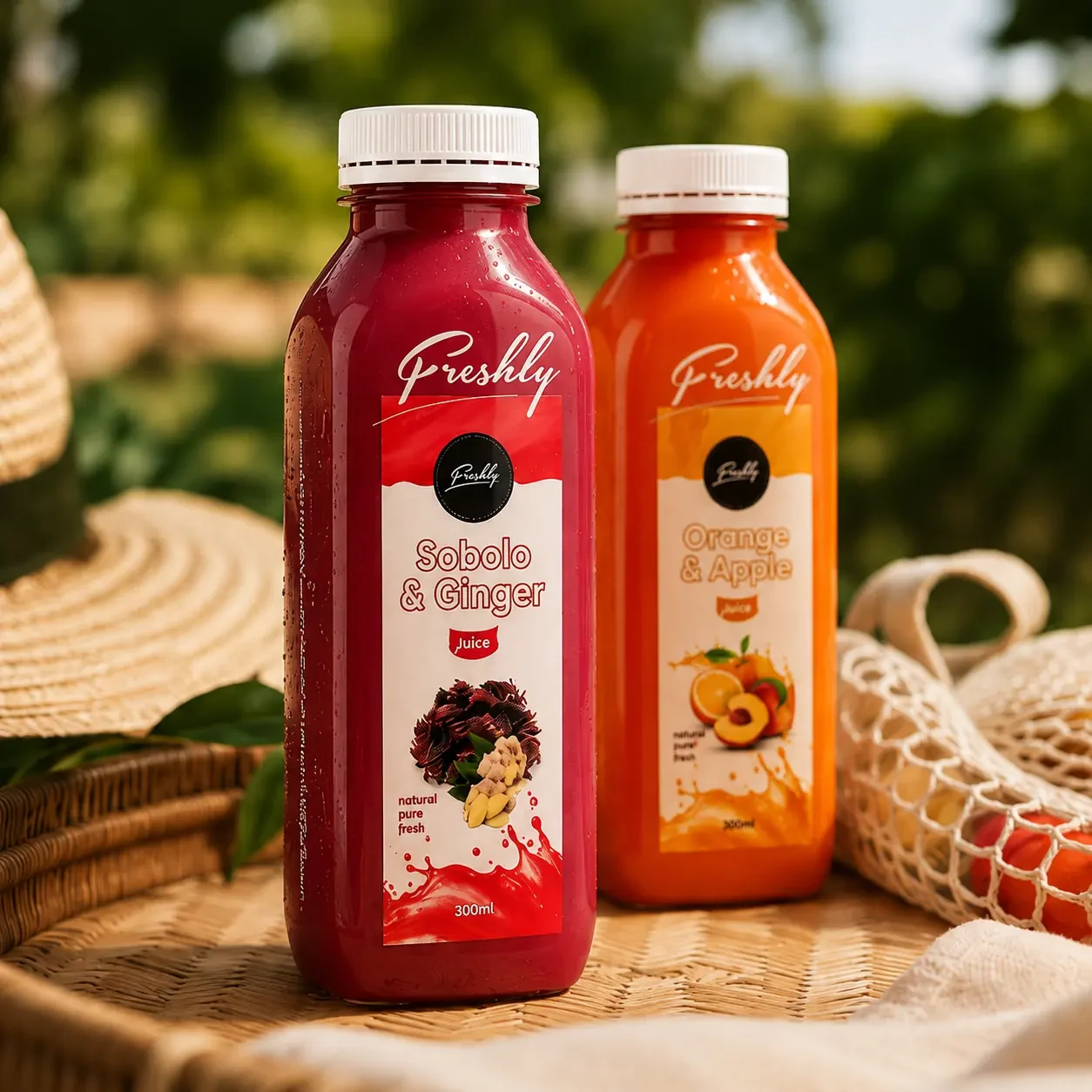
A handwritten-style logo gives the brand a personal, hand-crafted feel. The color system is built by flavor — deep reds drawn from hibiscus and berries for Sobolo & Ginger, vibrant orange from citrus for Orange & Apple — so recognition happens before anyone reads a word. Typography balances that expressive logo with clean, plain-spoken supporting text for on-shelf clarity.

Colour palette
Sobolo & Ginger: hibiscus and berries.
Depth and contrast on the red labels.
Orange & Apple: bright and juicy.
The reversed logo and fresh, natural cues.
The handwritten wordmark on light backgrounds.
Every flavor shares the same bottle silhouette and label structure, so the range reads as one family even as the color story changes from bottle to bottle.
Labels were built with production in mind from the start — front and back label, dielines, bleed and trim — so the design translates directly from screen to physical bottle.
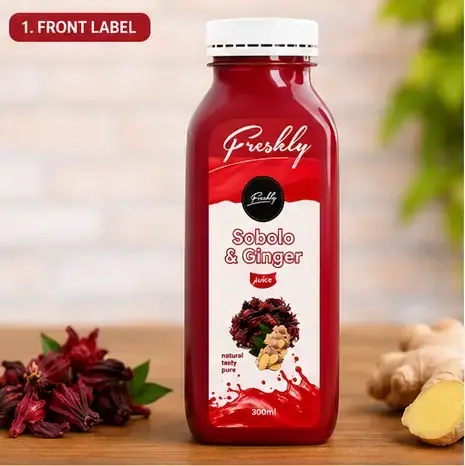
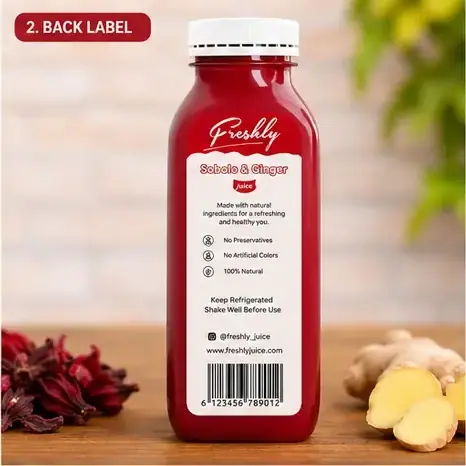
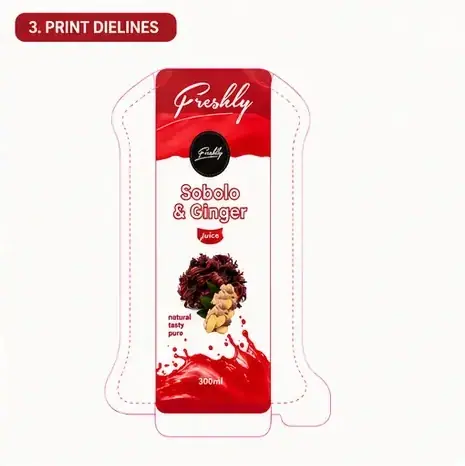
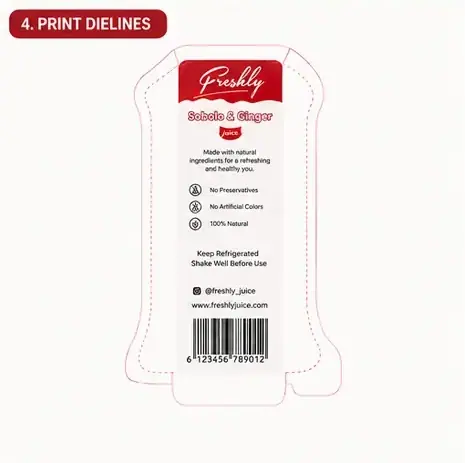
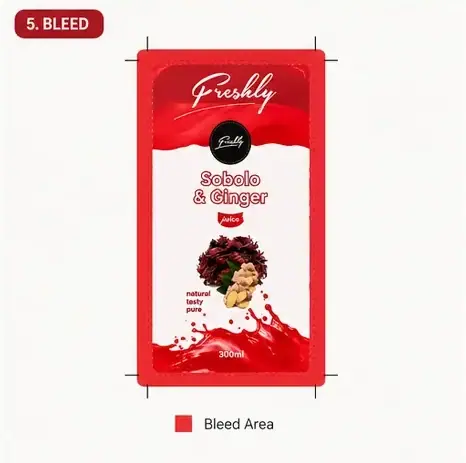
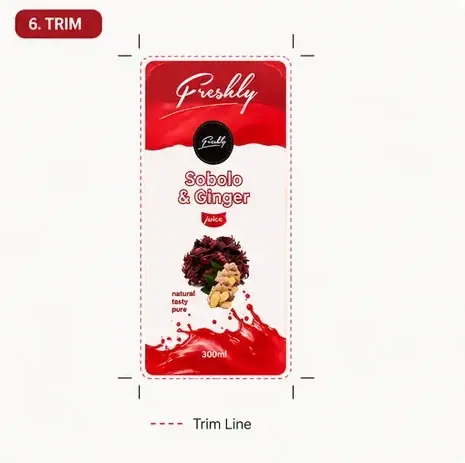
Fig. 04 — Front/back label, dielines, bleed & trim
To show how the brand performs beyond the bottle, the packaging was placed across the environments customers actually meet it in — the carton, the multipack, the shopping bag, the supermarket shelf and the fridge case.
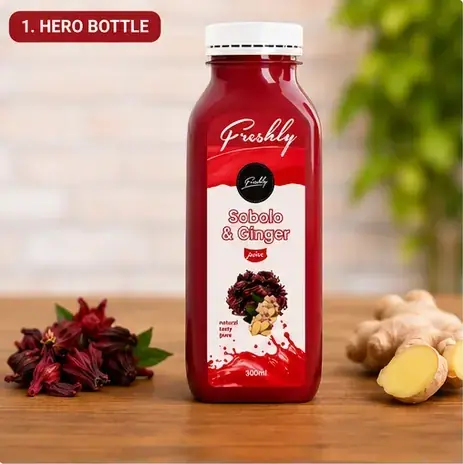
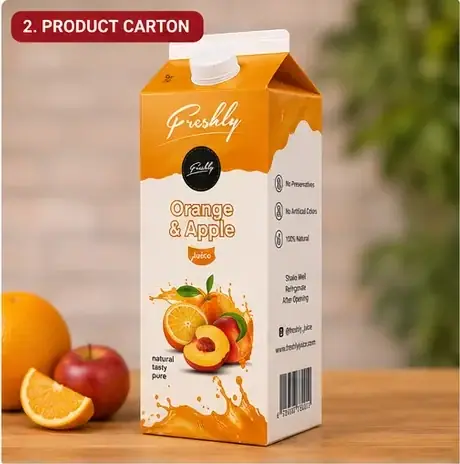
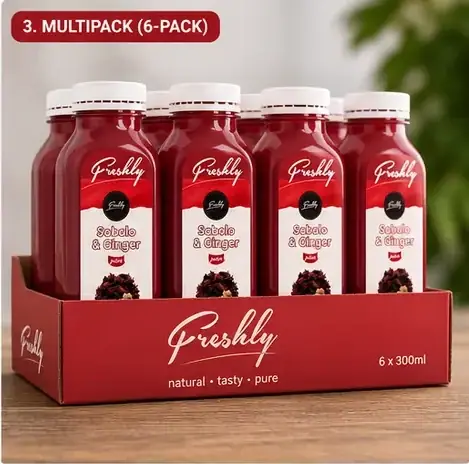
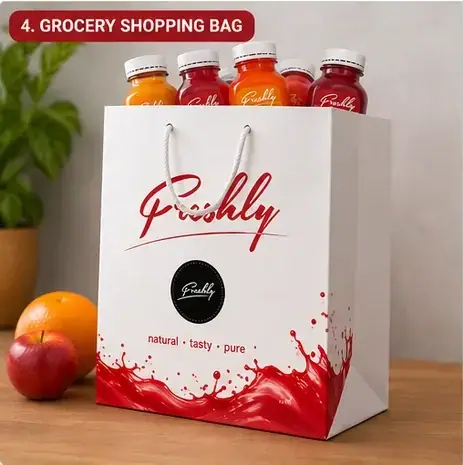

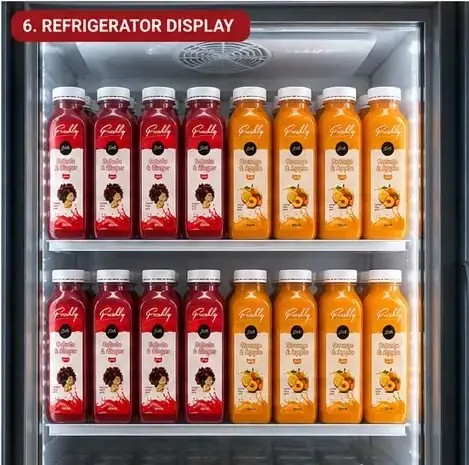
Fig. 05 — Hero bottle · carton · multipack · shopping bag · shelf · fridge case
Role: Brand identity designer, packaging designer, product visualization, creative direction, print preparation.
A packaging system for a premium haircare line — conditioner, shower gel and shampoo — built around one consistent bottle family with quality and shelf presence in mind.
Alorden is a haircare and personal care brand offering everyday essentials: shampoo, conditioner and shower gel. The brief was a packaging system that communicates quality, nourishment and modern simplicity, with a strong shelf presence. Built around a consistent bottle silhouette, warm gold accents and botanical illustration, the system lets each product carry its own identity while staying visibly part of one family.
A gold botanical mark and warm, structured label hierarchy sit behind all three products. Each one carries its own accent color and illustration — a rose for the conditioner, a golden oil drop for the shower gel, a hibiscus bloom for the shampoo — so shoppers can tell them apart at a glance while still reading as one brand.
Fig. 02 — Logo, palette, type & process
Conditioner, shower gel and shampoo share the same bottle structure and label shape, with the ingredient illustration and product name doing the work of telling them apart on shelf.

Every label was built with production in mind — front and back label, print dielines, bleed area and trim/safe zone — so the design carries through cleanly from screen to physical bottle and carton.
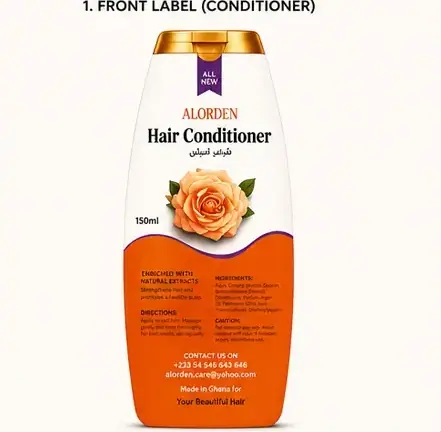

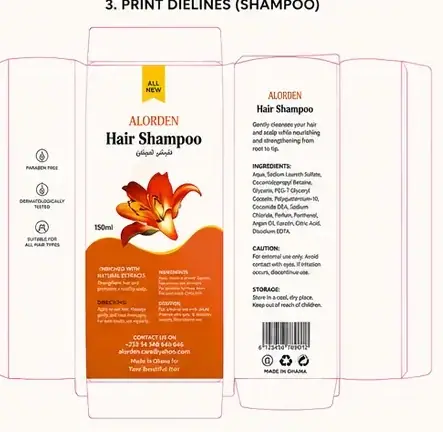
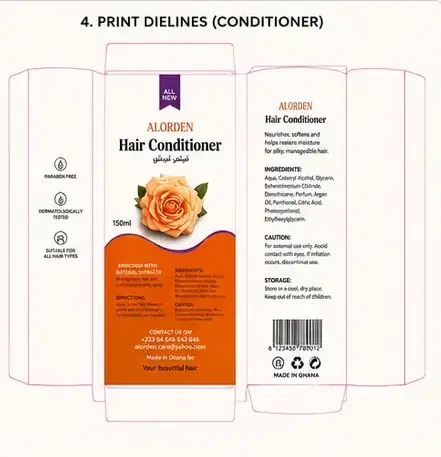
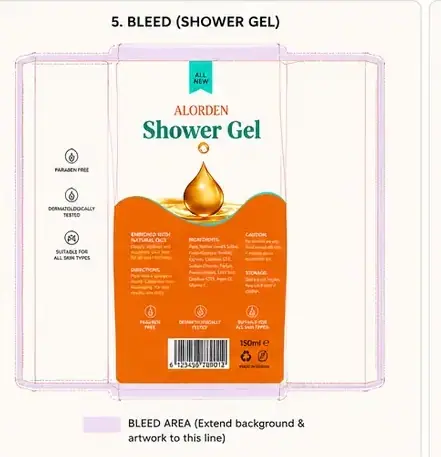

Fig. 04 — Front/back labels, dielines, bleed & trim
To show the range performing beyond the bottle, the identity was carried across a gift box, shopping bag and product carton, then into social, magazine and website ads.
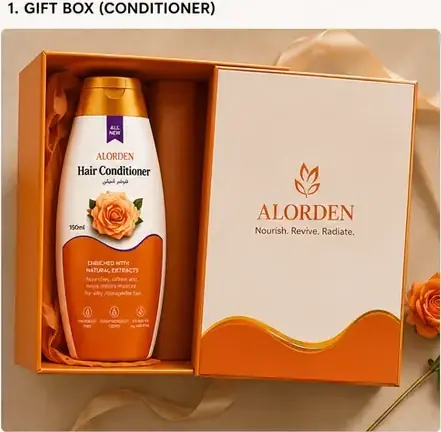
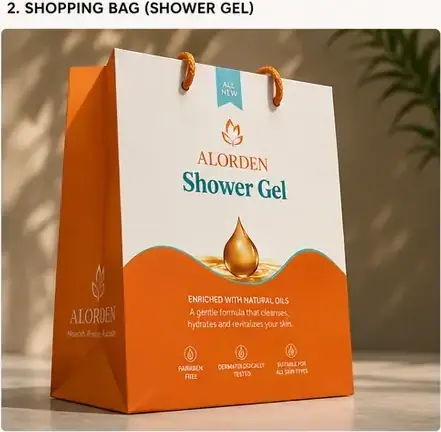
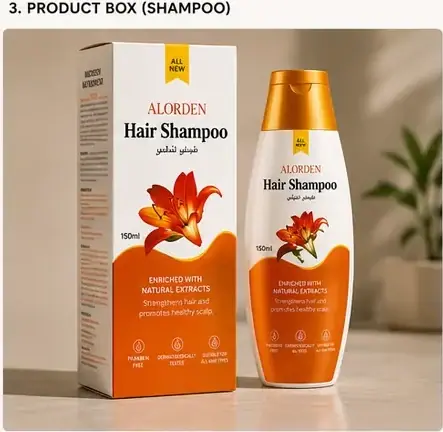
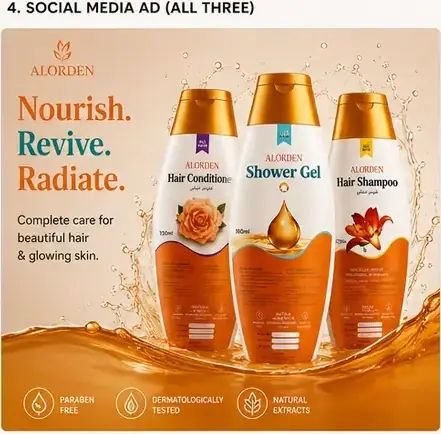

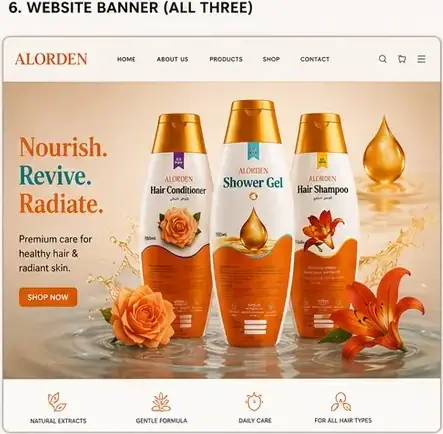
Fig. 05 — Gift box · shopping bag · product box · social · magazine · web
Role: Brand identity designer, packaging designer, product visualization, creative direction, print preparation.
An all-in-one church operations and media platform that brings church administration, creative workflows and service technology into one intuitive system.
Churches rely on fragmented tools for administration, media and service tech, which creates inefficiency, duplicated effort and inconsistent communication. HalleHub is a scalable, modular platform that unifies church admin, media creation, social scheduling and presentation workflows. The insight in one line: churches are not lacking tools — they are overwhelmed by them.

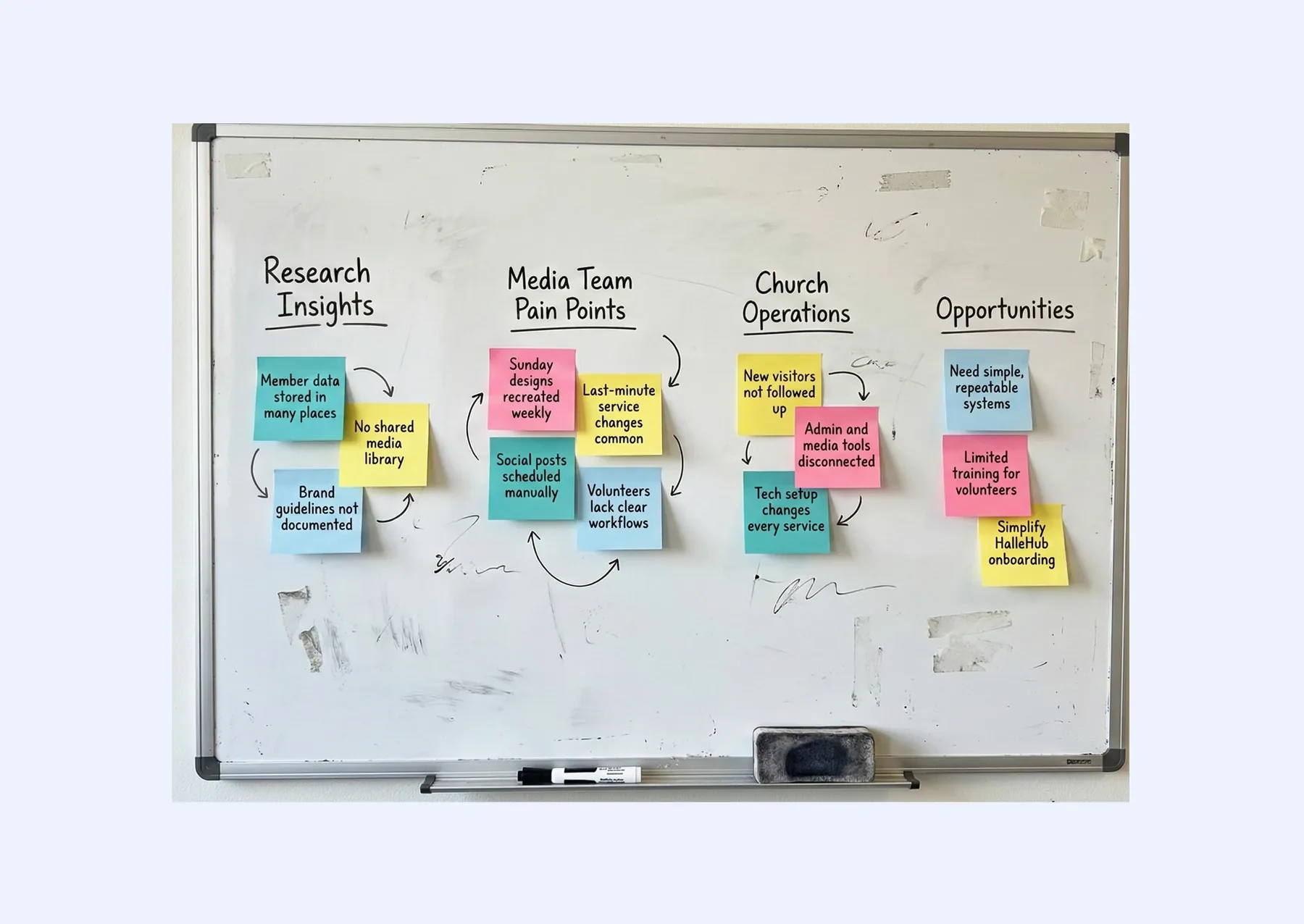
Churches operate like small organizations but often lack purpose-built software. Media teams juggle Google Forms, WhatsApp, Canva, Meta tools, ProPresenter and spreadsheets — each tool holding a different part of the workflow. This fragmentation creates cognitive overload, inconsistent branding and dependency on a few overworked volunteers. HalleHub was conceived as a central hub, not just another tool.
Through early conversations, observation and lived experience serving within a church media team, one theme kept repeating: churches are managing real organizational operations with tools that were never designed to work together. This creates friction across weekly routines — from capturing visitor information, to creating service graphics, to coordinating schedules — and the cost is usually carried by a few overworked volunteers.
Key challenges observed
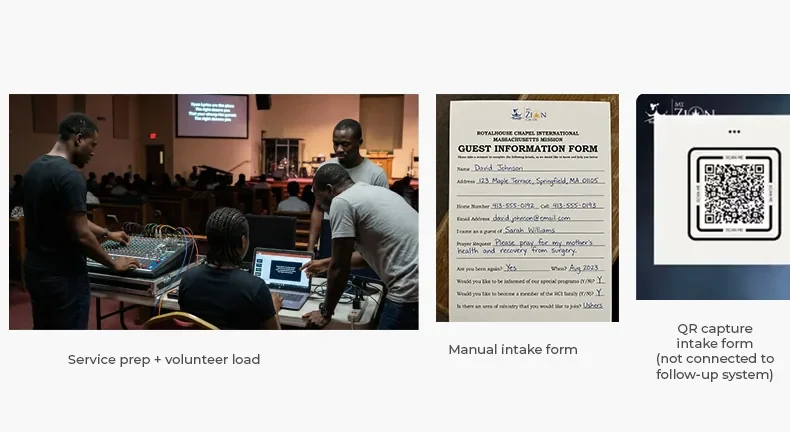
After synthesizing interview notes and observing workflows, the strongest themes were less about adding "more features" and more about reducing tool overload, enforcing consistency and protecting volunteer time.
How might we —
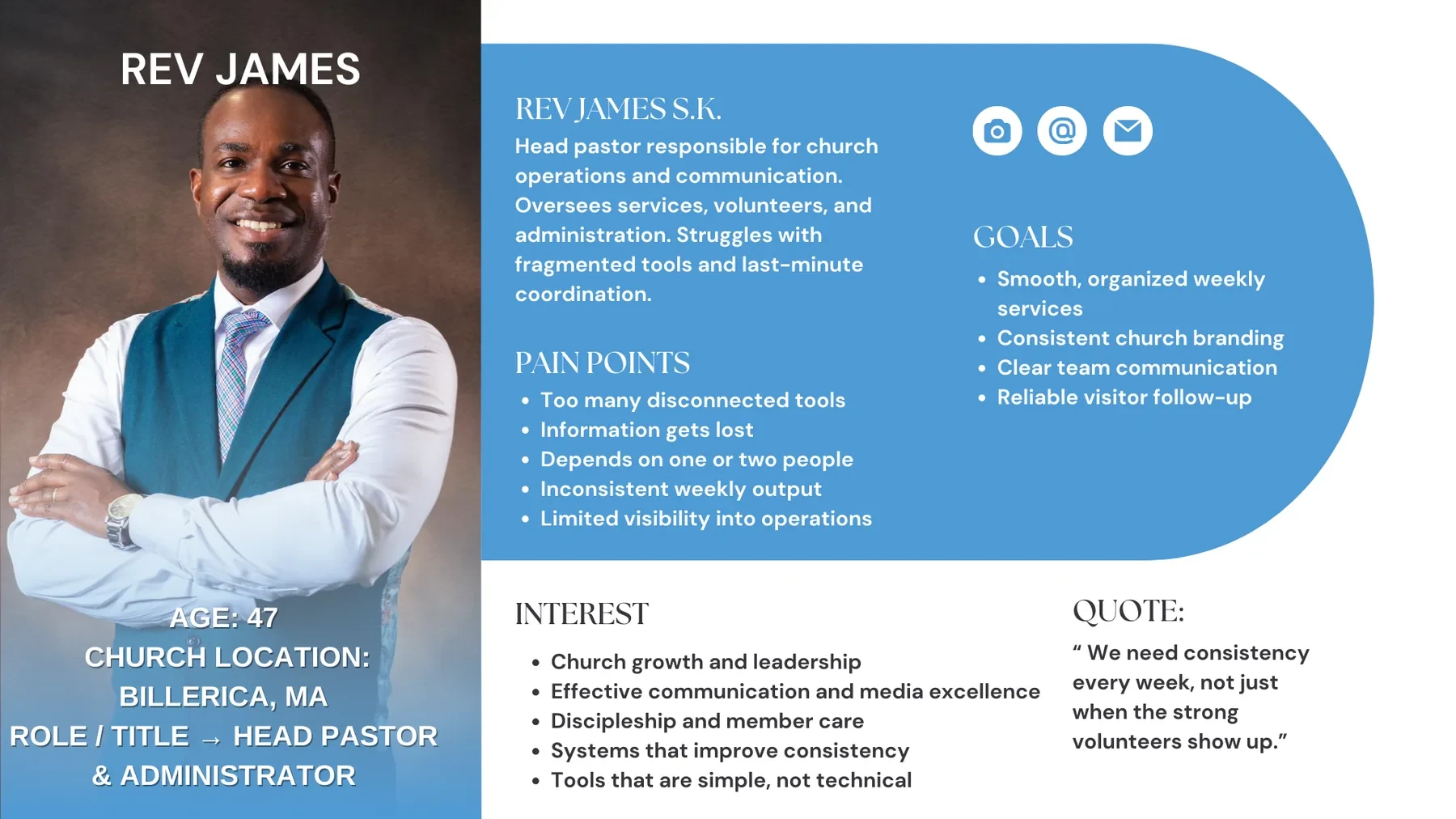
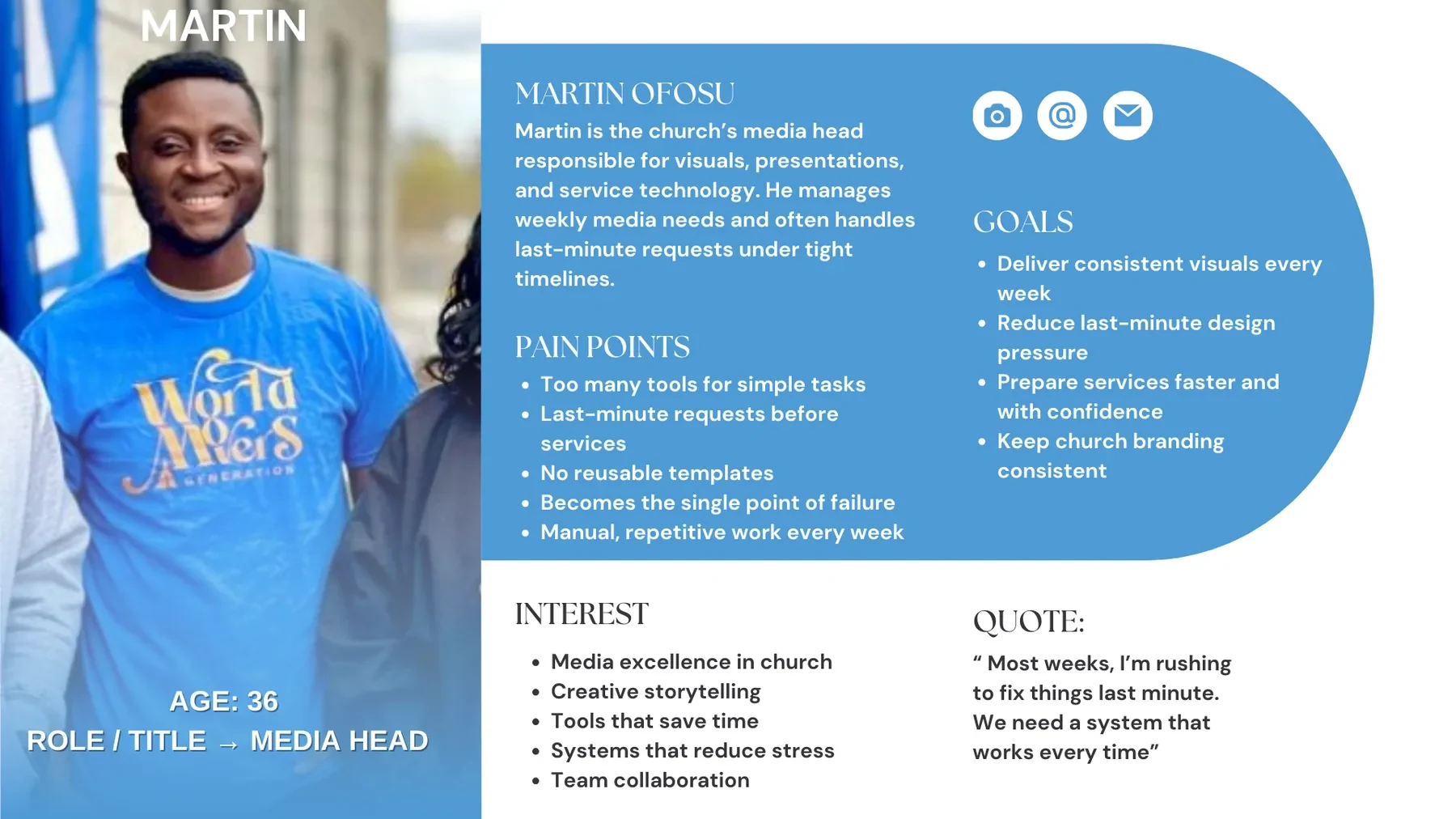
Based on research insights and observed workflows, two core user archetypes guided prioritization and design decisions.
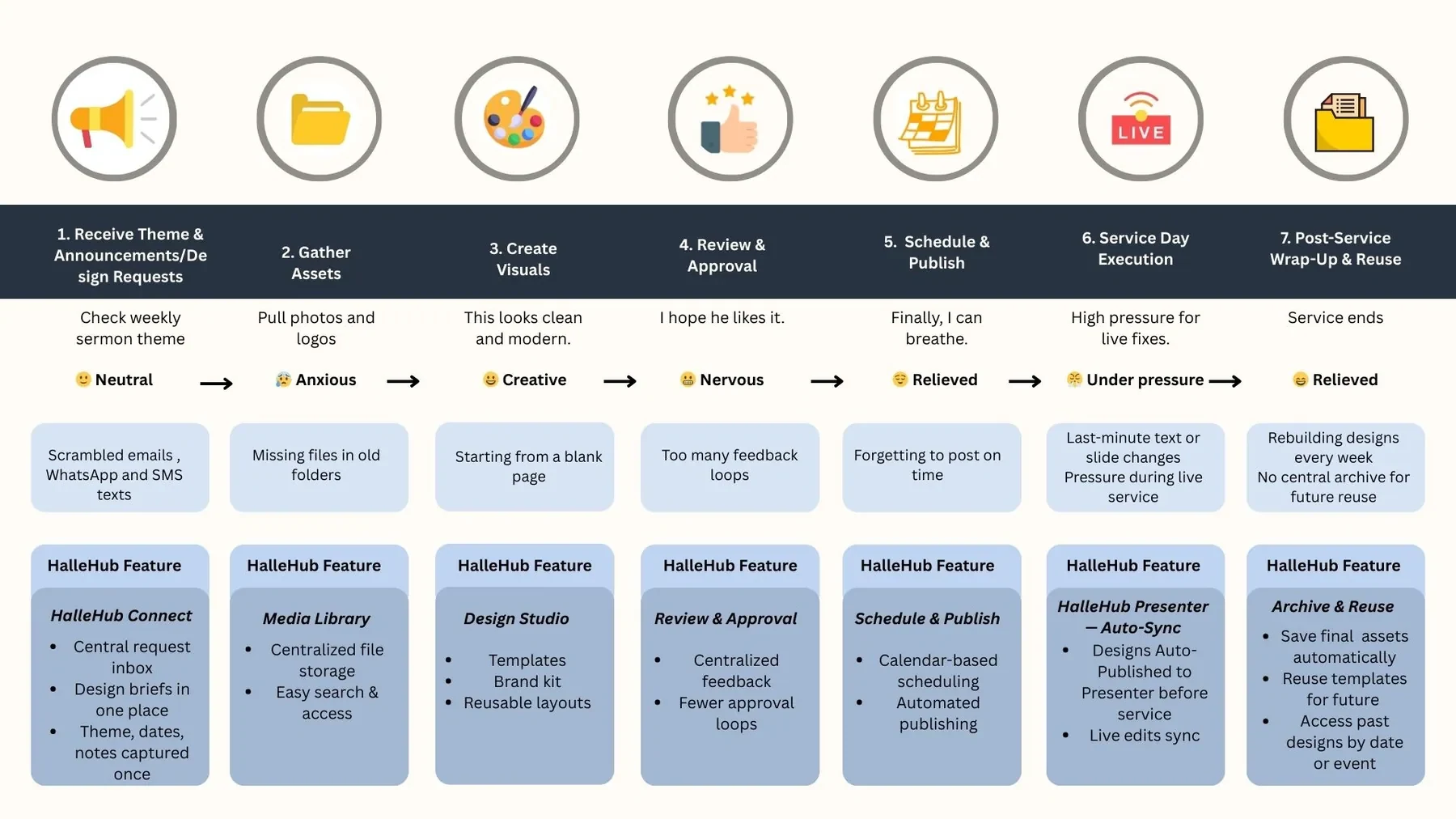
I mapped the journey of the Church Media Lead because this role experiences the highest weekly pressure and directly reflects the MVP workflows: templates, scheduling and service prep.
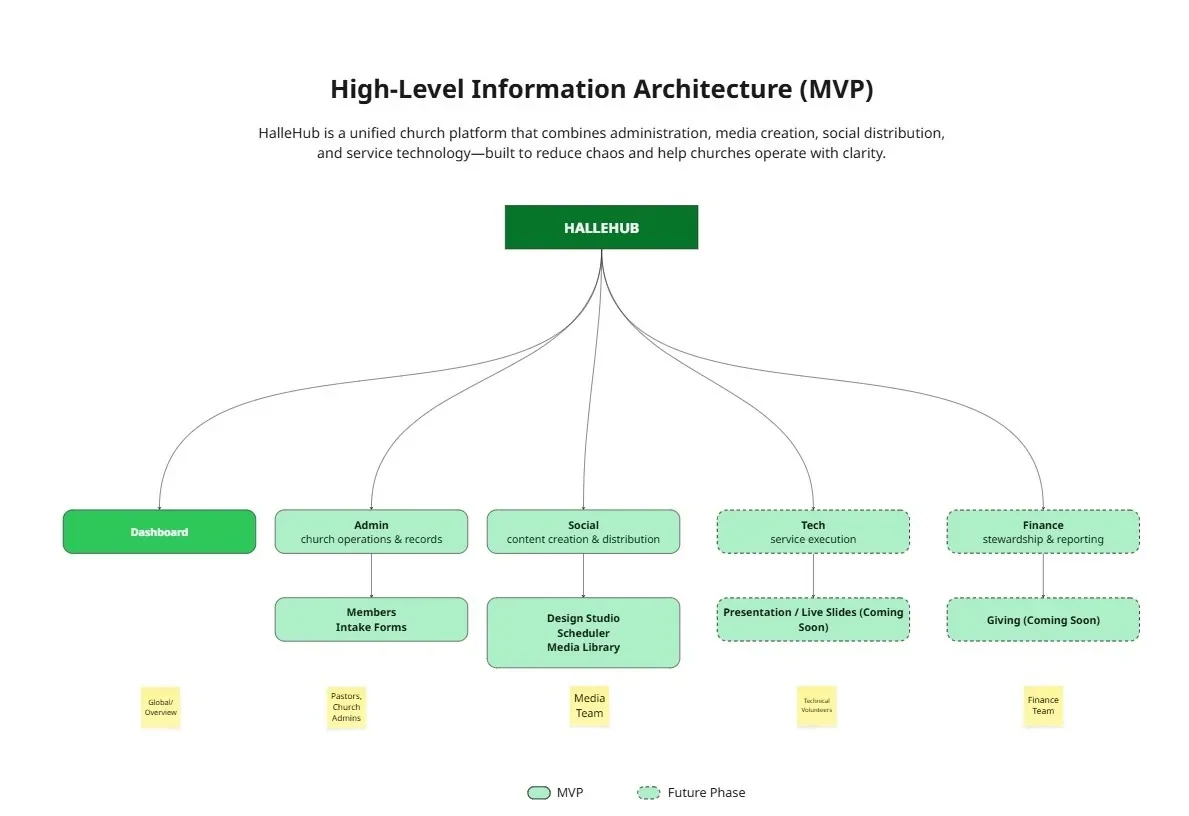
To reduce cognitive load, HalleHub groups features into four domains, mirroring how churches already think about their work.
Low-fidelity wireframes first validated structure, navigation hierarchy and layout before investing in visual design. The current high-fidelity prototype validates structure, flow and usability through clickable navigation and core workflows across Admin, Social and Tech.
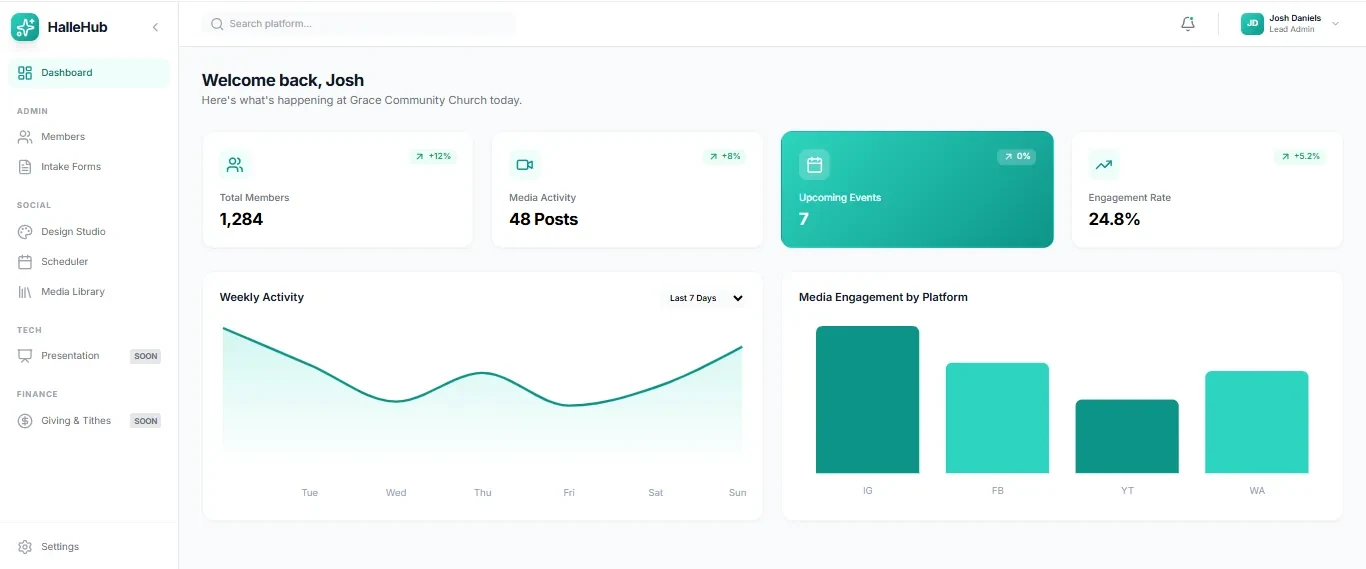
Key workflow screens
Design Studio
Users start from templates — Sunday Service, Prayer Program, Youth Program, Special Events — instead of blank canvases. Templates pull from a brand kit to keep output consistent.
Scheduler
The Scheduler supports both HalleHub designs and external assets, so teams can plan in a calendar view and schedule directly.

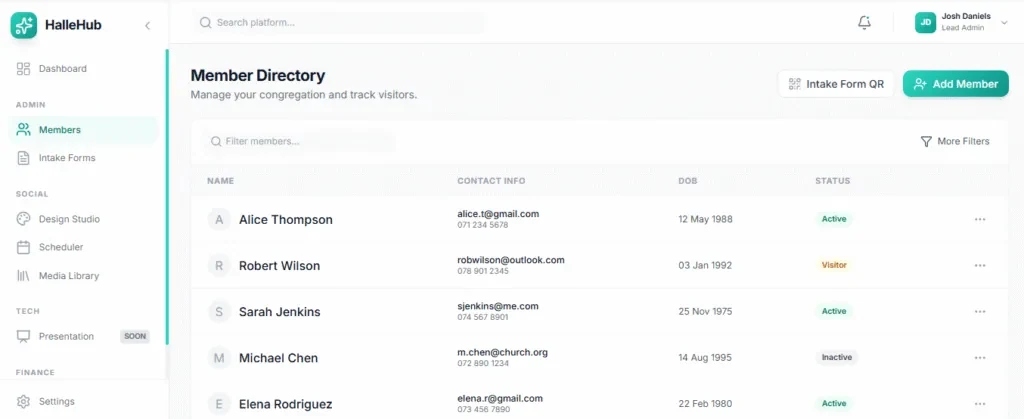
Member Directory & Intake
A centralized database supports manual entry and QR-based visitor intake, so follow-up doesn't get lost across tools.
HalleHub is intentionally designed as a system, not just a product.
This project reinforced designing with empathy for volunteer-driven teams, grounding decisions in real workflows, and treating UX as an ongoing conversation — not a one-time deliverable.
A logo and brand identity for a community pharmacy — bold, warm and memorable, built to stand apart from the clinical blues and greens pharmacies usually wear.
The owner of Dad Pharmacy needed a logo for his business — something that would feel trustworthy and professional, but also friendly enough to be the pharmacy people choose in their own neighbourhood. The client came in with a clear colour direction: a bold pink and a bright lemon green. My job was to turn that unexpected pairing into an identity that still reads clearly as healthcare. Two logo concepts were developed and presented; the client chose the wordmark.
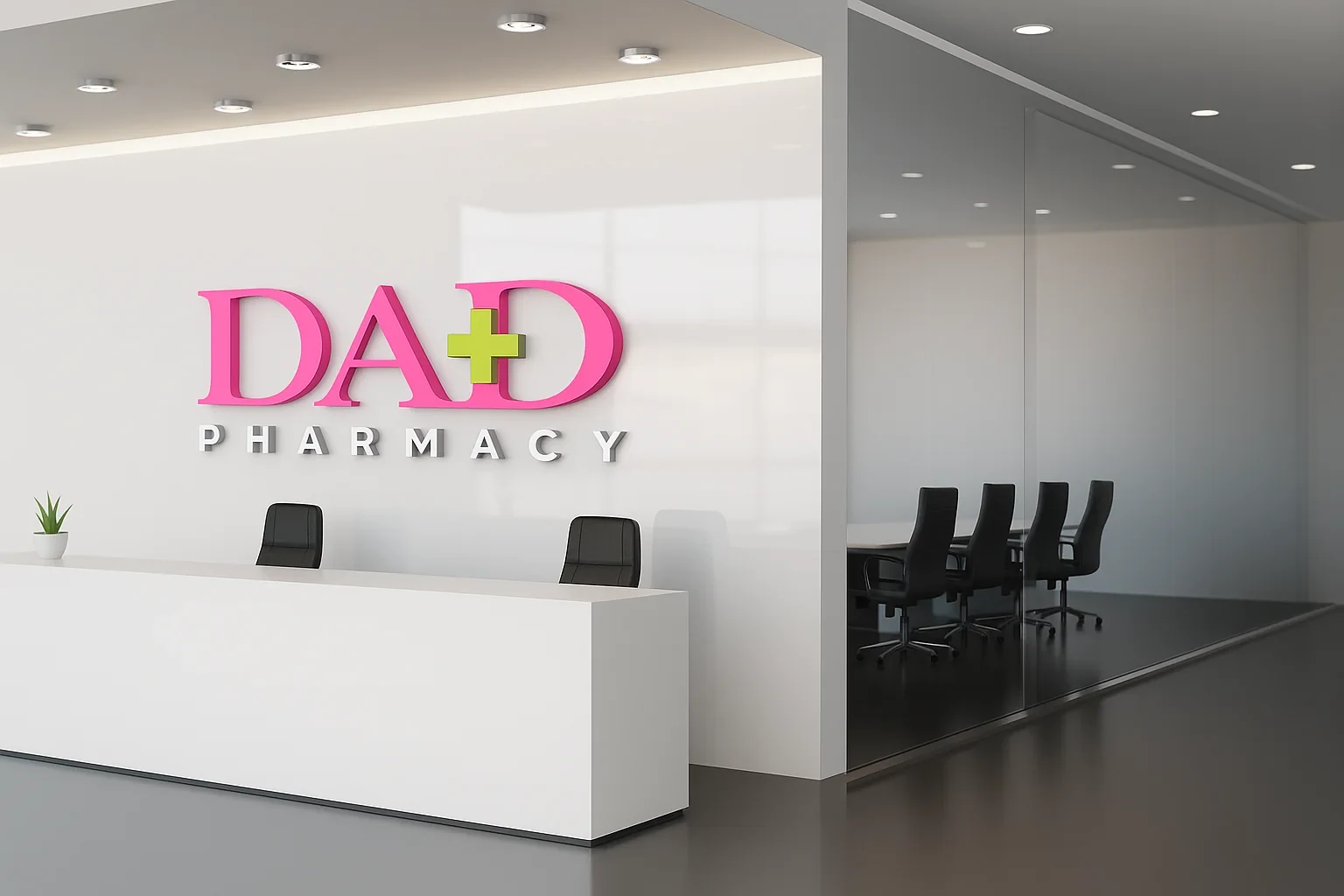
The client's pink and lemon green became the heart of the palette, balanced by a dark grey for text and a clean white base. Together they give the brand an energy that's rare in the pharmacy space — confident and caring rather than cold and clinical.
Care, compassion and warmth. The colour people remember.
Health, vitality and freshness. Reserved for the plus sign and accents.
Grounds the palette and keeps type legible.
Space, cleanliness and clarity — the pharmacy essentials.
Two distinct directions were explored, each using the same palette but saying something different about the brand.

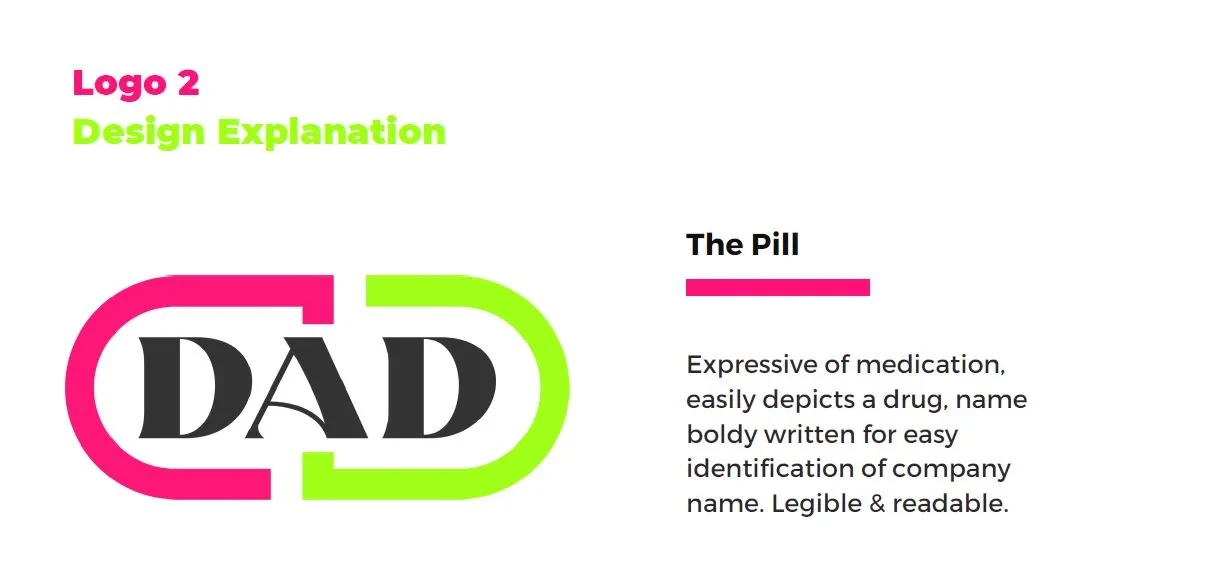
The client chose the wordmark. Where the pill spells out "medicine" literally, the wordmark carries the same meaning more quietly through the plus sign — leaving the name itself to lead. Its refined serif gives the pharmacy a premium, trustworthy presence, the widely spaced "PHARMACY" line keeps it clear, and the mark stays crisp on everything from a business card to a wall sign.
The identity was carried across the pieces the pharmacy and its customers actually touch — stationery, business cards, staff merchandise and awareness materials.
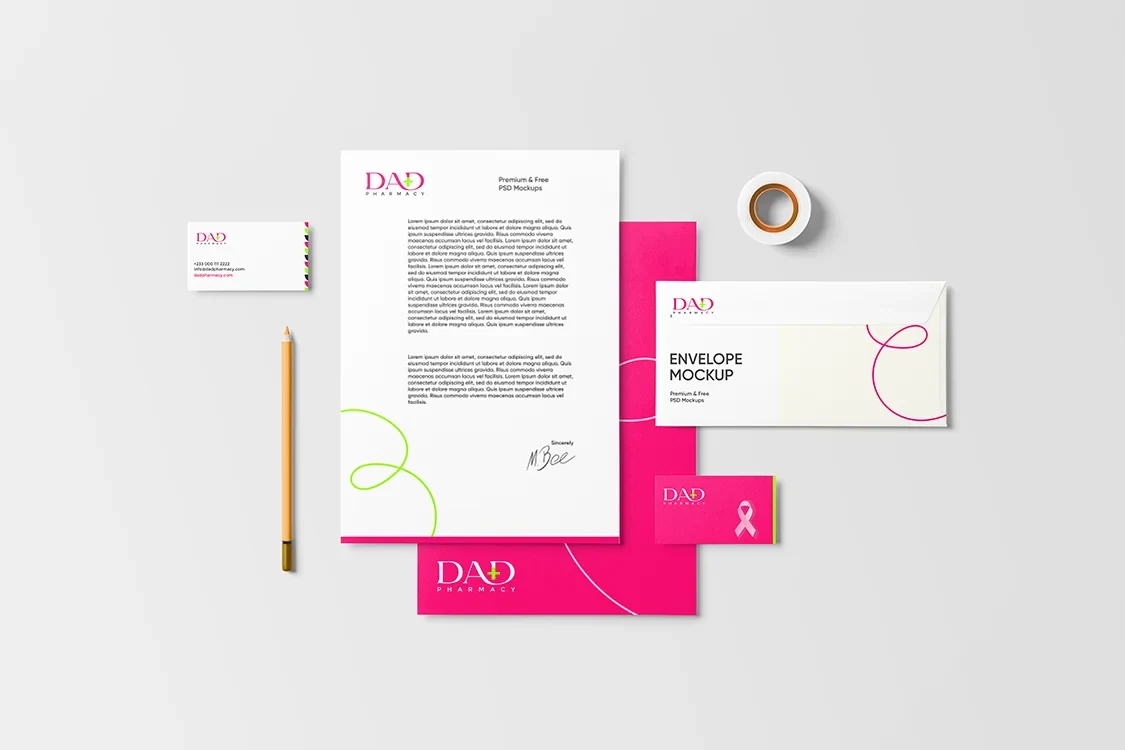
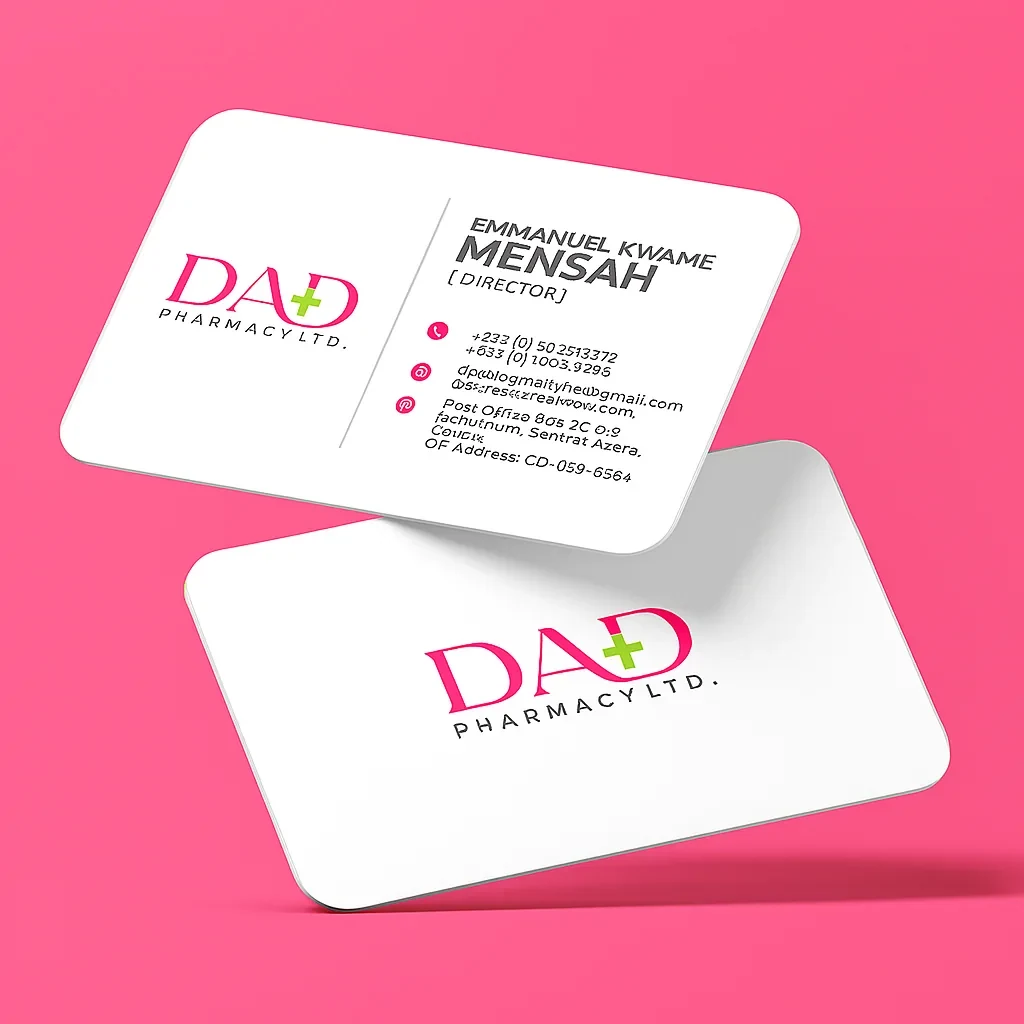
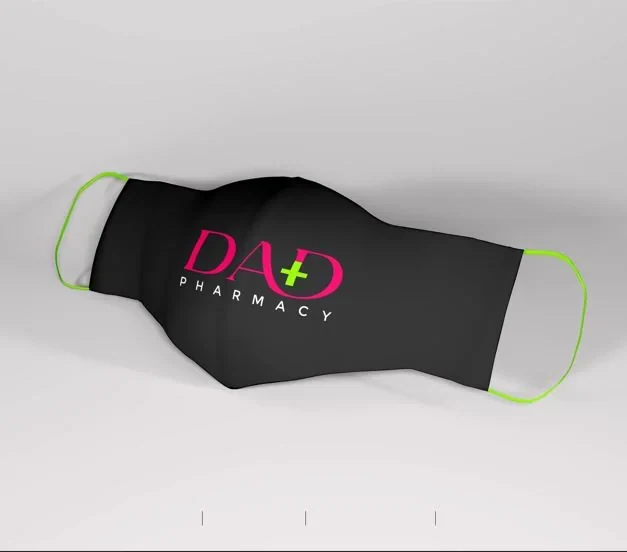
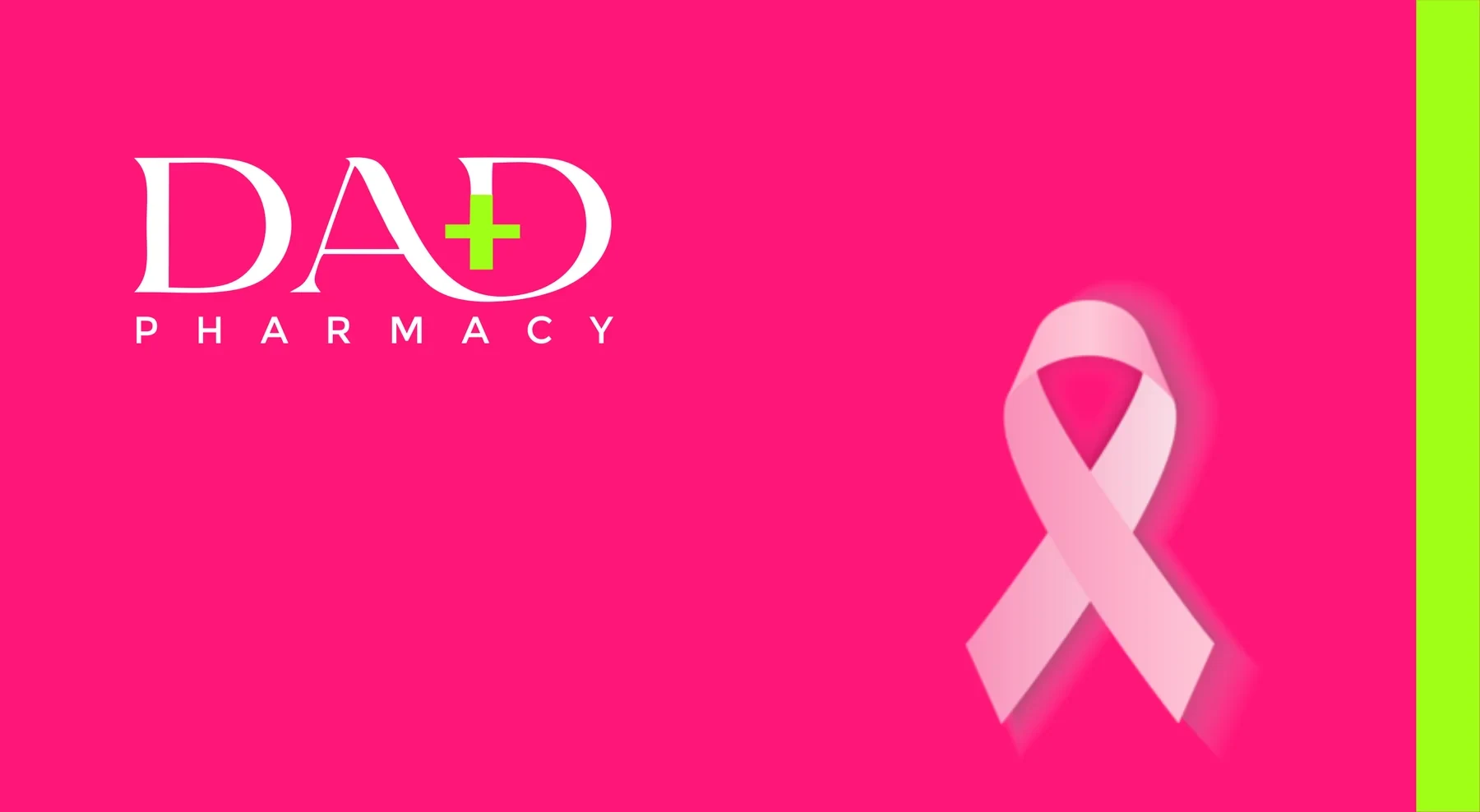
Working with a colour palette set by the client could have been a constraint; instead it became the brand's biggest strength. The challenge was making pink and lemon green feel credible for healthcare — and the answer was restraint: an elegant wordmark, one meaningful symbol, and plenty of white space. The result is a pharmacy brand that's impossible to confuse with any other on the street.
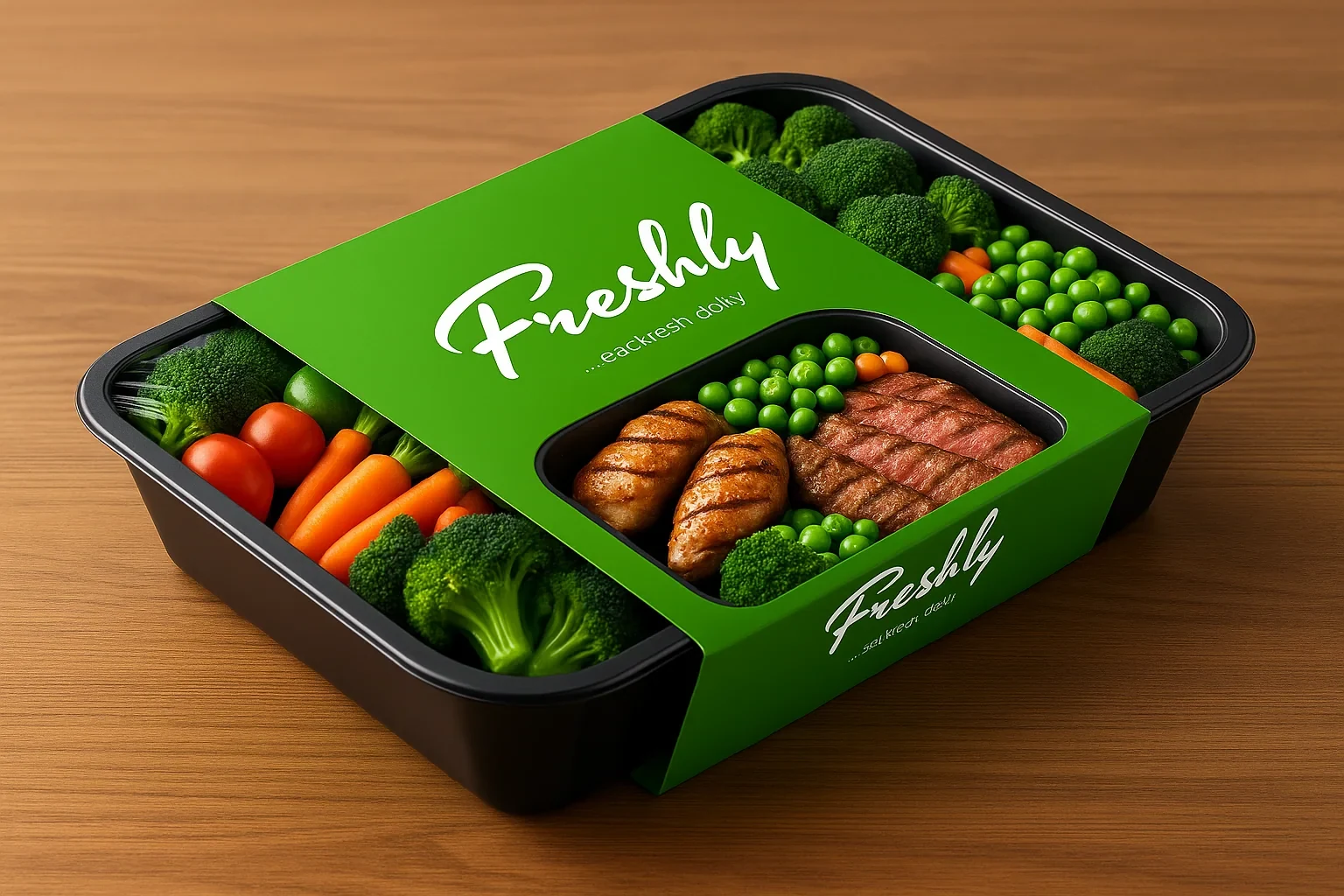
A brand identity for a fresh food brand built around one simple promise — eat fresh daily — carried from the logo into staff wear, merchandise, bags and meal packaging.
Freshly is a food brand centred on natural ingredients and everyday healthy eating. It needed an identity that felt warm, personal and trustworthy — closer to a home kitchen than a factory — while staying flexible enough to live on everything from an apron to a takeaway meal. The brand's promise is written right into the logo: …eat fresh daily.
A flowing hand-lettered script gives Freshly a personal, handmade feel — like a signature on food made with care. A small green leaf sprouts from the lettering as a symbol of freshness and natural ingredients, and a sweeping underline carries the tagline "…eat fresh daily," turning the brand promise into part of the mark itself. The logo works in rich brown on light backgrounds and reverses cleanly to white on Freshly green.
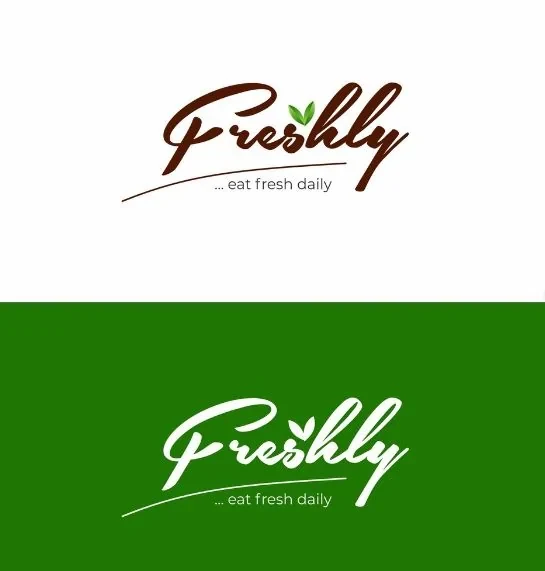
The palette is drawn straight from nature — fresh greens for vitality and growth, grounded by an earthy brown that brings warmth and a sense of wholesome, home-made food.
Freshness, health and growth. The colour of the brand.
Warmth, wholesomeness and trust. Used for the primary logo.
A lighter accent for leaf patterns and highlights.
Clean space that lets the greens breathe.
A simple leaf pattern, borrowed from the logo, became a supporting graphic that ties the applications together. Across staff wear, merchandise and retail bags, the reversed white logo on Freshly green keeps the brand instantly recognizable.
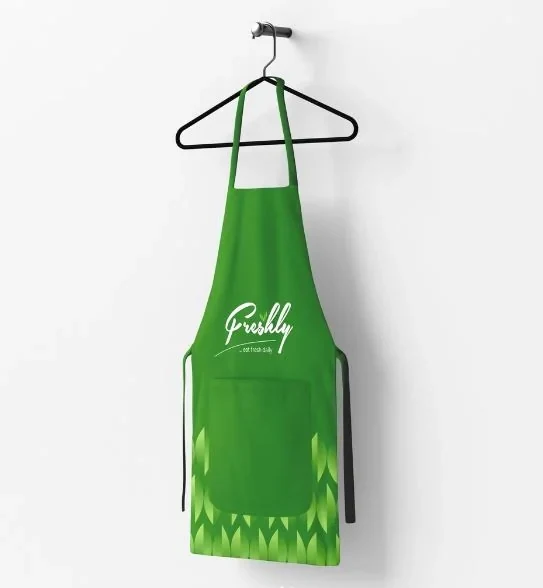
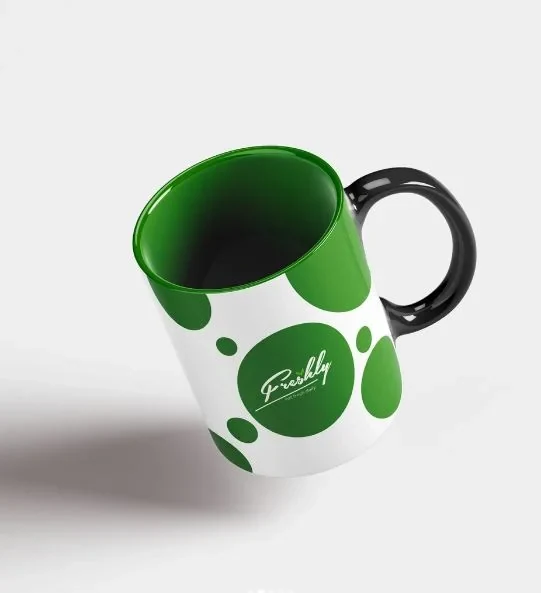

The identity also became the foundation for Freshly's juice line, where the same script logo leads while each flavour takes on its own colour. The full packaging story is its own case study.
Freshly showed how much a brand can carry in a single mark. By building the promise — eat fresh daily — directly into the logo, every apron, bag and meal box repeats the message without extra words. The result is an identity that feels personal and natural, and flexible enough to grow into new products like the juice line.
A sampled collection of marketing and promotional pieces for event planners, agricultural businesses, real estate developers, authors, churches and media platforms.
Not every project is a full brand system. Much of a designer's work is the one-off piece that has to land quickly — a banner for a launch, a card for a new CEO, a flyer for Sunday. This collection shows my ability to interpret a brand's needs fast and deliver visually engaging collateral for print and display, across very different industries and audiences.
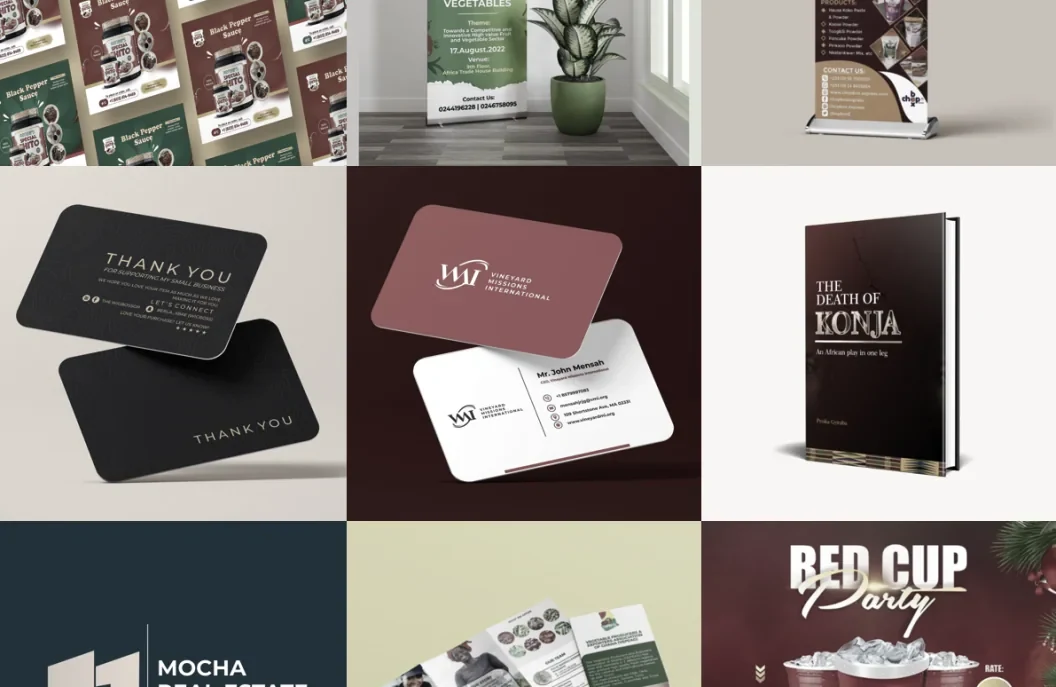
Roll-up and outdoor banner designs for clients across food, media, events, agriculture and real estate. Each banner was tailored to the brand's identity while capturing attention in high-traffic environments like trade shows, storefronts, launches and community activations.
Approach — The focus was striking visual hierarchy, bold typography and effective imagery that communicates the key message at a glance — from vibrant market-style designs for food brands to modern promotional banners for an online radio platform and a real estate developer.
Business cards built on simplicity, elegance and function. For each client, logo elements, brand colours and typography were carried into a clean, professional layout so print and digital assets stay consistent.
Approach — Every card was designed with print readability and visual balance in mind, holding up in both standard and premium finishes — for personal brands, small businesses and corporate identities alike.
Cover designs for authors, each informed by the theme, genre and audience of the book — from an African stage play to a true-life story of resilience and faith.
Approach — Expressive typography, imagery and layout work together to capture the essence of each book, while staying compatible with both print and eBook formats for platforms like Amazon.
Logo design for businesses in real estate, consulting and healthcare. Each mark starts from what the business does and distils it into a simple, memorable symbol that works large on signage and small on a business card.
Approach — For Mocha Real Estate, two building forms sit side by side in warm peach against deep navy — solid and trustworthy. IHTMOC Consulting's stacked blocks, wrapped in a gold orbit, speak to structure and growth across mining, business and engineering. And the Dad Pharmacy wordmark builds a medical plus sign right into the name.
Brochures, company profiles and programmes for organisations that need to communicate detailed information in an organised, visually engaging format — whether a corporate profile, a service guide or a commemorative programme.
Approach — Layouts are structured for clarity, using strong hierarchy, cohesive brand colours and imagery to break down complex information. From tri-folds to multi-page booklets, each piece balances aesthetics with function while keeping the brand intact.
Flyers crafted for events, product launches, sales and service announcements — built for digital circulation first, and just as ready for print.
Approach — Each flyer is designed to catch attention and deliver its message within seconds, using bold headlines, brand-aligned visuals, eye-catching colour and a clear call to action. Together they show range in tone and style — from church celebrations and book launches to party promos and retail sales.
An AI-assisted cinematic series I wrote and produced — from the script and character design to AI-generated scenes, After Effects compositing and an original Suno AI soundtrack.
Set in a traditional African world, The Death of Konja is a drama of conflict, betrayal, deception and intense character confrontations. I wrote the script, designed each character, and used AI tools to bring them to life — then shaped hundreds of generated clips into a cohesive series through editing, visual effects and original music. This page walks through how it was made.
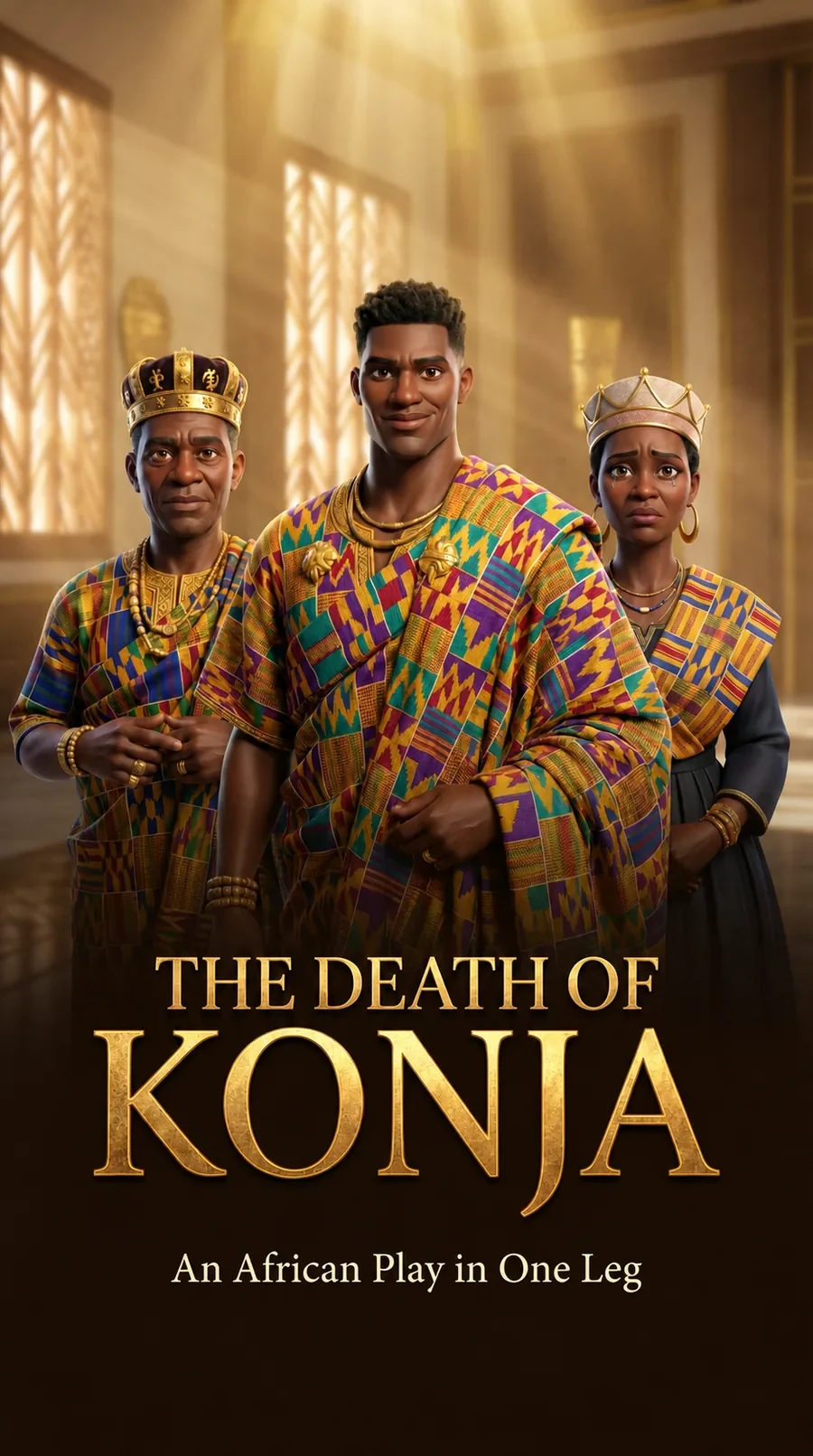
Official trailer
Each episode is a short vertical reel built for phones and social feeds, so the story can be followed one scroll at a time. Watch the trailer, see how it was made, then watch the first ten episodes further down.
Synopsis
In the kingdom of Amanya, the heir apparent, Prince Konja, has been murdered in cold blood. As the grieving King opens his palace to his people, a single slip of the tongue cracks open a secret the royal household has guarded for years. With the chief priest, the queen, the elders and the executioner all drawn into the search for the truth, every episode peels back another layer of loyalty, deception and betrayal — until the kingdom must ask not only who killed Konja, but who Konja really was.
I wrote the full script and broke the story into thirty short episodes. Writing for vertical, mobile-first viewing shaped everything: each episode had to hook viewers in the first seconds, build fast, and end on a cliffhanger strong enough to make them swipe to the next one.
Writing for the scroll — how every episode is built
Beat structure of Episode 1, from the script.
From the script — Episode 1: The Heavy Silence of Adawu
INT. ROYAL PALACE, AMANYA — THRONE ROOM — DAY
Villagers stand stone-cold, eyes downcast. The King sits on his throne, head buried in his palms. Suddenly he rises, robes rustling, eyes filled with rage and grief.
CHIEF
(voice heavy with gravel)
Odame! Let him enter who wants to enter. I am no more ashamed of this case that wearies my soul.
ODAME
(bowing low)
Nanaa!
CHIEF
I have come face to face with sorrow, and sorrow has greeted me in the most pleasant way. I said let everyone in!
ELDER ASIEDU
(stepping forward, voice trembling)
This situation is very grave, my Lord. Who could have murdered the heir apparent this way?!
The Chief stares at Elder Asiedu, lip quivering. Without a word, he collapses to the ground, wailing, throwing his royal ornaments aside. The guards rush toward him —
CUT TO BLACK.
Before generating a single scene, I designed every character and wrote a short profile for each — their look, personality and role in the story. Rooted in Akan royal tradition, the cast is dressed in kente and gold regalia that signals each person's rank. These reference images became the anchor for the whole series, keeping every character recognisable from episode to episode.
The royal household
Head of the kingdom, whose son has been murdered in cold blood. A calm, soft-spoken and deeply emotional ruler.
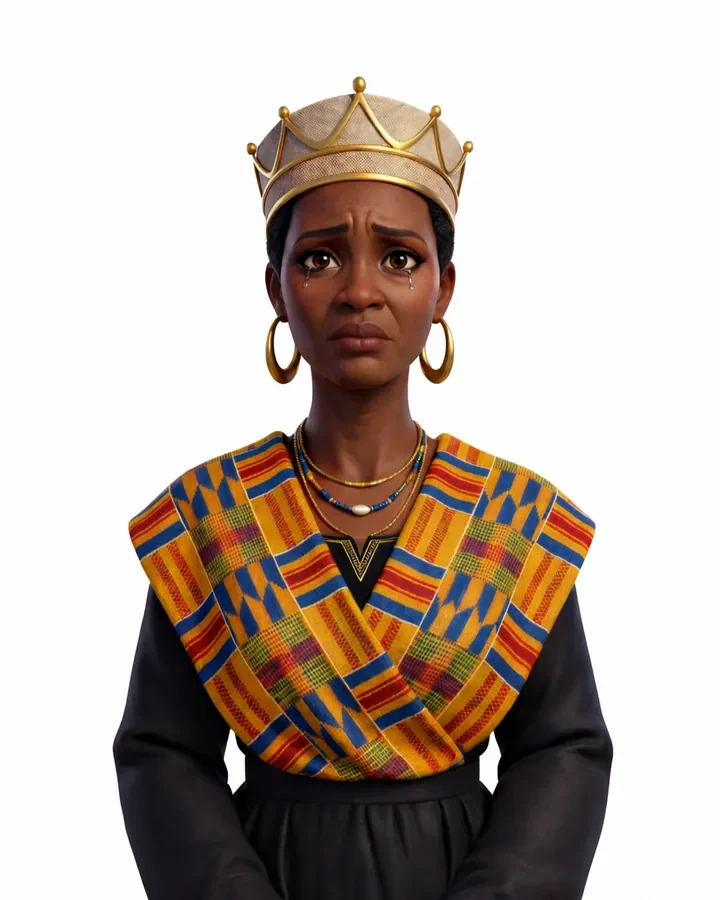
The queen of the kingdom and mother of Prince Konja, carrying the grief of a mother who has lost her son.
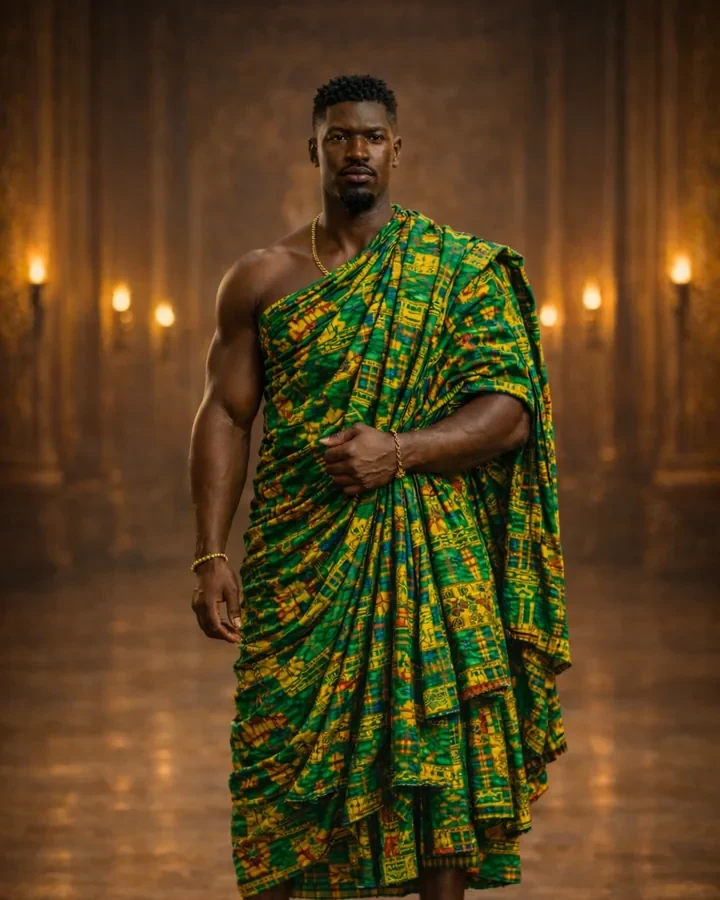
The king's son, whose murder sets the story in motion and divides the kingdom in its search for the truth.
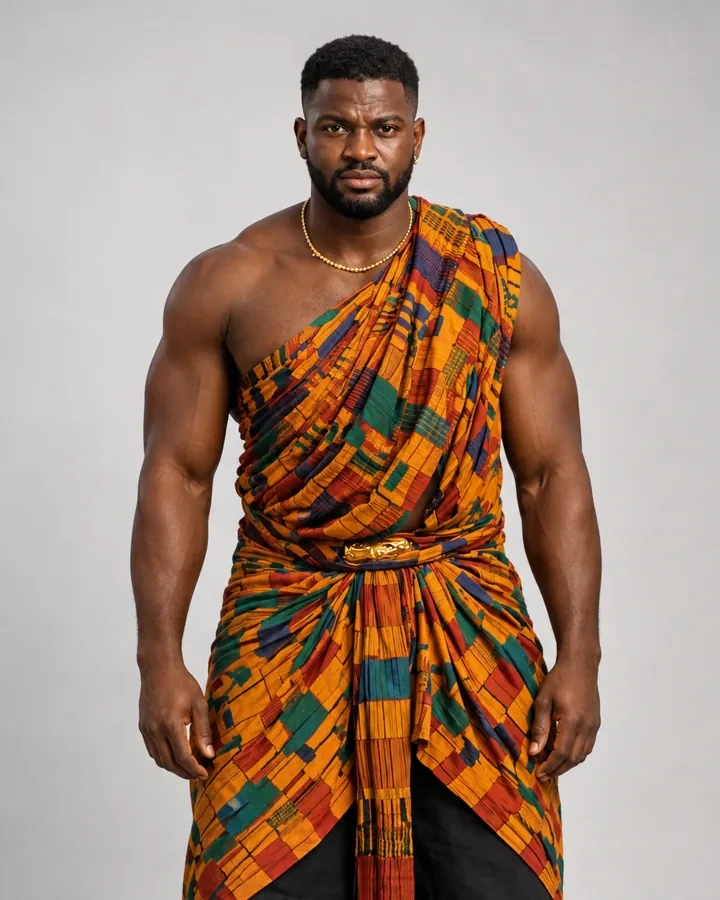
The king's brother and a member of the royal family.
The royal court
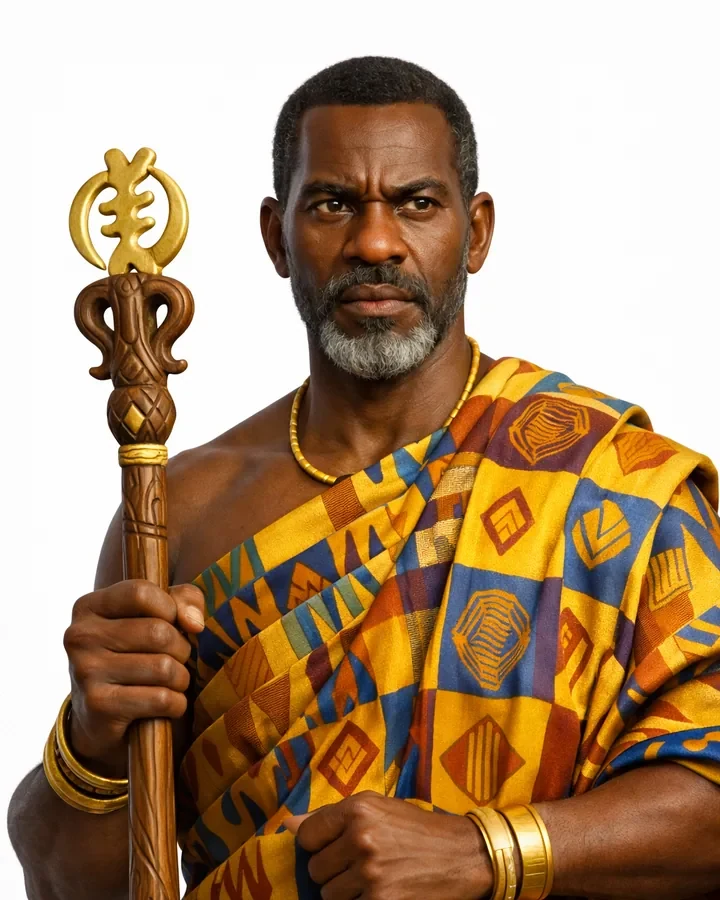
The king's linguist. By tradition, the king speaks to any person or gathering through him — making him the voice of the throne.
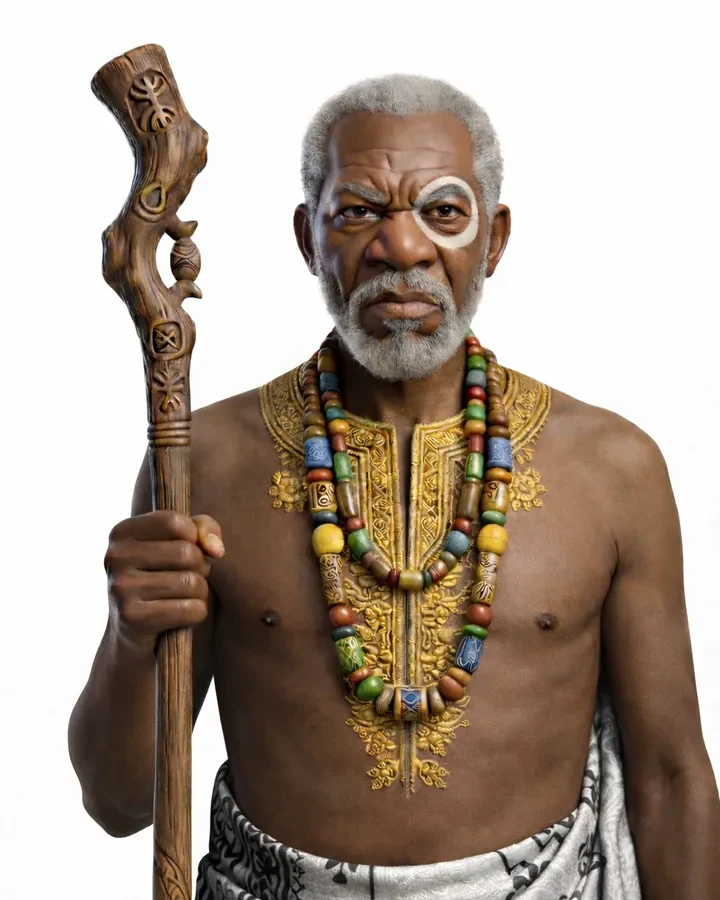
Chief priest of the kingdom and messenger of the gods, about 70 years old. Straightforward and quick-tempered, he is seen as the eye of the gods.
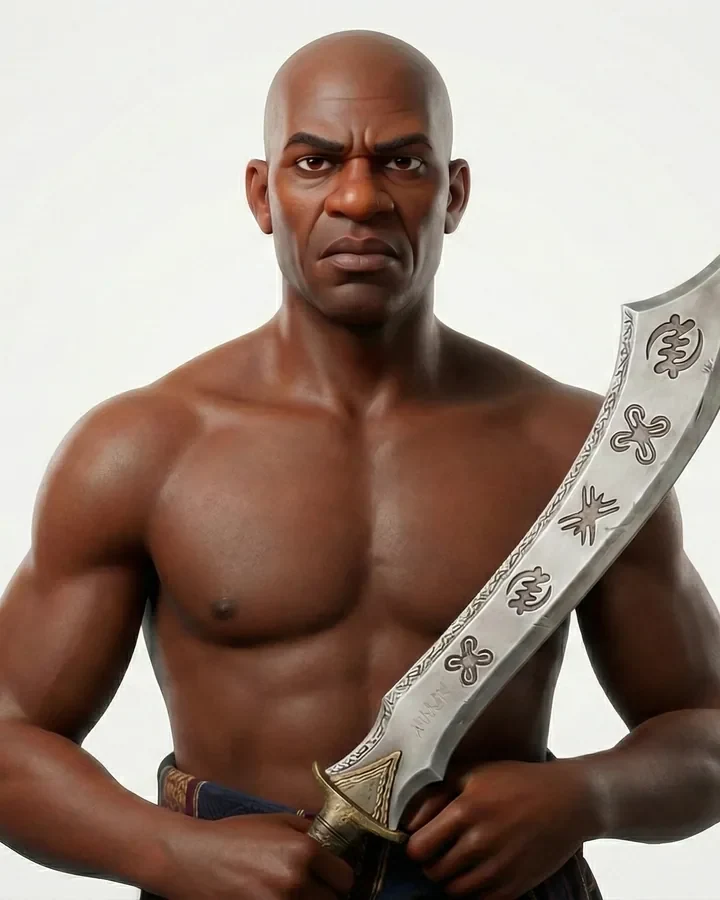
The man charged with carrying out the sentence on anyone found guilty of a crime punishable by death.
The council of elders
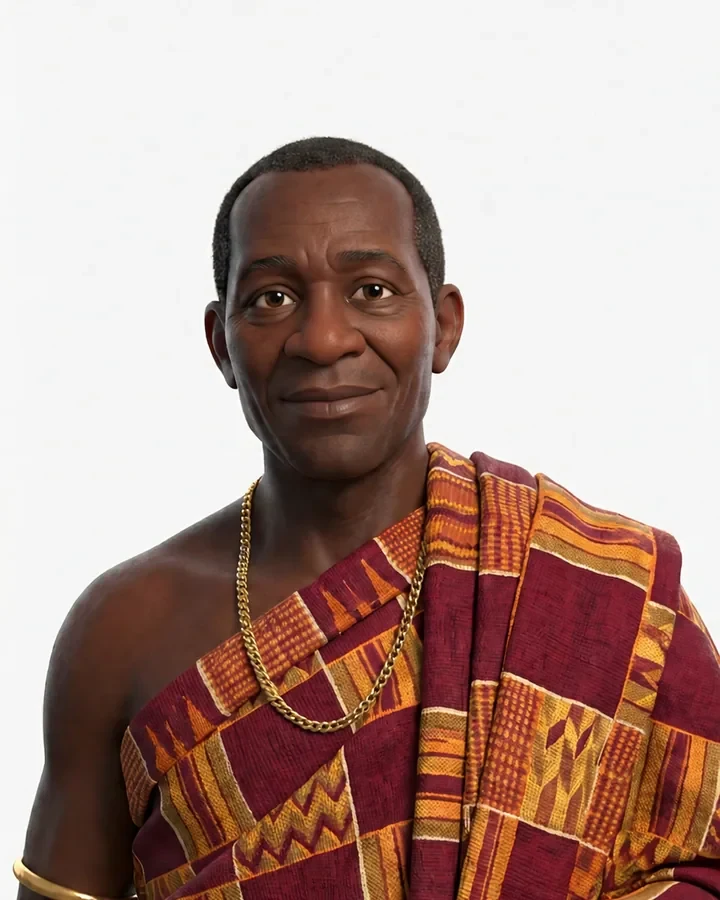
A very wise elder of about 50 with a lovely sense of humour — sarcastic and witty, even in the tensest moments.

A gentle, soft-spoken elder of about 60 who listens intuitively, speaks only when it matters, and prefers to temper justice with mercy.
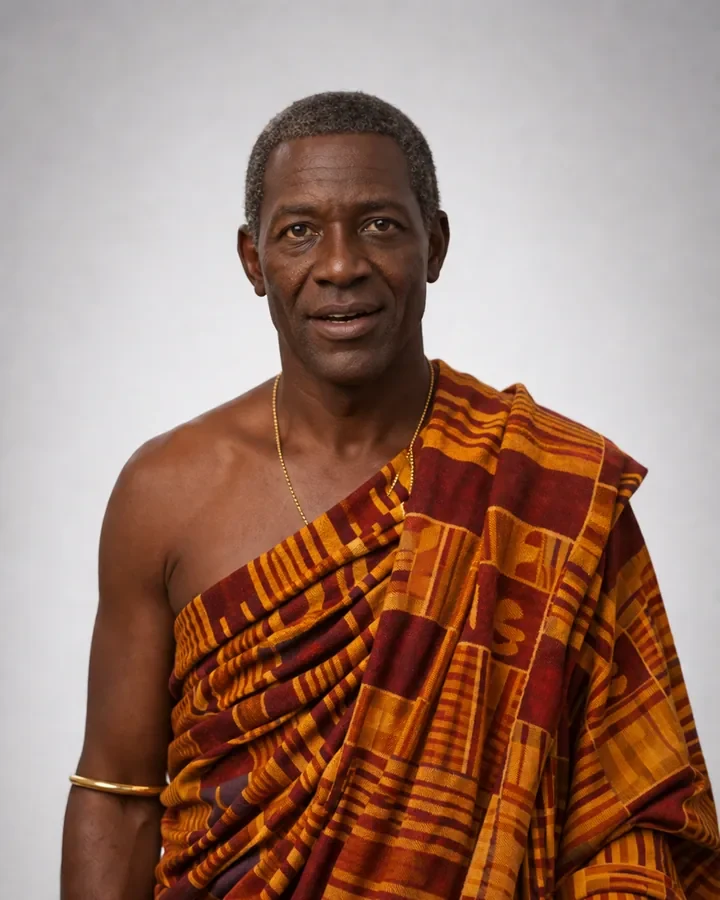
At 65, a composed and intuitive thinker — detail-minded, eloquent, and deeply versed in the traditions of the kingdom.
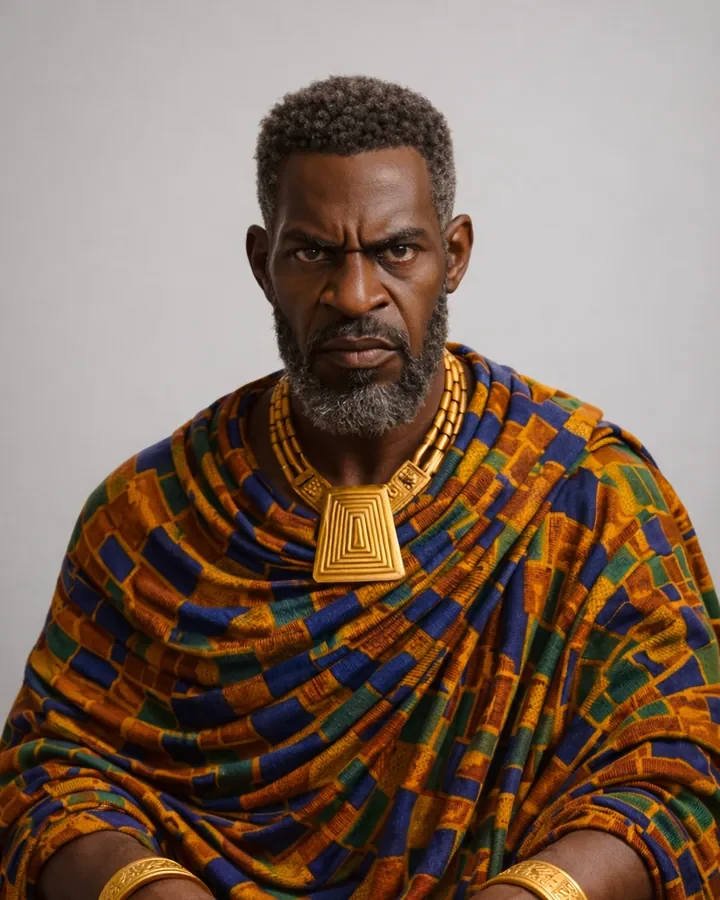
A quick-tempered elder of 62 who hates nonsense and wants swift judgement — a temper that nearly lands him in trouble himself.
Working scene by scene from the script, I used AI tools, including ChatGPT's image generation, to create the visuals and individual video clips — the village, the confrontations, the moments of betrayal — always guided by the character references so the cast stayed consistent. Many shots took several generations to get the performance and mood right.

In Adobe After Effects, I assembled the generated clips into scenes — synchronising shots, refining transitions, integrating visual effects and grading for a consistent cinematic look. This is where separate AI outputs became one continuous story.
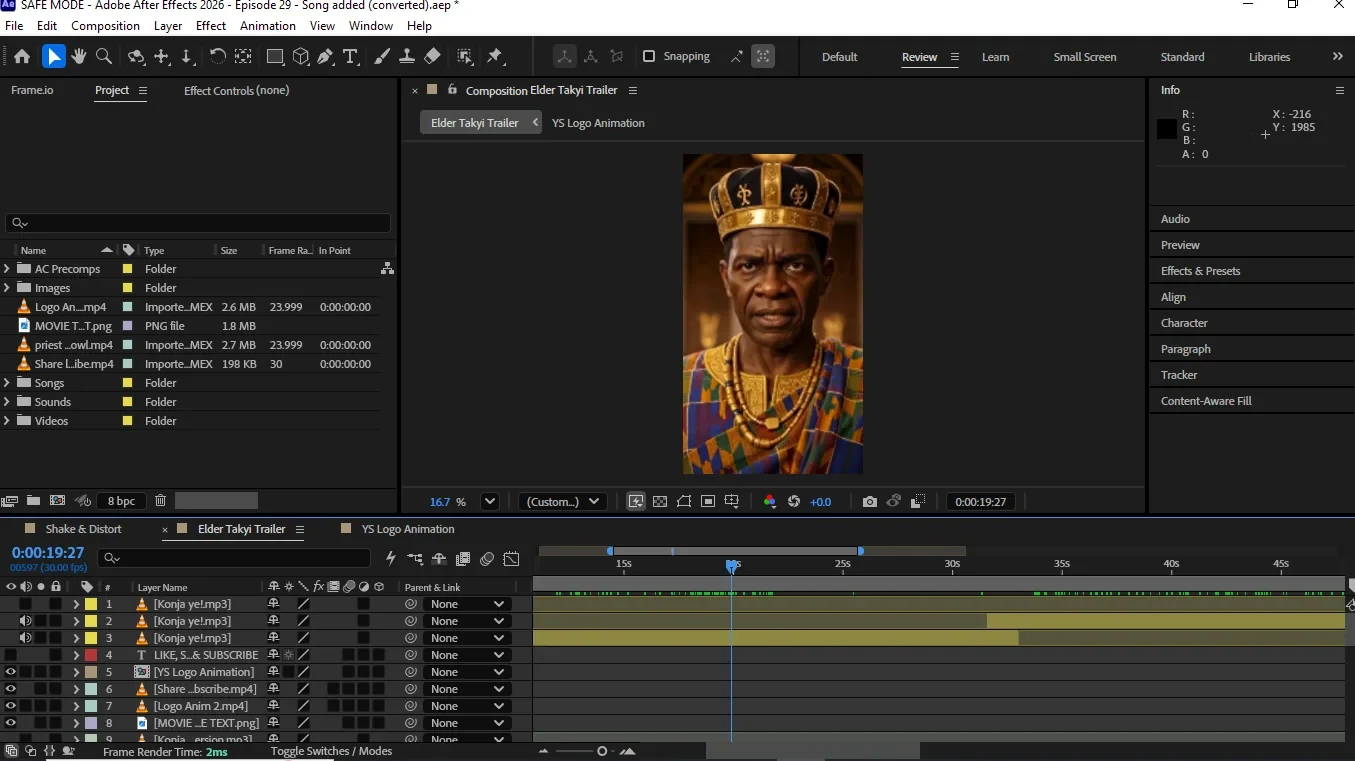
Using Suno AI, I created original songs and musical elements for the series — music that complements the storyline, builds atmosphere and adds emotional depth to key scenes.
The series was released as short vertical episodes. Here are the first ten.
This project shows how emerging AI technology can live inside a real filmmaking workflow. Rather than treating AI-generated clips as standalone outputs, I wrote the story, designed the cast, and brought visual sequences, effects, music and storytelling together into one cohesive series. It proved to me that traditional creative skills — writing, design and post-production — are what make generative AI tools truly work.
The Death of Konja is also a book — and I designed its cover. You can see it in my Design Collateral collection.
A live-action fantasy short that blends on-location footage, green screen and visual effects — following a woman lost in a forest whose encounter with a single "firefly" pulls her into a power she cannot control.
WitchLight was a class project made by a team of three with one volunteer actor. As director, I guided the film through every stage of production — from shaping the story and planning shots, to two very different shoots, to compositing the effects and finishing the edit. The challenge was to make real footage and digital magic feel like one believable world.
The film moved through seven stages, each one feeding the next.
We began as a team by shaping the story — a simple, visual tale that could be told almost entirely without dialogue, and that gave us room to experiment with effects. We built it in three movements:
A woman is lost in a forest. She notices a glowing "firefly" — or so she thinks — and reaches out to touch it. Suddenly more appear, swirling into a blazing vortex that pulls her in.
She lands in the heart of a city, now dressed in black like a witch, a magic wand at her side. With every swing she accidentally destroys something — and with every mistake, she grows bigger, overpowered by magic she doesn't know how to use.
Unable to contain the power, she explodes — and finds herself back at the same spot in the forest. She gets up and walks home, as if nothing happened.
At its heart, WitchLight is about curiosity and power: one small touch unlocks something enormous, and power without understanding consumes the person who holds it.
Before filming anything, we turned the story into animatics — rough sequential sketches timed out like a moving storyboard. This let us test pacing, camera angles and transitions, decide which shots needed green screen and which could be filmed on location, and spot problems while they were still cheap to fix. The animatic became our shot list and the blueprint for the whole shoot.
Concept art defined how WitchLight should look and feel — the glow of the fireflies against a dark forest, the energy of the vortex, the witch's black overall costume and wand, and the scale of the city she would tower over. These references kept the team aligned on mood, colour and lighting, and gave us a clear target for the effects we would build later.
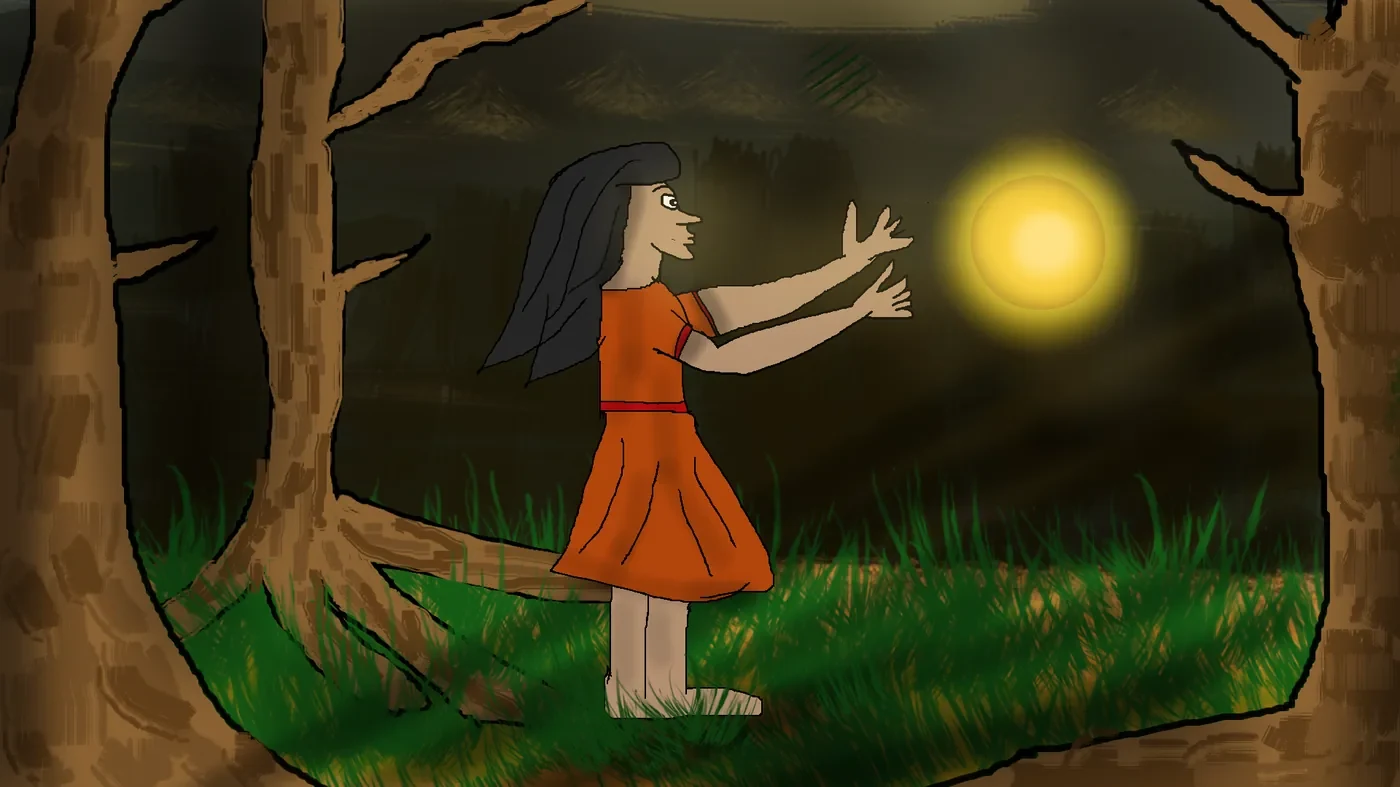
We filmed the exterior scenes on location: the forest sequences that open and close the film, and background plates of the city. Working from the animatic, we captured each planned angle and paid attention to lighting and camera movement, knowing these shots would later be combined with green screen footage and effects — so every frame needed to match.
Fig. 03 — Background plates filmed on location for the forest and city scenes
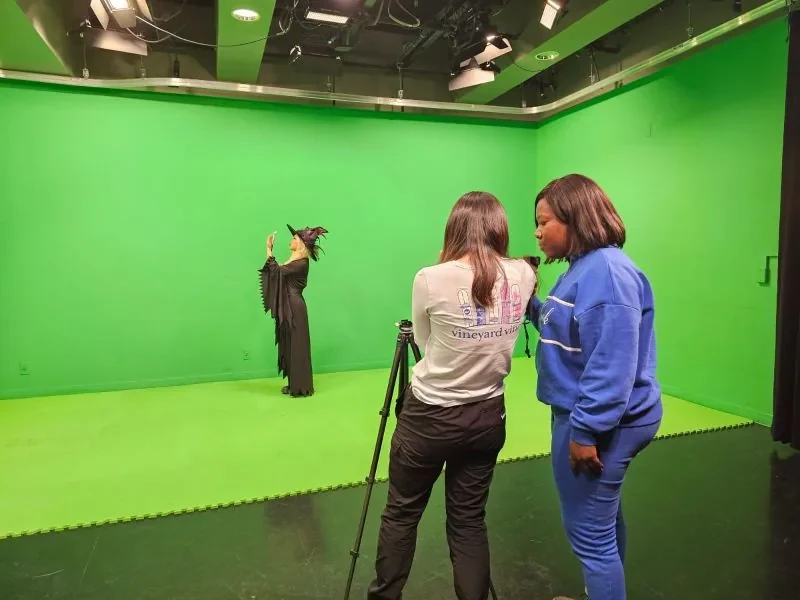
In the green screen room, we filmed our actor for the shots the real world couldn't give us — being pulled into the vortex, wielding the wand, and growing larger against the city. We matched the angles and lighting direction of the location footage so she could be placed believably into each scene, and directed her performance against effects she couldn't yet see.
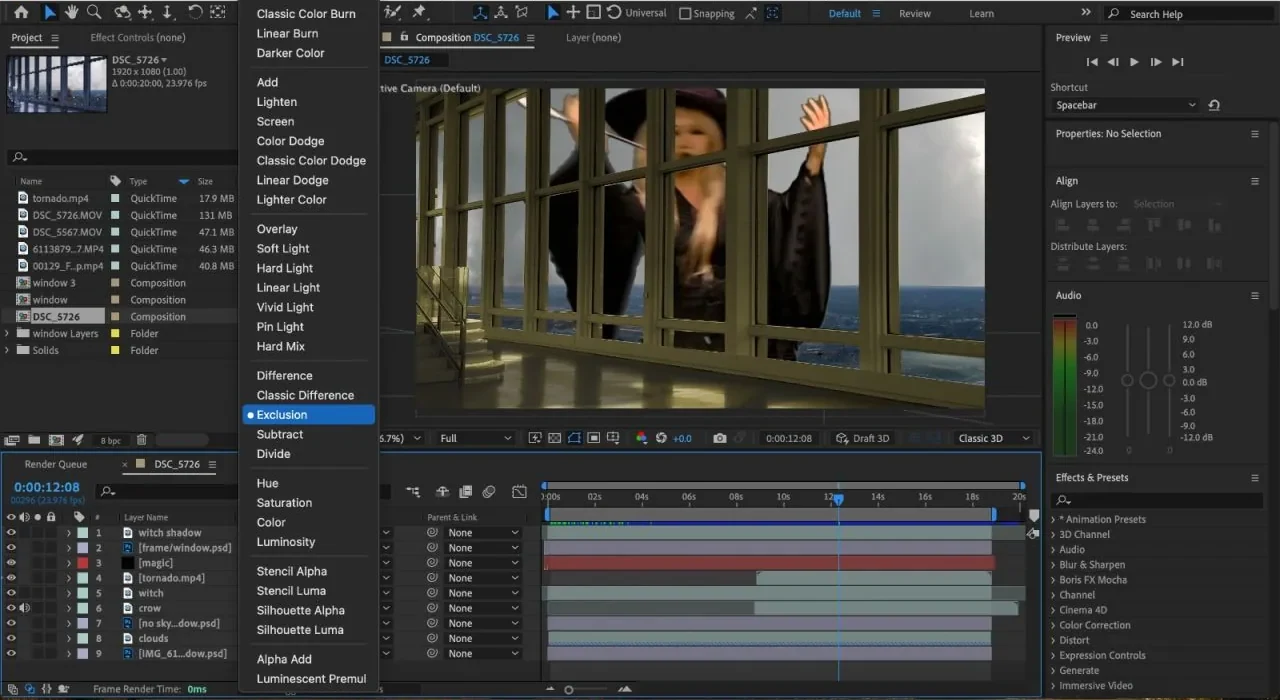
This is where the magic happened. In Adobe After Effects we keyed out the green screen, layered our actor into the forest and city plates, and built the effects — the glowing fireflies, the blazing vortex, the destruction caused by each swing of the wand, her growth in scale, and the final explosion. Matching light, colour and edges between layers was what made the footage feel like one world.
Finally, we brought every composited clip into Adobe Premiere Pro to assemble the film — refining the cut and pacing, smoothing transitions, and adding the final touches that took WitchLight from a set of shots to a finished short film.
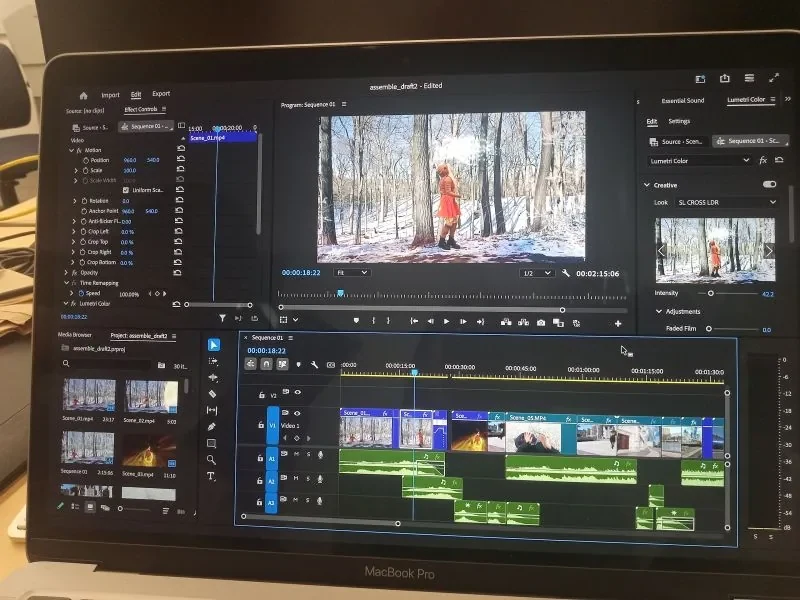
Directing WitchLight was one of the most exciting projects I've worked on. It taught me how much a film depends on planning — the animatic and concept art saved us countless hours on set and in post. It also showed me how to lead a small team through a full production, communicate a vision to an actor working against an empty green wall, and solve problems creatively when footage and effects didn't line up the first time.
A 3D comedy short starring Papa Atinga — a mischievous man who dozes off at a traffic light and wakes up in the middle of a police chase he caused himself.
Atinga's Chase was my final project: a 3D animated short built in Blender and composited in Adobe After Effects. It introduces Papa Atinga, a character who always tries to play smart and outwit everyone around him — and always loses in the end.
The character
Papa Atinga is a mischievous man in his late forties. He's short, with a round potbelly, and he's convinced he's the smartest man in the room. He schemes, cuts corners and tries to outwit everyone — but every story ends the same way: with Atinga on the losing side.
The film moved through nine stages, from a simple idea to a finished 3D short.
Every Papa Atinga story starts with a simple, relatable situation that spirals out of control. For this film, the idea was a moment almost every driver has felt — fighting sleep at a red light — pushed to a comic extreme: one careless reaction turns an ordinary stop into a city-wide police chase. Keeping the story short and visual meant it could be told without dialogue, through action, timing and Atinga's expressions.
Stopped at a traffic light, Papa Atinga dozes off behind the wheel — until an impatient honk jolts him awake.
Startled, he stamps hard on the accelerator. His car shoots off at a terrifying speed, swerving through traffic and putting other drivers in grave danger.
The police give hot pursuit. As always, Atinga's luck runs out — the chase ends with him caught and arrested.
I sketched the film shot by shot and timed the sketches into an animatic — a rough moving storyboard. It mapped the gag from the doze to the jolt awake, the runaway acceleration, the near-misses and the arrest, letting me test comic timing, camera angles and pacing before committing to any 3D work.
Papa Atinga was designed to be funny before he even moves: a short man in his late forties with a round potbelly and a face built for exaggerated expressions — sleepy, startled, panicked, guilty. Concept art also set the look of his car, the traffic junction, the police and the city streets.
In Blender, I built the characters, vehicles and environment as 3D models, then added materials and textures to give each surface colour and character — from Atinga's clothing and car to the road, traffic lights and buildings.
Rigging gave Papa Atinga a skeleton and controls, so his body and face could be posed and animated — essential for a character whose comedy depends on reactions like the startled jolt awake and the panic behind the wheel.
Using the animatic as a guide, I keyframed the action: Atinga dozing at the light, jolting awake at the honk, slamming the accelerator, the car tearing through traffic, the police in pursuit and the final arrest. Exaggerated timing and squash-and-stretch sold both the comedy and the speed.
I lit each scene to set the mood, placed cameras to heighten the energy of the chase with fast angles and tracking shots, and rendered the sequences out of Blender as image frames ready for compositing.
The rendered frames came together in Adobe After Effects, where I composited the layers, added effects to boost the sense of speed and impact, and colour-graded the shots into one consistent look.
Sound effects and music — the honk, the engine roar, screeching tyres and sirens — completed the comedy and the chaos, turning the sequence into a finished short film.
As my final project, Atinga's Chase brought together everything I had learned — story, design, 3D modelling, rigging, animation, lighting and compositing — in one complete film. Building every stage myself taught me how each step depends on the one before it, and how much comedy lives in timing. Most of all, it gave life to Papa Atinga, a character with plenty more mischief ahead of him.
Full visual identity and promotional campaign for a church conference themed "More Grace" (2 Corinthians 9:8).
Open Heavens 2024 was a spiritually vibrant conference hosted by Royalhouse Chapel, Massachusetts. As lead designer, I created the full visual identity and promotional suite — from the event logo and colour scheme to countdown graphics and speaker promos. The design needed to reflect divine inspiration, modern appeal and clarity, engaging both online and in-person audiences.

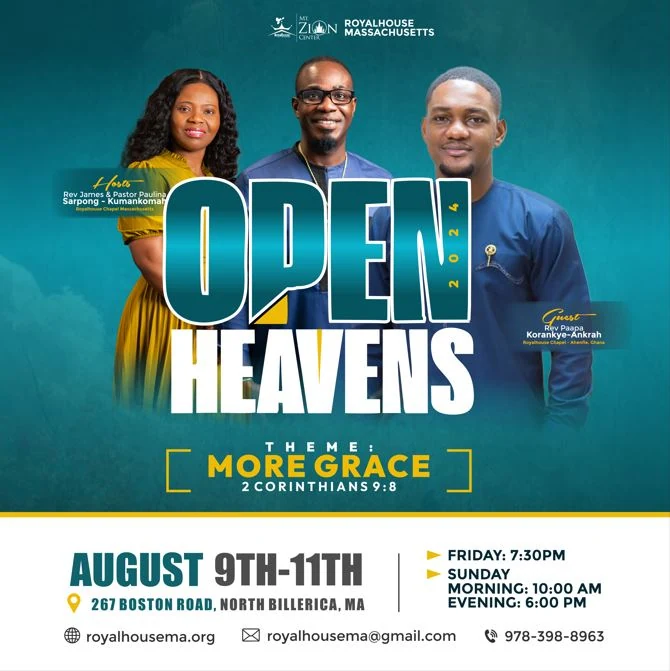
The logotype stacks a tall, condensed “OPEN” over “HEAVENS”, with 2024 set vertically along the right edge and a yellow wedge cutting in beneath the “P” like light breaking through. The theme line “More Grace” and its scripture sit between open brackets beneath it, and the whole lockup travels unchanged across flyers, posters and on-screen graphics.
The construction sheet maps the guide lines for both words and the theme block, with a clear space equal to the height of the theme block on every side.
Colour palette
Together, these colours provided strong visual balance, evoked peace, and aligned with both the spiritual message and visual accessibility.
Open skies, divine presence and tranquillity.
Depth and contrast, anchoring backgrounds and text.
Grace, joy and the light of God’s favour.
Cleanliness, openness and clarity in layouts.
A quiet neutral for supporting details.
Typography
OPEN HEAVENS
ImpactHeadlineChosen for the main title for its bold, condensed form — a strong visual presence for a powerful theme like More Grace.
More Grace · 2 Cor 9:8
MontserratSupporting textUsed for event details, names and scripture references — clean, modern and readable, balancing the boldness of the headline.
The campaign followed the conference from announcement to farewell: introducing the speakers, counting down to opening night, supporting the services on screen, and thanking everyone who came.
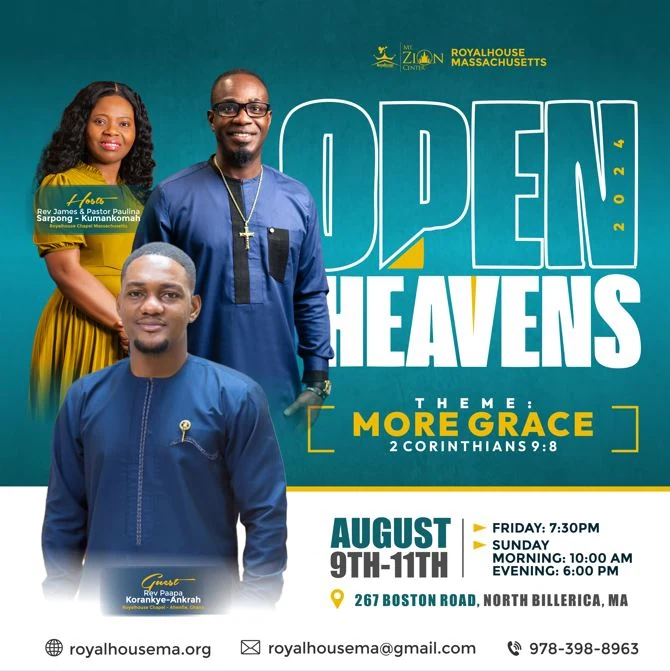
The main flyer and a combined speaker flyer announced the dates, venue and theme. All assets were exported as high-resolution PNGs for web and screen, with versions optimised for Instagram, WhatsApp and printed church bulletins.
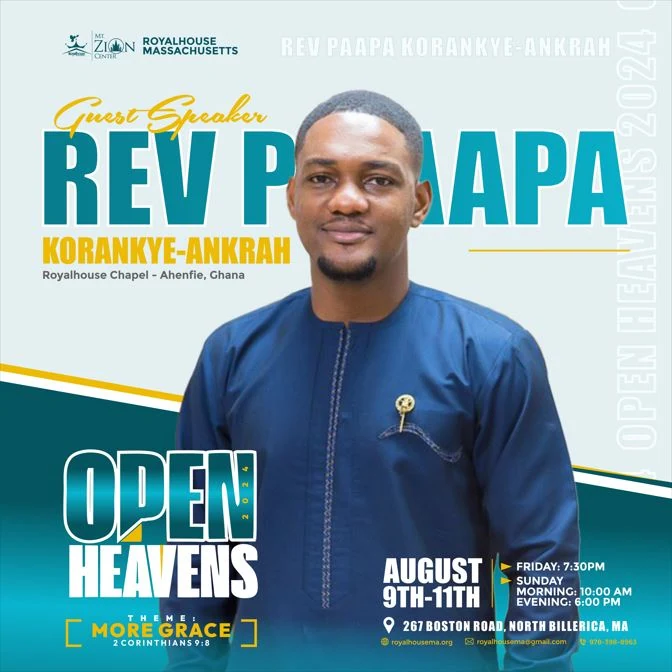
Each speaker then got a poster of their own, built on one layout system: a large first-name headline in teal, a script role tag in yellow, and the event details anchored along the bottom.
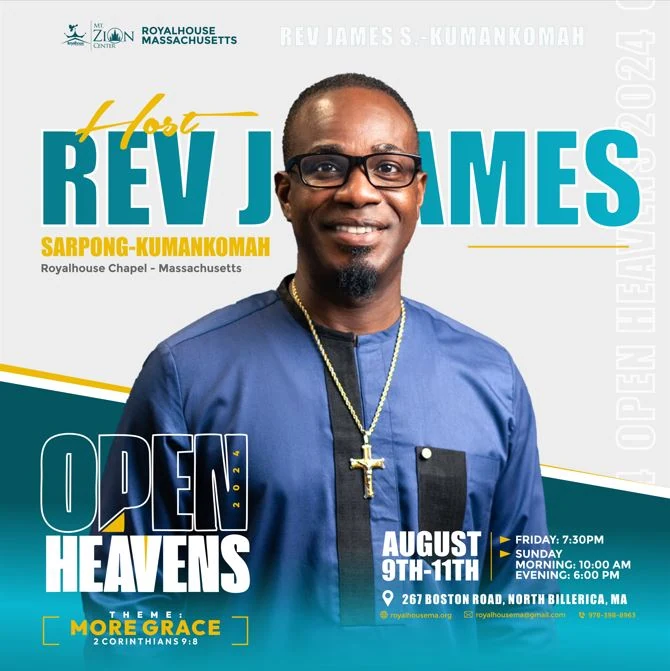
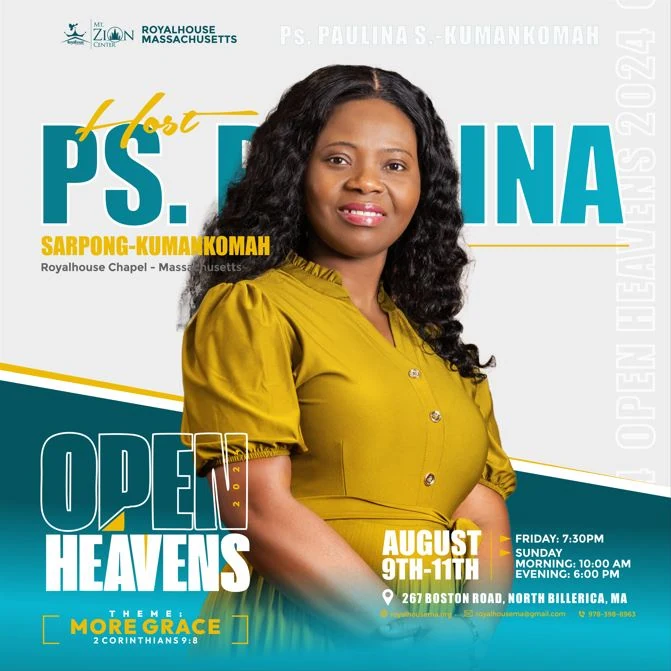
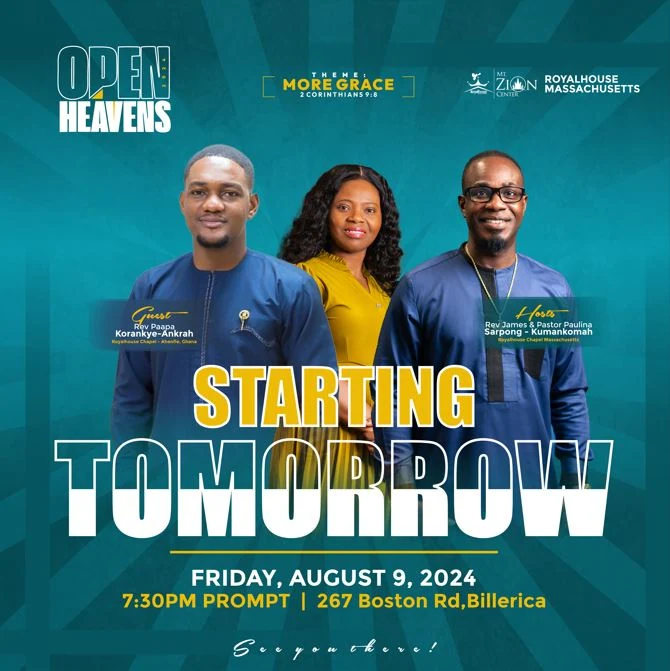
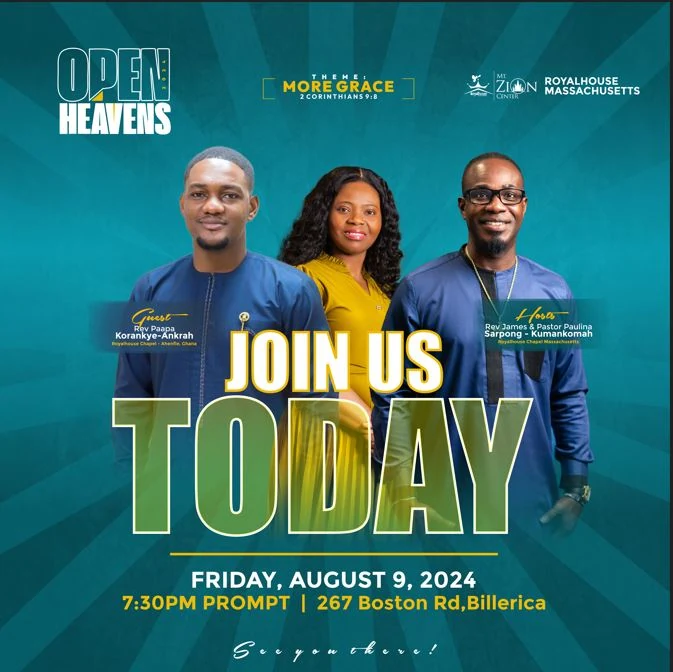
In the final days, a daily countdown, “Starting Tomorrow” and “Join Us Today” turned the announcement into momentum, right up to opening night on Friday, August 9.
Inside the services, “Ministering Now” lower-thirds put each speaker’s name and the Open Heavens mark on screen while they ministered, keeping the identity present without competing with the message.

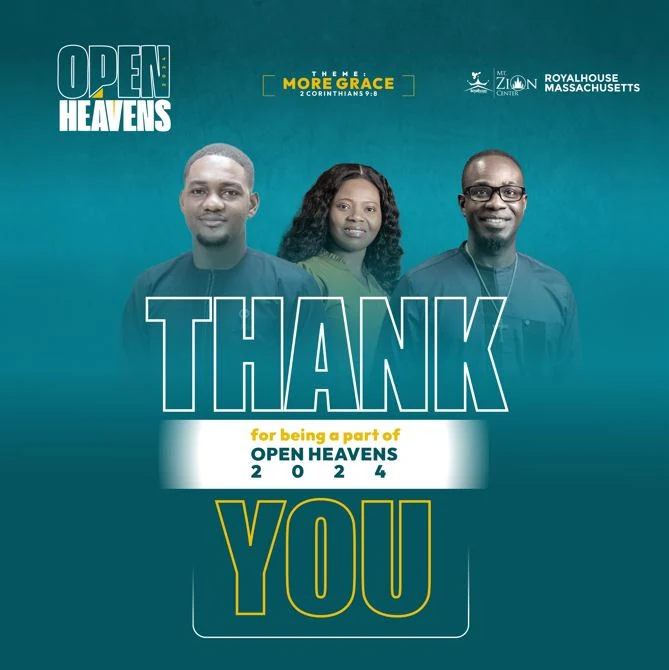
A thank-you graphic featuring the hosts and guest speaker closed the conference and thanked everyone for being part of Open Heavens 2024.
Alongside the still designs, I animated key pieces of the campaign — bringing the logo, countdowns and speaker announcements to life for Instagram, WhatsApp status and in-service screens. Motion made the countdown feel urgent and gave each announcement more presence in busy social feeds.
The branding was widely praised for its clarity, cohesiveness and visual beauty. Members engaged more with social media posts, and the countdowns created a strong sense of expectation.
My biggest takeaway was the power of consistency — keeping colour, text hierarchy and layouts tight across every design made the campaign memorable. It also reminded me how design can serve as a visual vessel for spiritual messaging when it's done with excellence.
A maroon-and-gold visual identity for a landmark visit by the Apostle General, founder of Royalhouse Chapel International.
The Apostolic Visitation marked a landmark moment for Royalhouse Chapel's Mount Zion Center in Massachusetts: a visit from the Apostle General. The identity balanced the reverence of the apostolic office with vibrant energy that would resonate with church members and the wider community. Every piece — from sermon quote slides to event-day flyers — was crafted to carry honour, anticipation and spiritual significance.
Every piece starts from the same lockup: “Apostolic” in bold gold capitals paired with “Visitation” in a flowing script, finished with ’23. Set on deep maroon, it carries both the reverence of the apostolic office and the warmth of a celebration, and it appears on every flyer, slide and animation that follows.
The construction sheet shows how the lockup is built: the capitals and the script sit on shared guide lines, the tall “V” rises to meet the baseline of the capitals, and a clear space equal to the cap height of “Apostolic” keeps the logo legible on busy photos and screens.
Colour palette
The gold-and-maroon scheme carried the church's global brand while giving the visit a sense of honour and celebration.
Royalty, depth and spiritual seriousness.
Warmth and vibrant energy for the congregation.
Divinity, glory and celebration.
Clarity, contrast and elegance.
Text clarity and grounded hierarchy.
Typography
APOSTOLIC VISITATION
Bebas NeueMain titleBold, all-caps and commanding — used for “Apostolic Visitation.”
Welcome, Apostle General
MontserratBody & supporting textClean, legible and modern for details and schedules.
Grace & Glory
Script + sans pairingQuote graphicsScript fonts paired with sans-serif to add emphasis and warmth to sermon quotes.
The campaign followed the visit itself: building anticipation beforehand, supporting the live services in the room and on the livestream, and closing with gratitude. Each piece had a specific job at a specific moment.
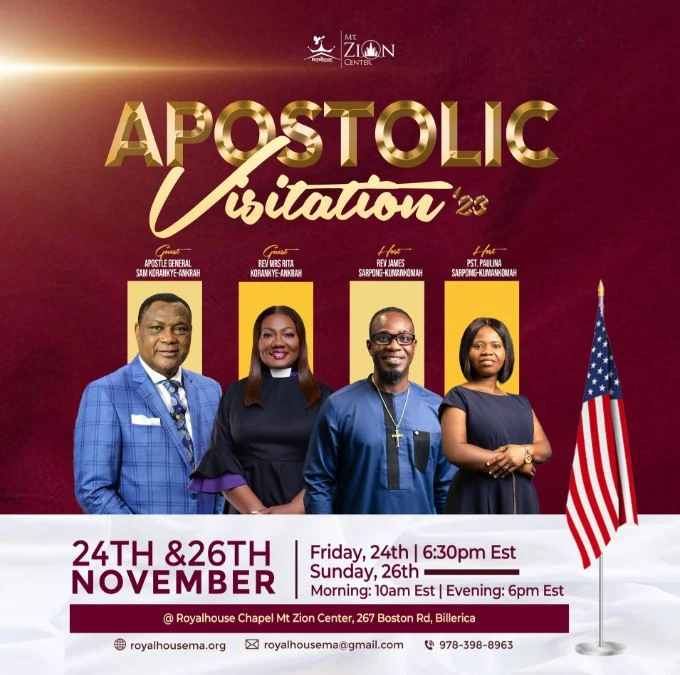
Social media promo flyers for Instagram, Facebook and WhatsApp announced the dates, venue and speaker lineup, while speaker highlights gave the congregation a reason to plan around each session.

On service days, the identity moved onto screens. A countdown held online viewers until service began, and welcome animations opened each service in the room and on the stream.
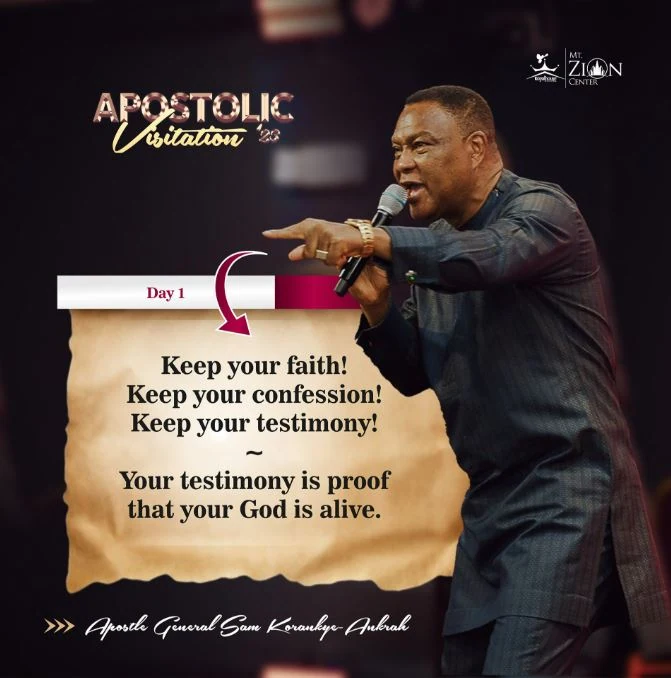
“Continues Today” announced each new day of the visit. While the Apostle General ministered, a dedicated screen display and sermon quote slides kept the identity present without competing with the message.

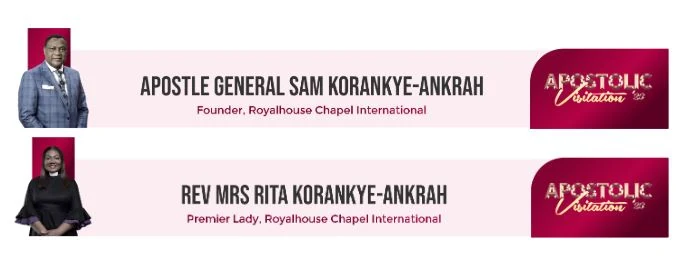
Name lower-thirds introduced each speaker on screen, and short introduction videos welcomed guest ministers who brought greetings during the services.
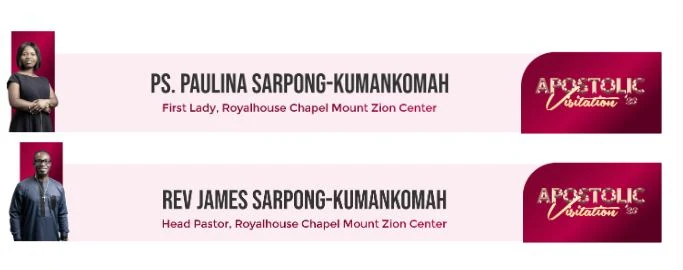
Off screen, printed name tags for the media, tech and ushering teams carried the same identity onto the people serving the event.
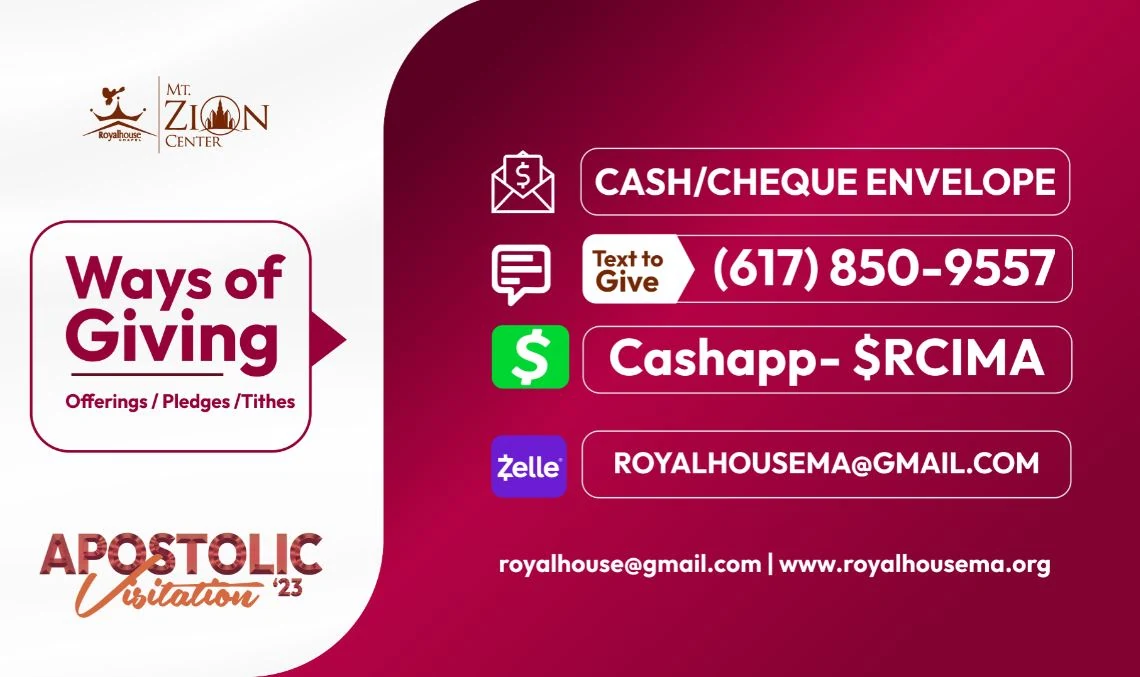
The final day closed with a thank-you animation for the screens and livestream, a thank-you graphic for social media, and a Ways to Give slide that gathered every giving option in one place.

When the Apostolic Visitation returned in 2025, I created a new set of motion graphics for it, building on the identity established in 2023. Each reel below gathers one set: speaker graphics in a mini version for the bottom of the screen on YouTube and social media, a full-screen version for in-person screens, and the supporting pieces — a countdown timer, the event logo animation and a simple animation for sharing the grace.
The branding created a cohesive identity that elevated the significance of the event. Attendance was strong, with engagement driven by striking countdowns and speaker highlights, and the gold-and-maroon scheme added to the sense of honour and celebration.
Leadership and congregants expressed gratitude for the professionalism and excellence the materials brought to the visit — a strong testament to the power of well-thought-out church branding.
Event identity and promotional campaign for the WMG Conference 2025 — from the main flyers and banners to countdowns, speaker graphics and a closing thank-you.
For the WMG Conference 2025, I designed the visual identity and full promotional suite that carried the event from first announcement to final thank-you. Every piece shared one visual system, so whether someone saw a banner, a countdown on WhatsApp or a speaker slide on screen, it was instantly recognisable as part of the same conference.

The logo pairs a high-contrast serif “WMG”, for World Movers Generation, with “Conference” in an electric cyan script that sweeps across its base. A yellow exclamation mark carrying the year adds energy, and the theme, “Empowered by the Spirit to do great things” (Acts 1:8), sits in a framed bar beneath.
The construction sheet maps the guide lines the lockup is built on, with a clear space equal to the height of the theme bar on every side.
Colour palette
Deep purples set a stage-lit, worshipful mood, while electric cyan and bright yellow bring energy and movement to every piece.
Stage light and atmosphere across every background.
Depth and contrast that keeps white type crisp.
The script, outlines and movement lines.
Highlights that call out dates, numbers and the year.
Typography
A high-contrast serif with sharp, dramatic strokes that gives the conference a bold, editorial presence.
A flowing hand-lettered script that sweeps across the base of the serif, adding energy and movement.
The campaign carried the conference from first announcement to final thank-you, with one visual system across social media, screens and print.
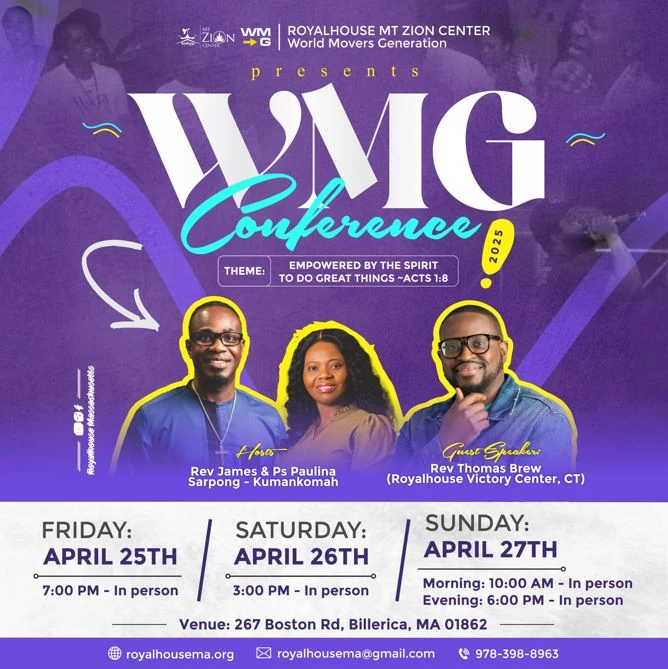
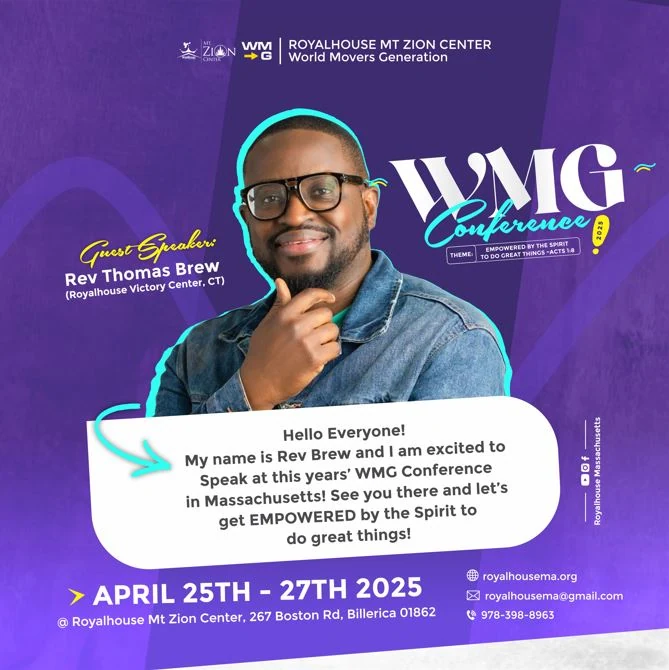
The main flyer set out the hosts, the guest speaker and all four services across the weekend, and a speech-bubble greeting from guest speaker Rev Thomas Brew invited people in, in his own words.
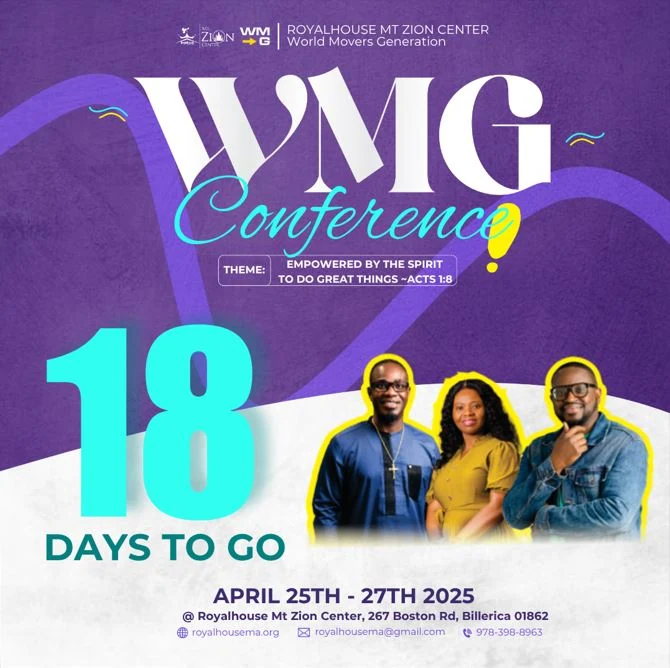
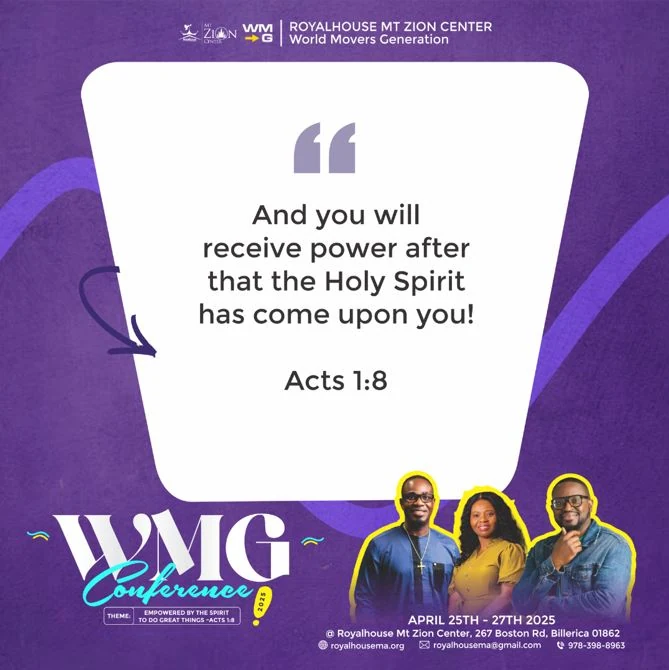
A countdown kept the conference top of mind, alongside a theme scripture slide built from Acts 1:8.
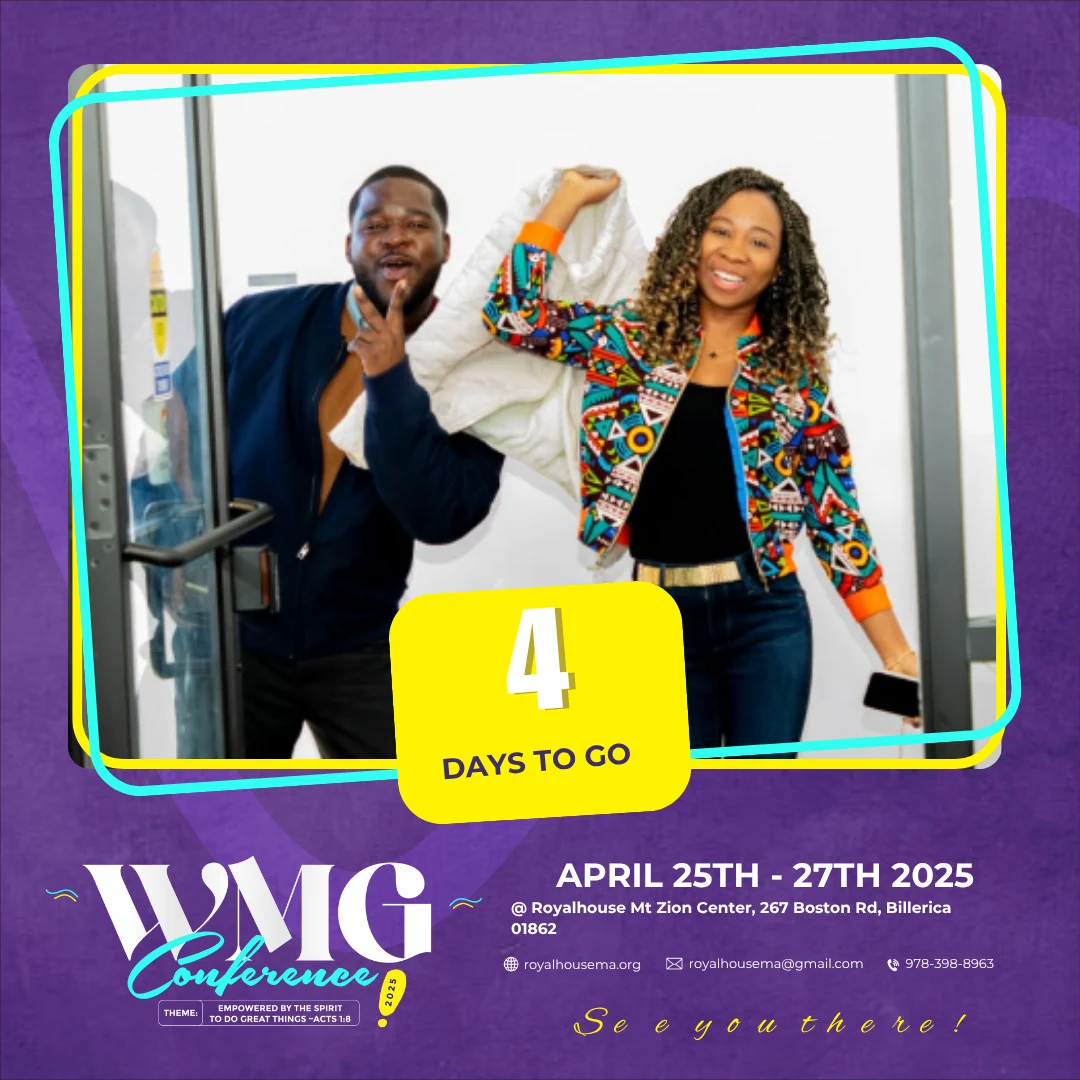
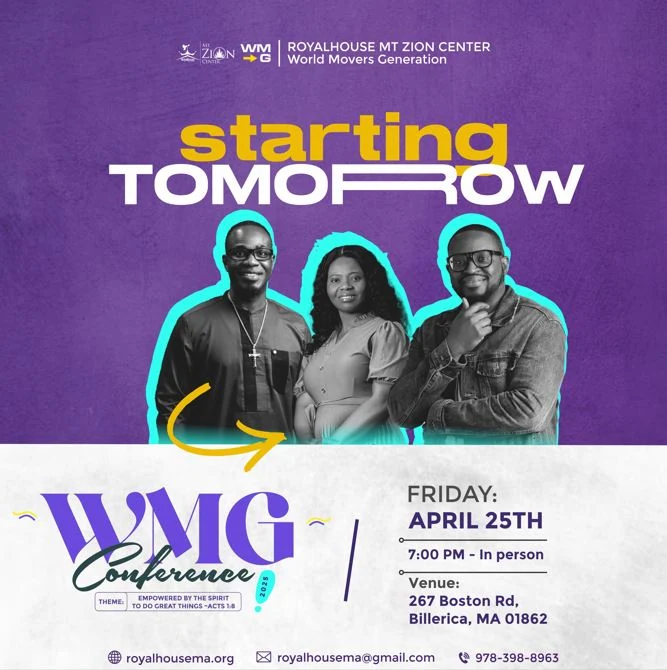
“Starting Tomorrow” and “It’s Today” switched to a bold black-and-white photo treatment with cyan outlines, so the final calls felt urgent while staying unmistakably part of the campaign.
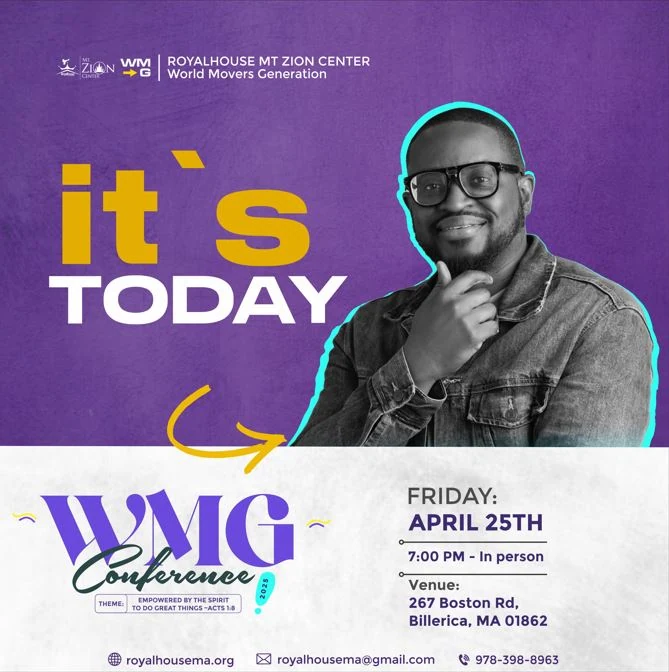
On screen, “Ministering Now” lower-thirds introduced each speaker with the church and WMG marks, giving every minister a dedicated, on-brand moment.
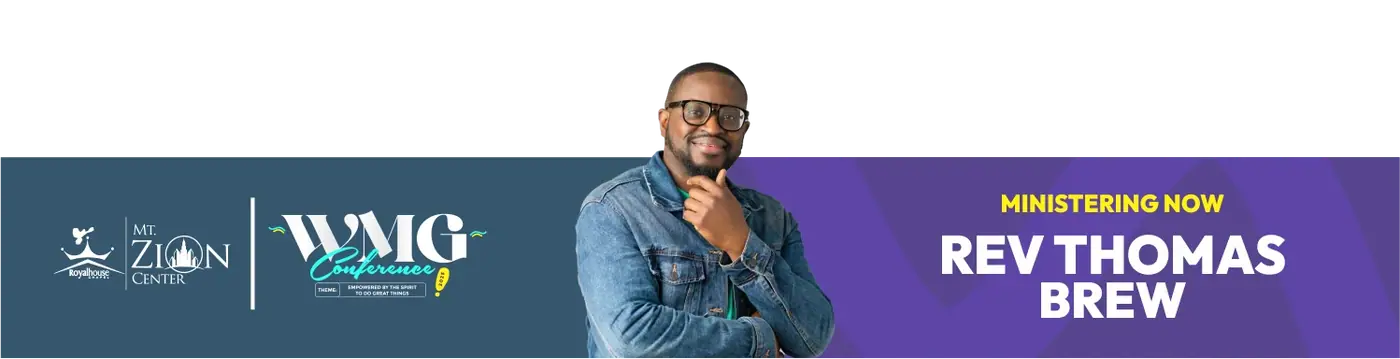
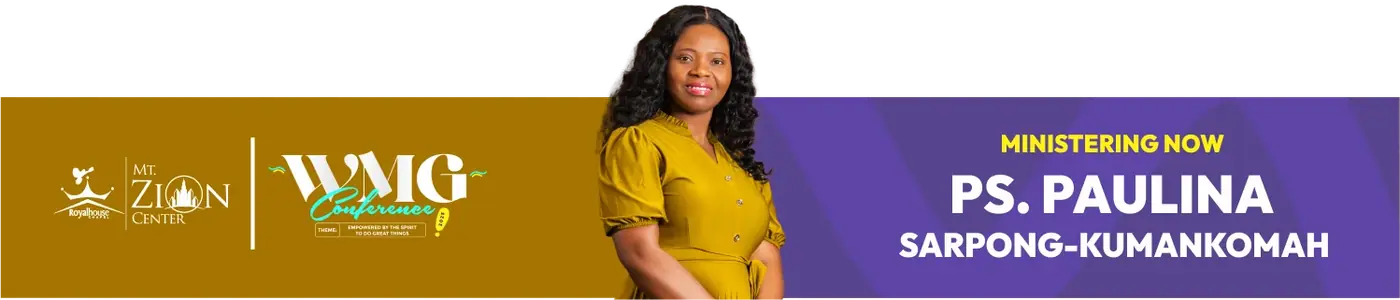
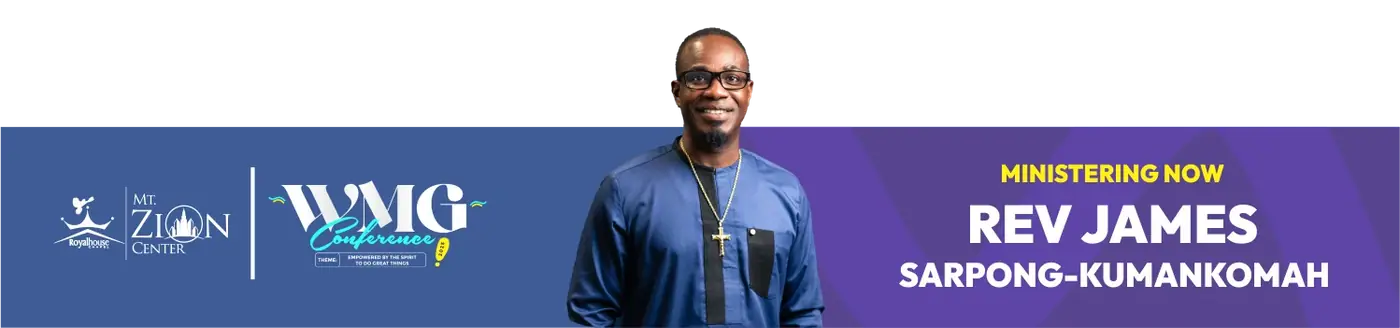
Full-screen “Ministering Now” animations took over the main screens as each speaker came up.
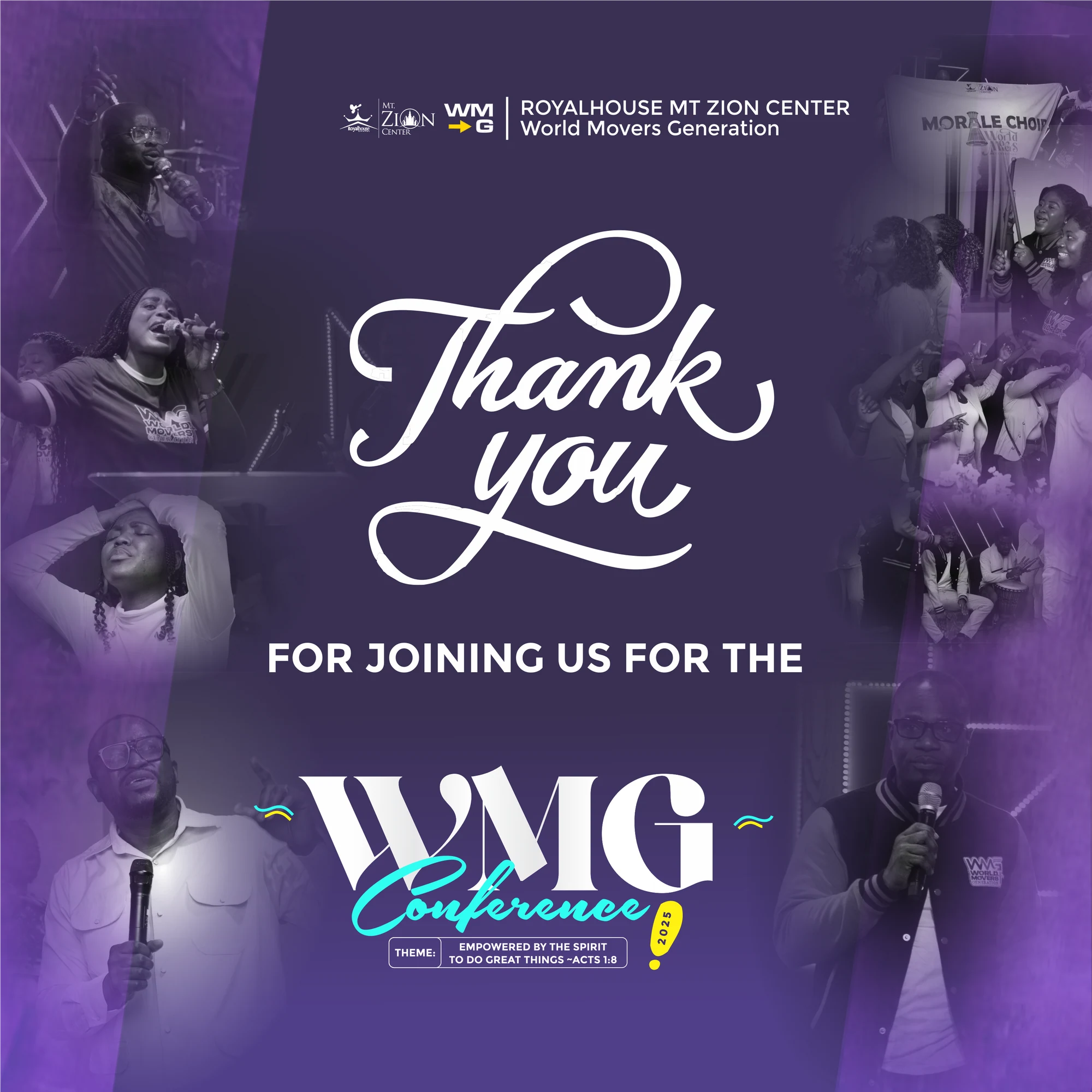
A closing thank-you graphic, built from photos taken during the conference, thanked everyone who attended and supported it.
The campaign also ran as video: short promos in which people personally invited others to the conference, finished with WMG motion graphics so every invitation carried the same identity.
WMG Conference 2025 showed again how a clear visual system carries an event: when every flyer, countdown and speaker slide speaks the same language, the campaign feels professional, builds momentum, and gives the event the excellence it deserves.
A smart travel-prep app designed to help travelers pack and prepare with confidence — organizing packing, documents and trip details in one calm, guided place.
Travelers rely on scattered notes, apps and mental checklists to get ready for a trip — which leads to stress, forgotten items and poor preparation. PackPal is a mobile-first solution that simplifies travel prep through structured checklists, trip organization and confidence-building guidance. The problem in one line: travel preparation should reduce stress, not create more of it.
Trip preparation often means managing documents, packing lists, timelines and logistics across different platforms. Many travelers feel anxious before departure simply from uncertainty and a lack of structure. PackPal was designed to act as a single source of truth for travel prep — helping people feel calm, organized and in control before they travel.
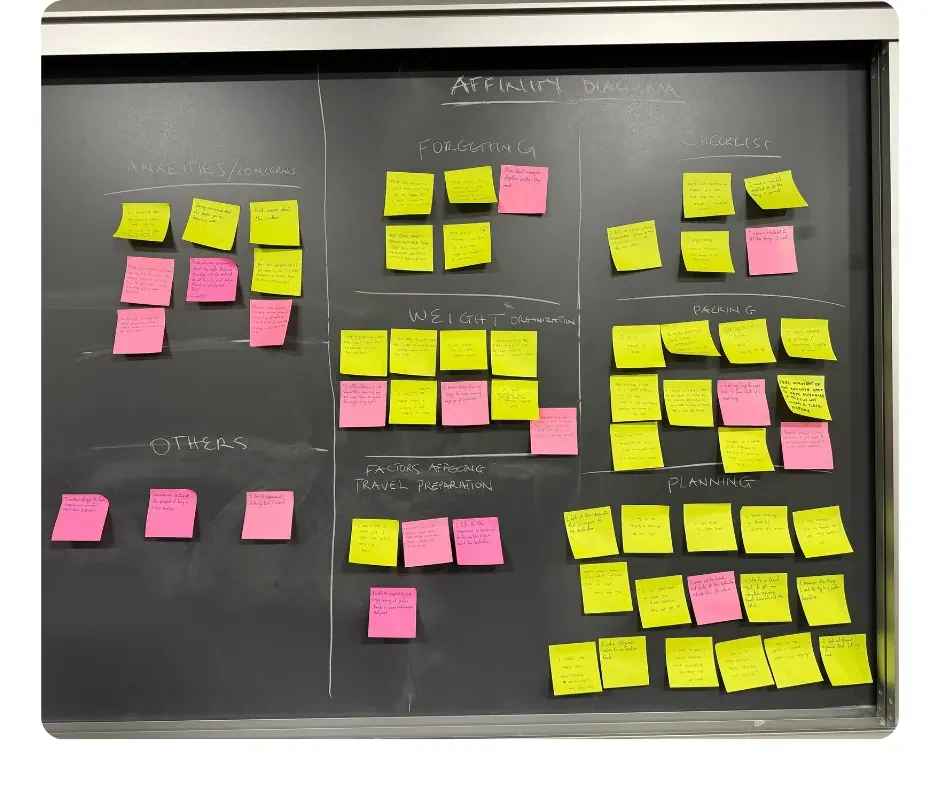
Research showed that travelers often rely on mental checklists, scattered notes and last-minute scrambling to get ready. The problem isn't a lack of effort — it's a lack of systems that support planning from start to finish.
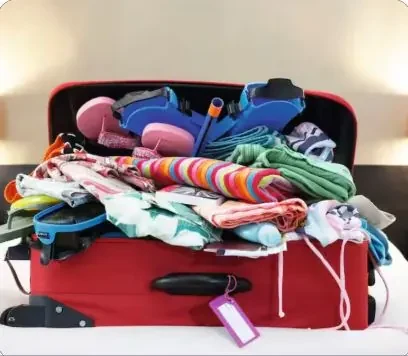
We interviewed 6 people — 4 students and 2 business professionals. Synthesis showed users value simplicity, clarity and reassurance more than "extra" features. They don't want a complex planner — they want a calm, reliable system.
How might we —
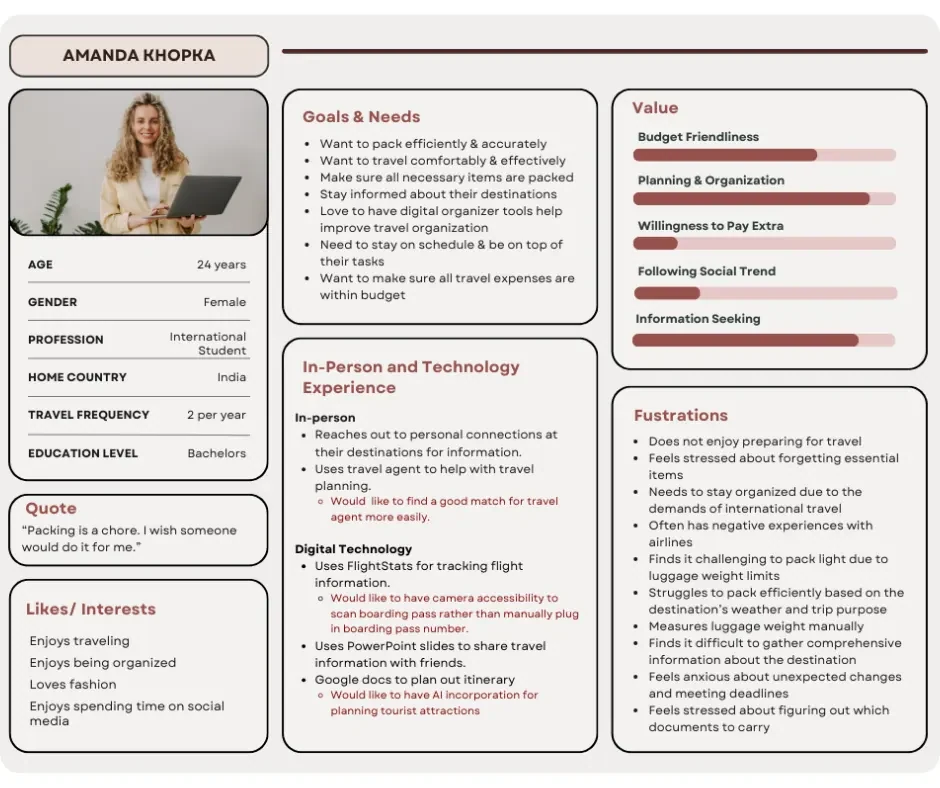
Research patterns pulled into one primary persona guided feature scope and prioritization.
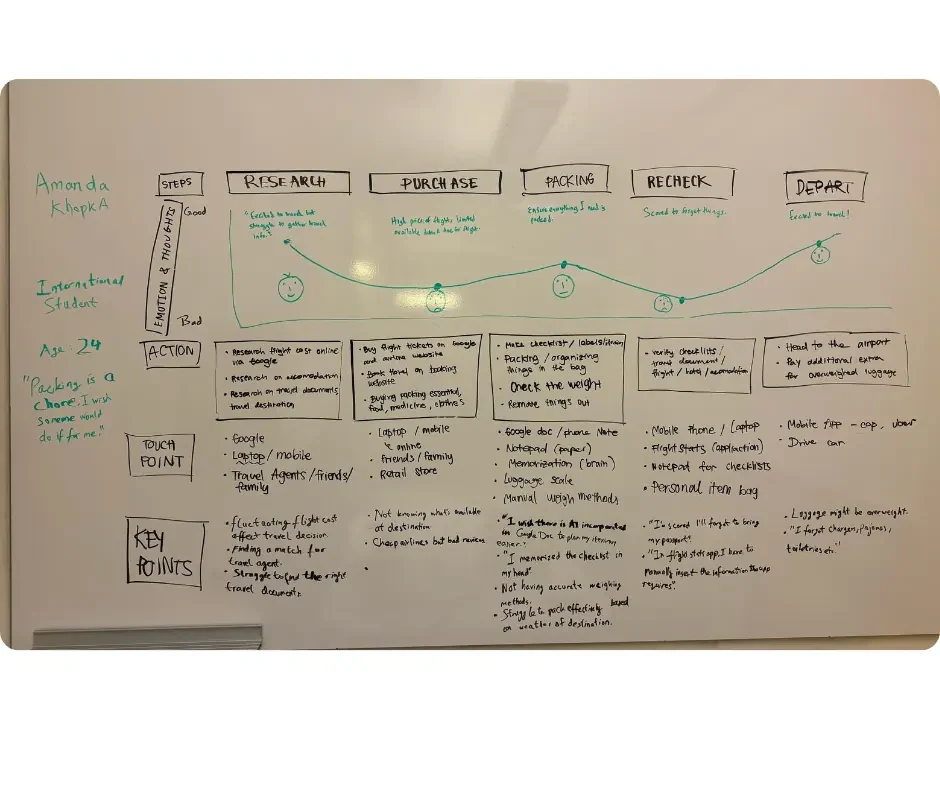
The journey map traces the emotional and practical experience of a traveler preparing for a trip — from research to departure — and where PackPal can reduce stress along the way.
PackPal's structure mirrors how travelers naturally think about preparation: set up the trip, pack using clear categories, and reuse past trips for speed.

Core sections
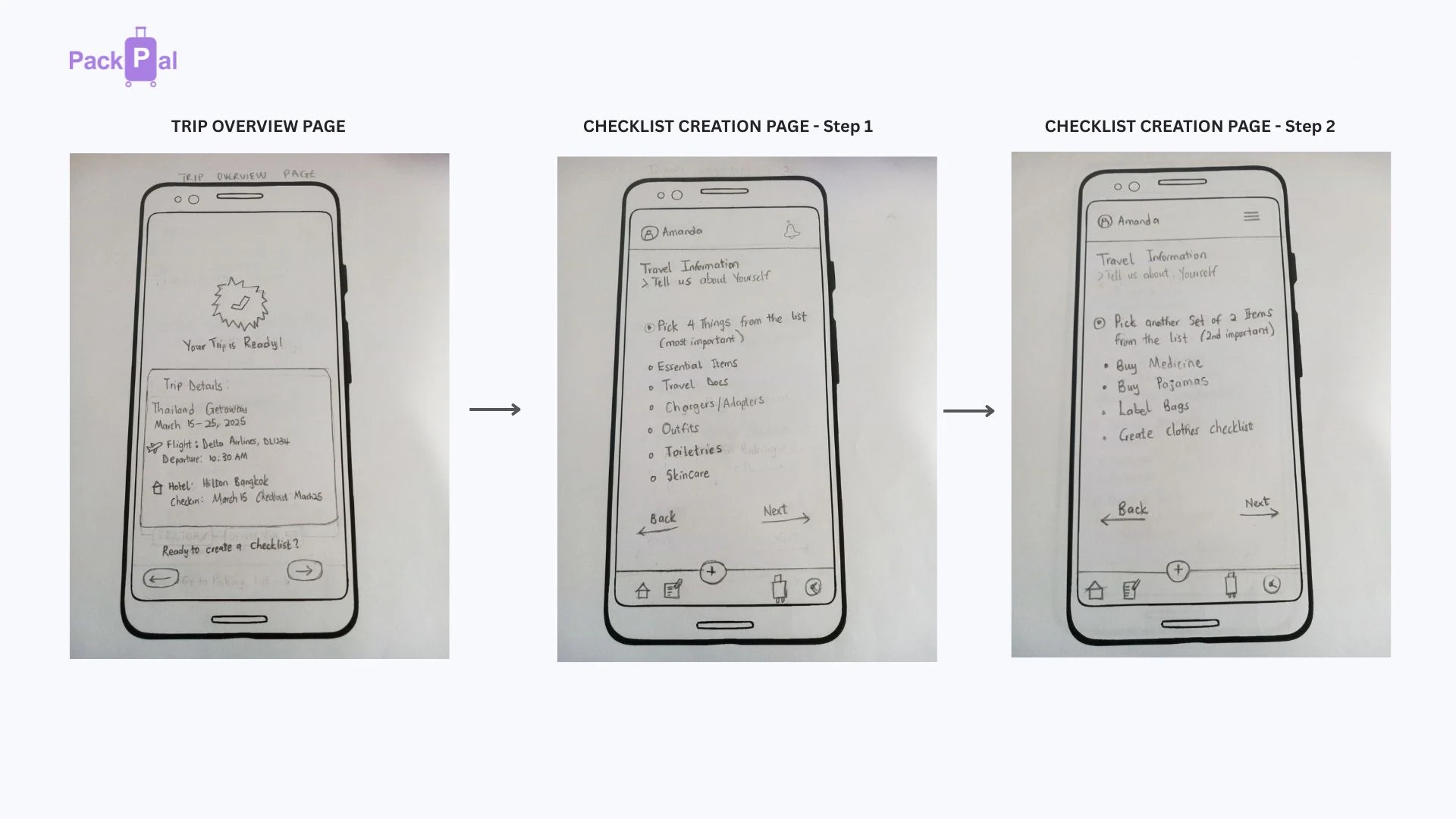
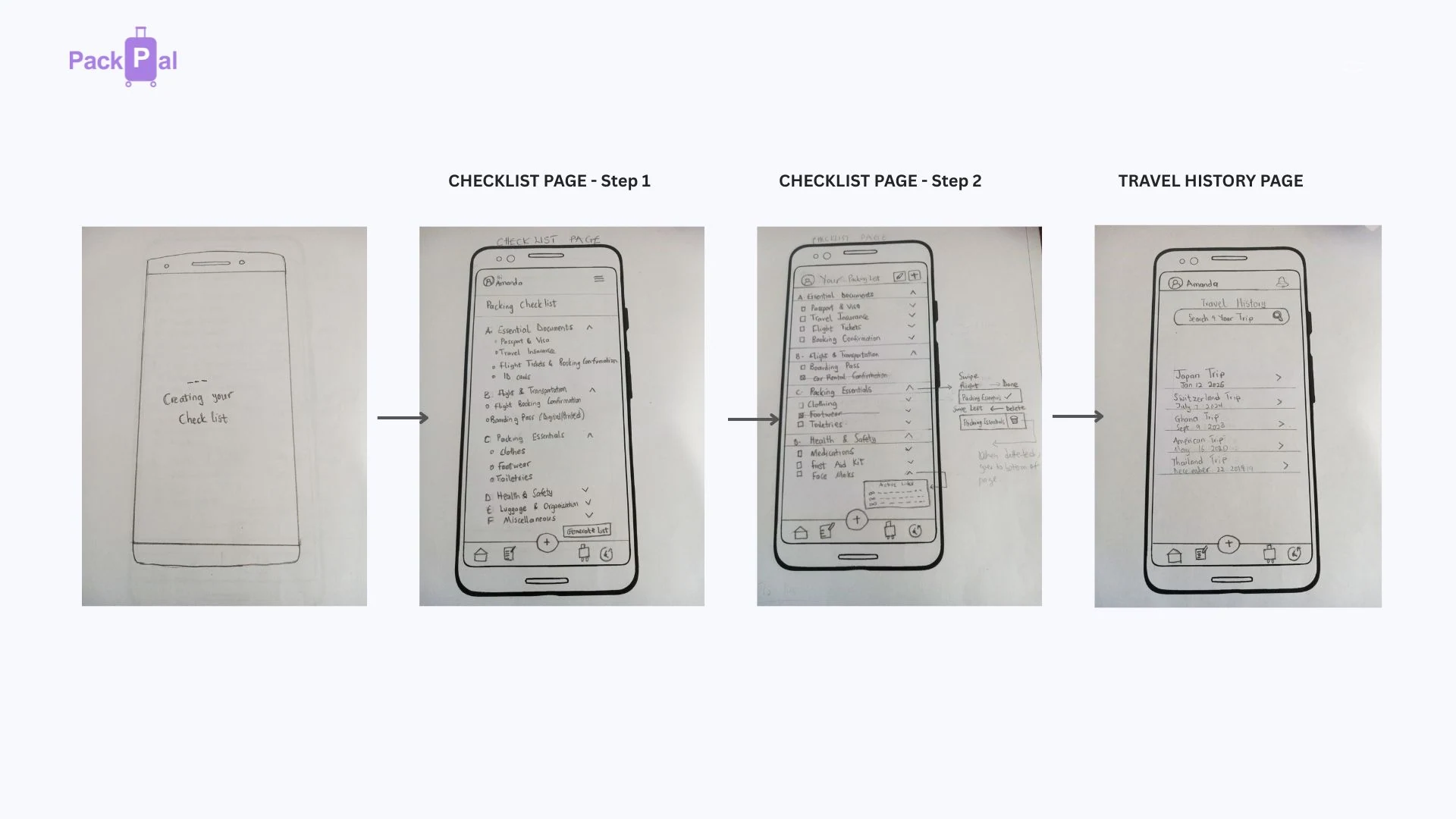
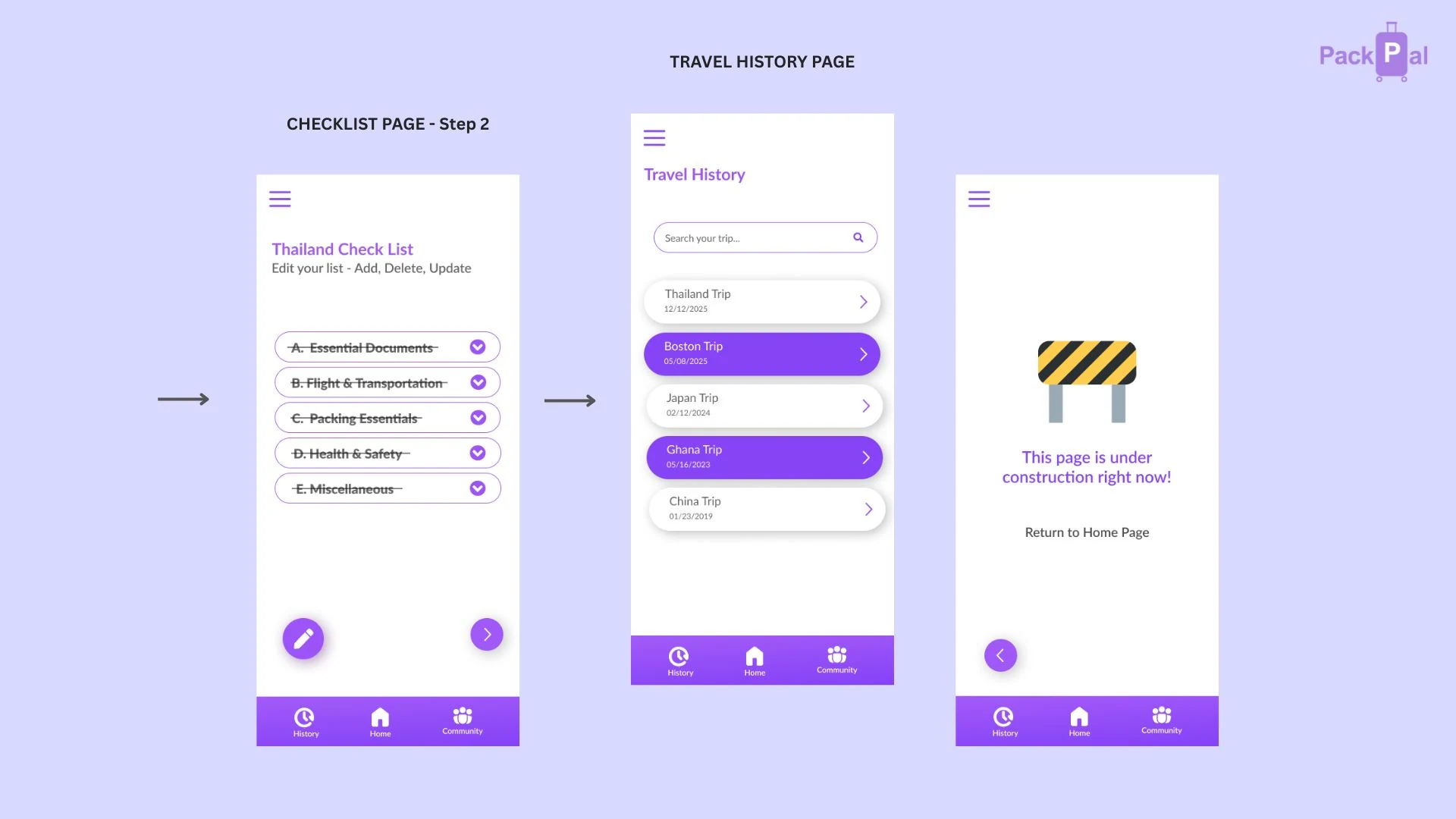
Before any visual design, the core flows were sketched as paper wireframes to validate structure, navigation and the checklist logic. These lo-fi screens were then put in front of users in usability tests, and what we learned shaped the high-fidelity screens that follow.

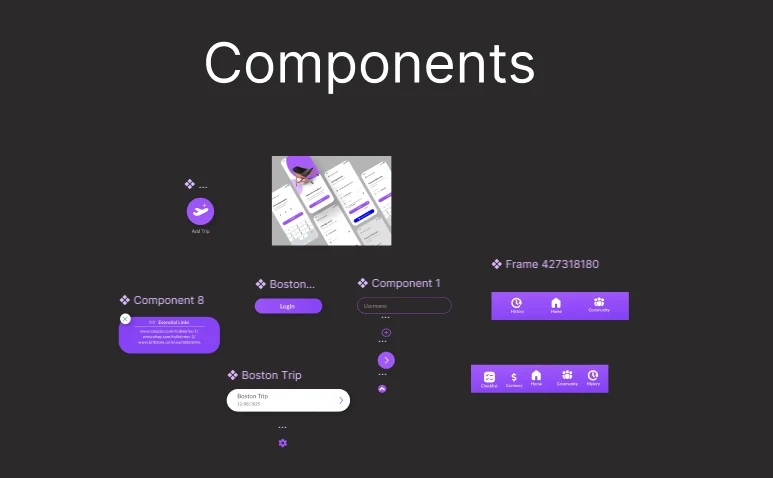
Before building the hi-fi screens, PackPal’s visual language was set up as a small design system in Figma: a purple colour palette, a type scale based on the Material 3 Design Kit, and a library of reusable components. Every screen draws from the same set of buttons, inputs, trip cards and navigation bars, so a change made once updates everywhere. That kept the app consistent across more than a dozen screens and made it quick to act on usability feedback without anything drifting out of line.
Colour styles
Headers, pressed states and areas that need extra weight.
The core brand colour used across navigation and key surfaces.
Calls to action and highlights that guide the next step.
Calm backgrounds that keep checklists easy to scan.
Typography: Lato on the Material 3 type scale
Components
Usability testing on the paper prototypes fed directly into the high-fidelity screens — refining user flows, layout hierarchy and interaction clarity, so users always know what to do next.

Key workflow screens
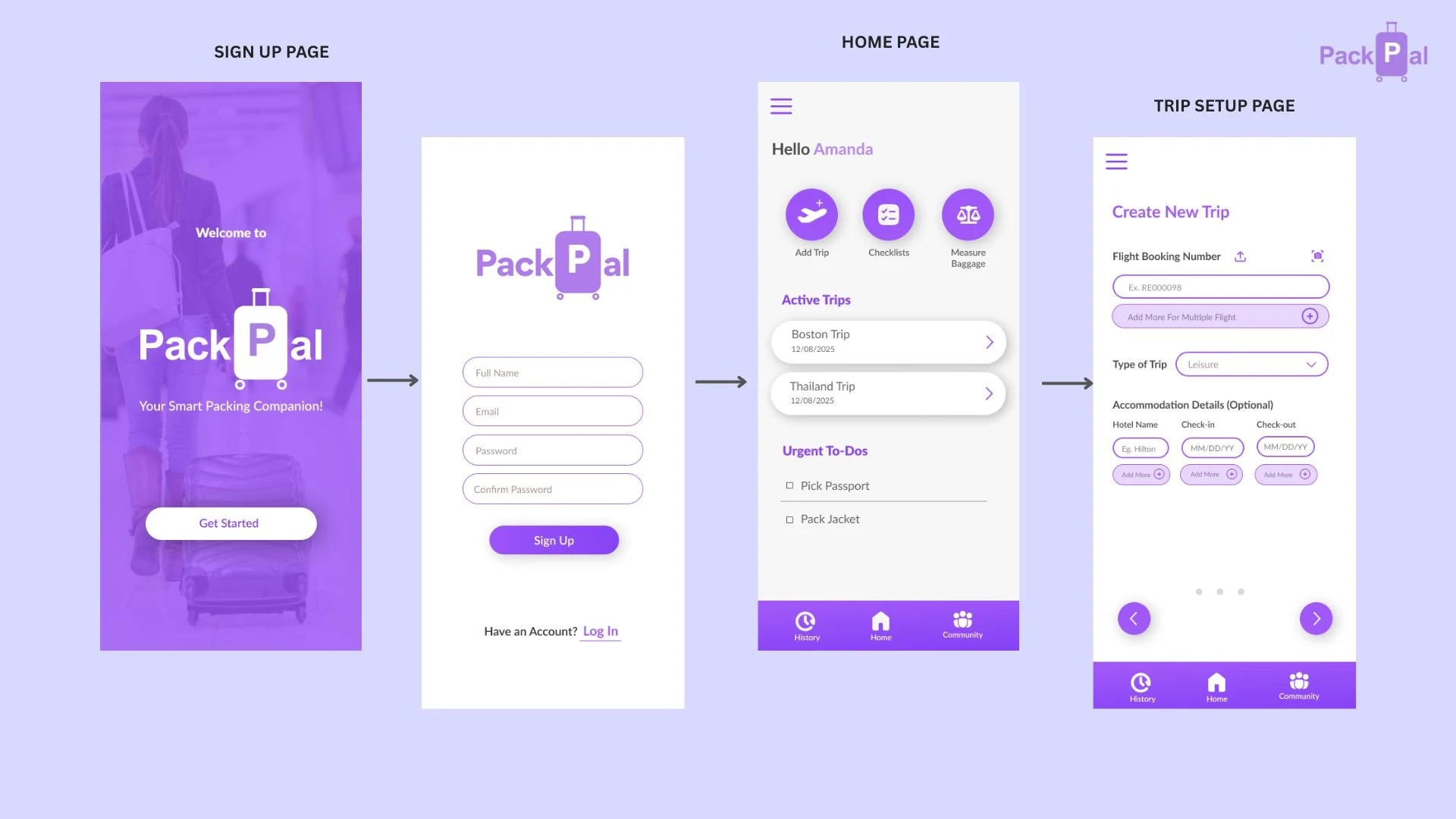
Trip Setup
Users define destination, dates and trip type — so PackPal can tailor recommendations and checklist defaults.
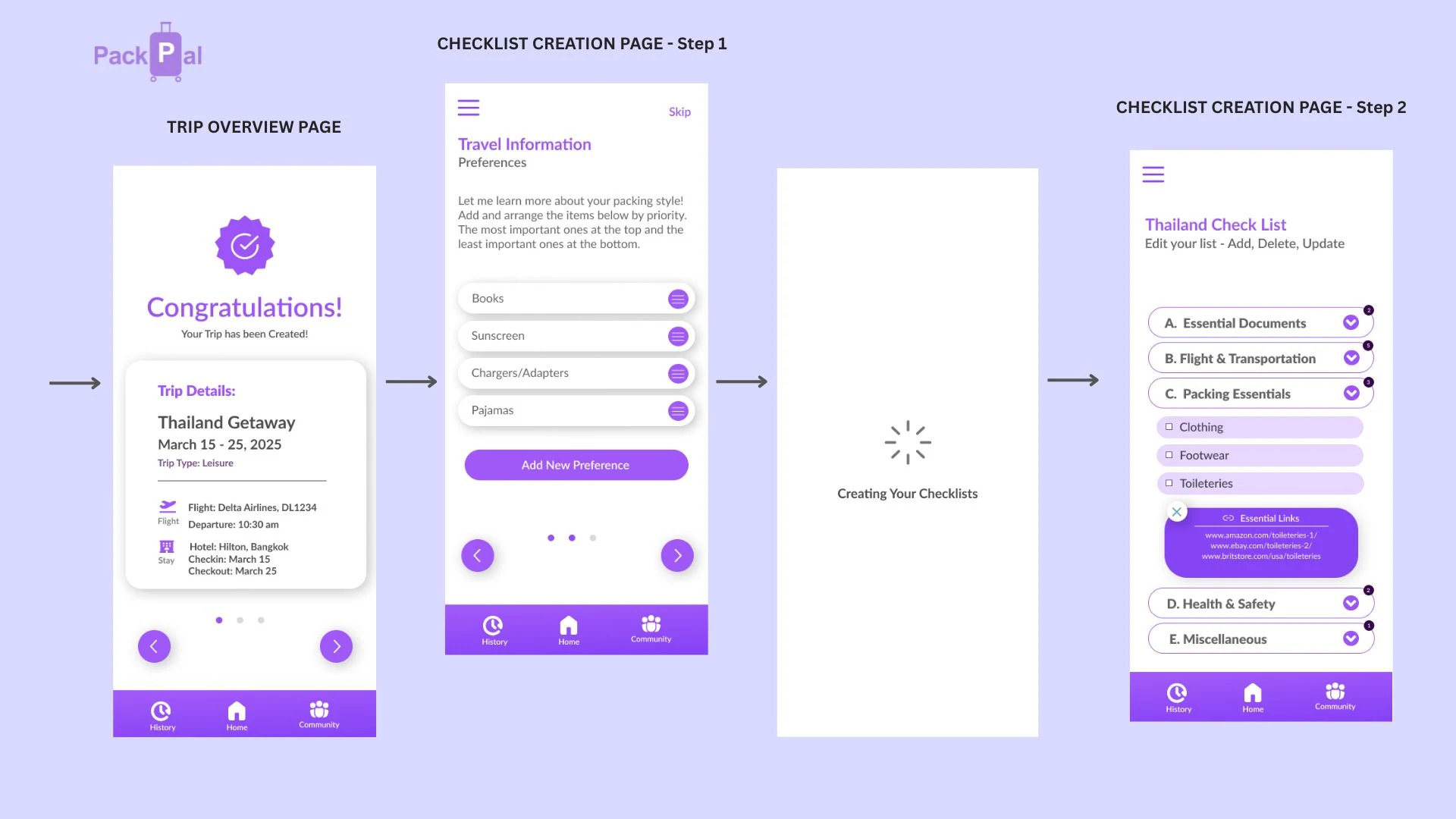
Checklist Creation
Categorized checklists help users pack in a structured way, reducing mental load and last-minute misses.
Travel History
Past trips can be saved and reused, helping frequent travelers pack faster over time.
PackPal is designed to create calm, confidence and control before departure.
This project reinforced the importance of designing for emotional need, not just user flow. PackPal was built to support users through uncertainty and help them build trust in the process — a reminder that thoughtful UX can reduce anxiety, not just friction.
A full brand identity and packaging system for a catering and food brand — carried from a logo redesign through menus, delivery packaging, uniforms, stationery, and a Ghanaian-inspired juice line.
Dromo Sonn is a catering brand built around fresh, natural food — with a Ghanaian-inspired juice line as part of its offering. The project started with a full identity refresh, then carried that identity consistently across every touchpoint a customer or staff member might see: packaging, delivery, uniforms, menus, and stationery.
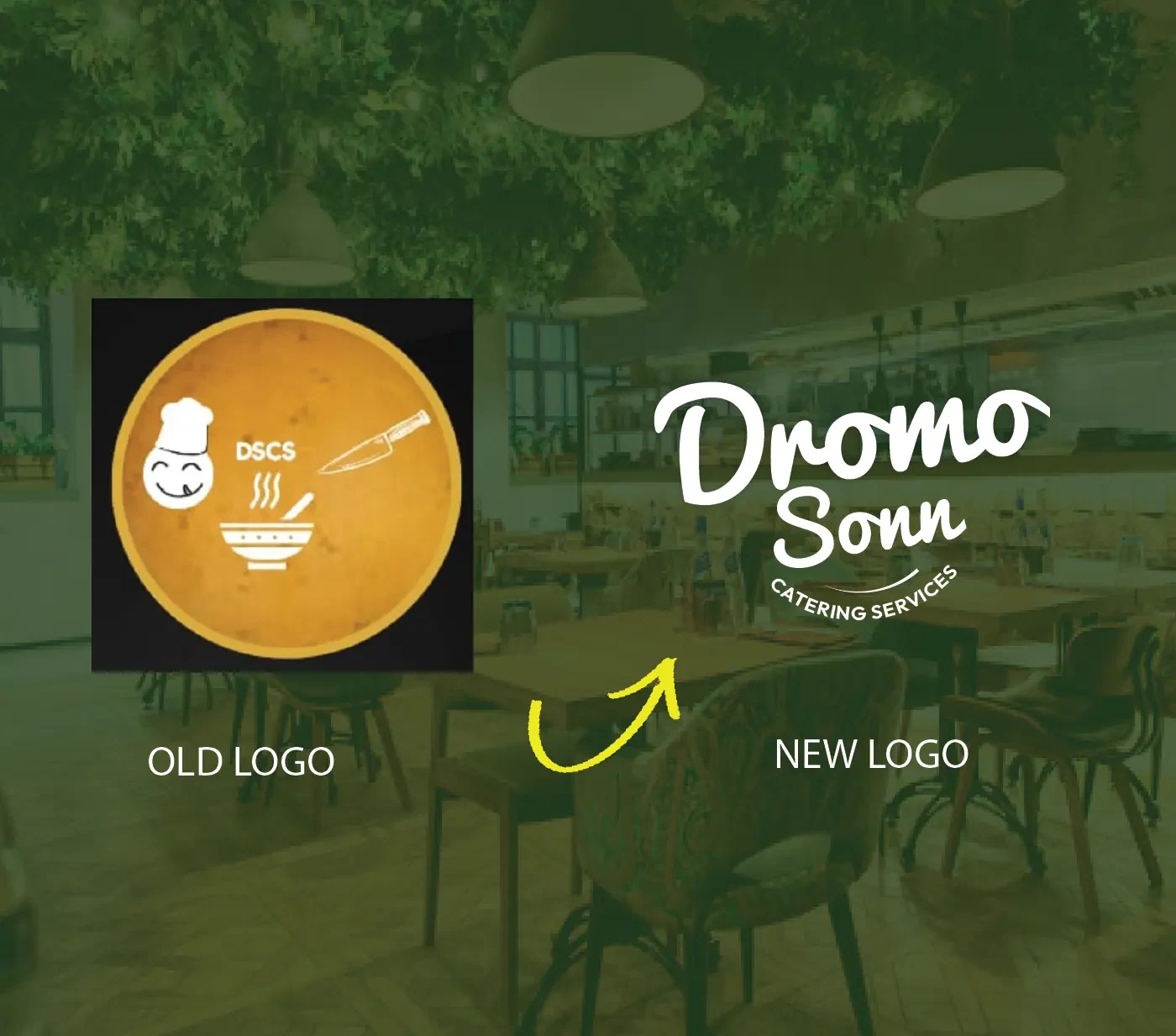
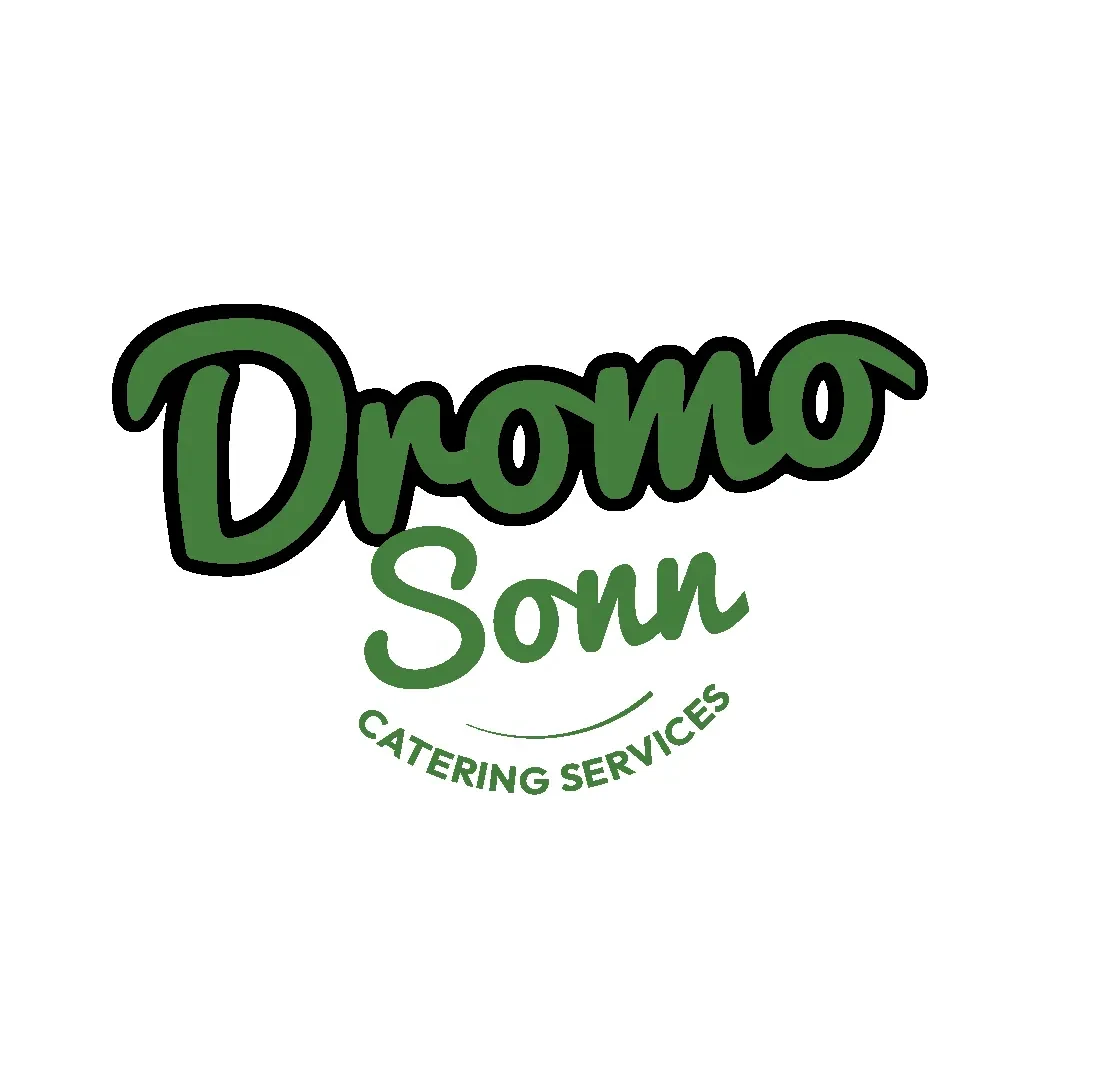
The old mark was a literal chef-and-bowl icon that read more like a clip-art badge than a brand. The redesign moved to a warm, hand-lettered wordmark — "Dromo Sonn" in a confident script over a clean "Catering Services" line — something that feels personal and artisanal rather than generic.
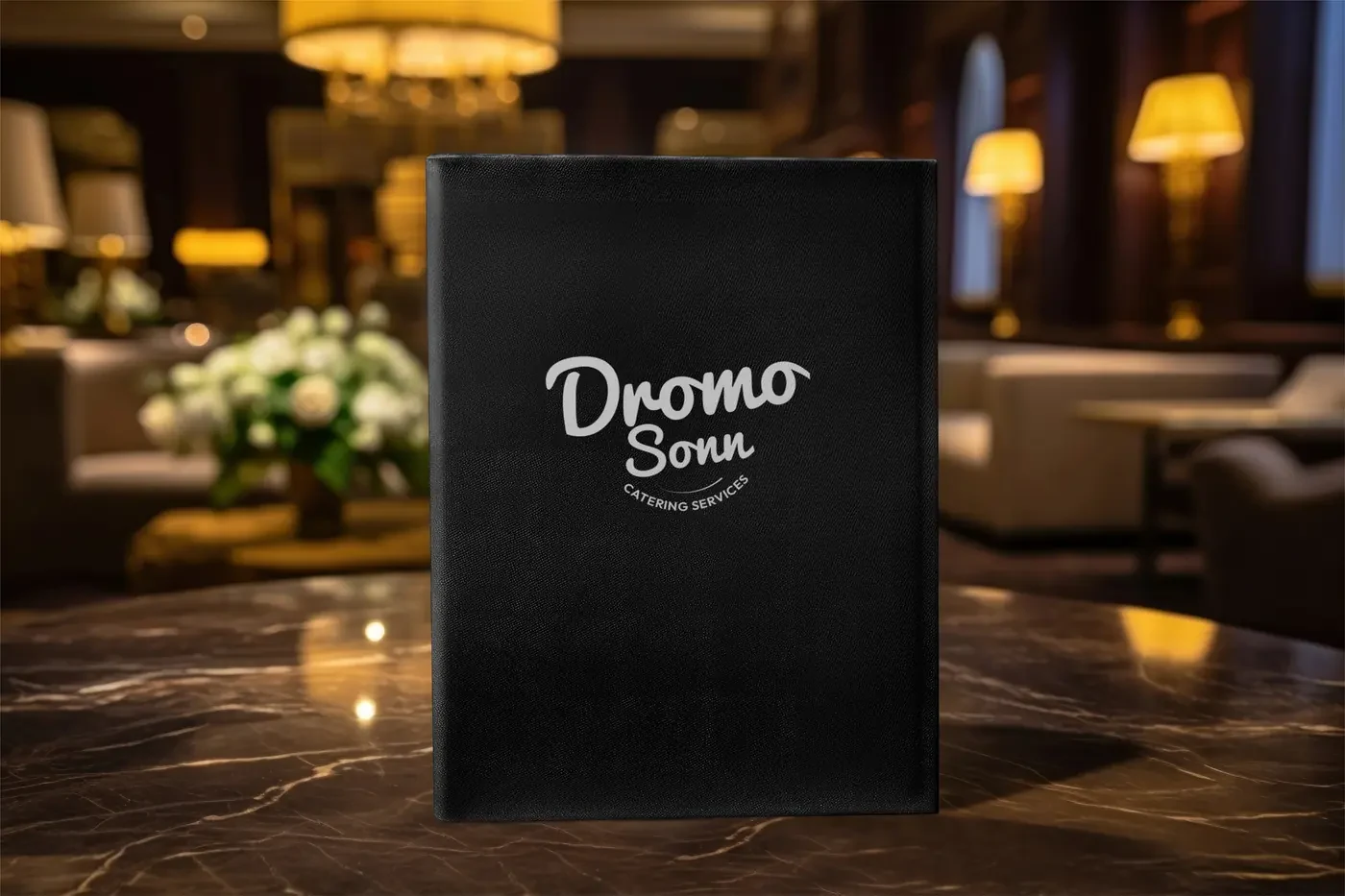
A deep green and warm gold palette carries across everything from menus to takeaway boxes, giving the brand a natural, grounded feel that still reads as premium on the table.
The plant-based delivery line extends the identity into bags, boxes, cups and containers — built to feel just as considered arriving at someone's door as it does on a restaurant table.

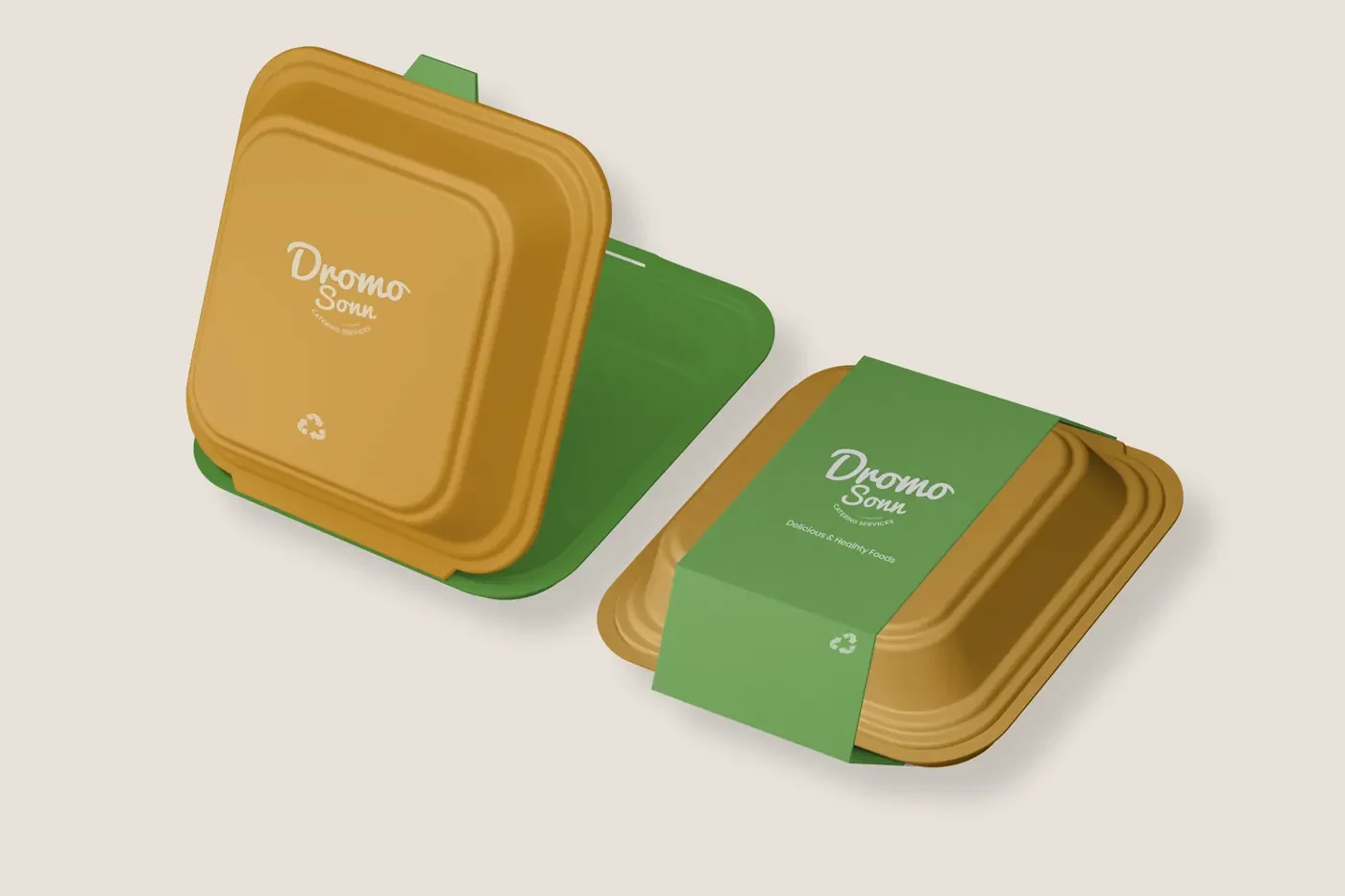
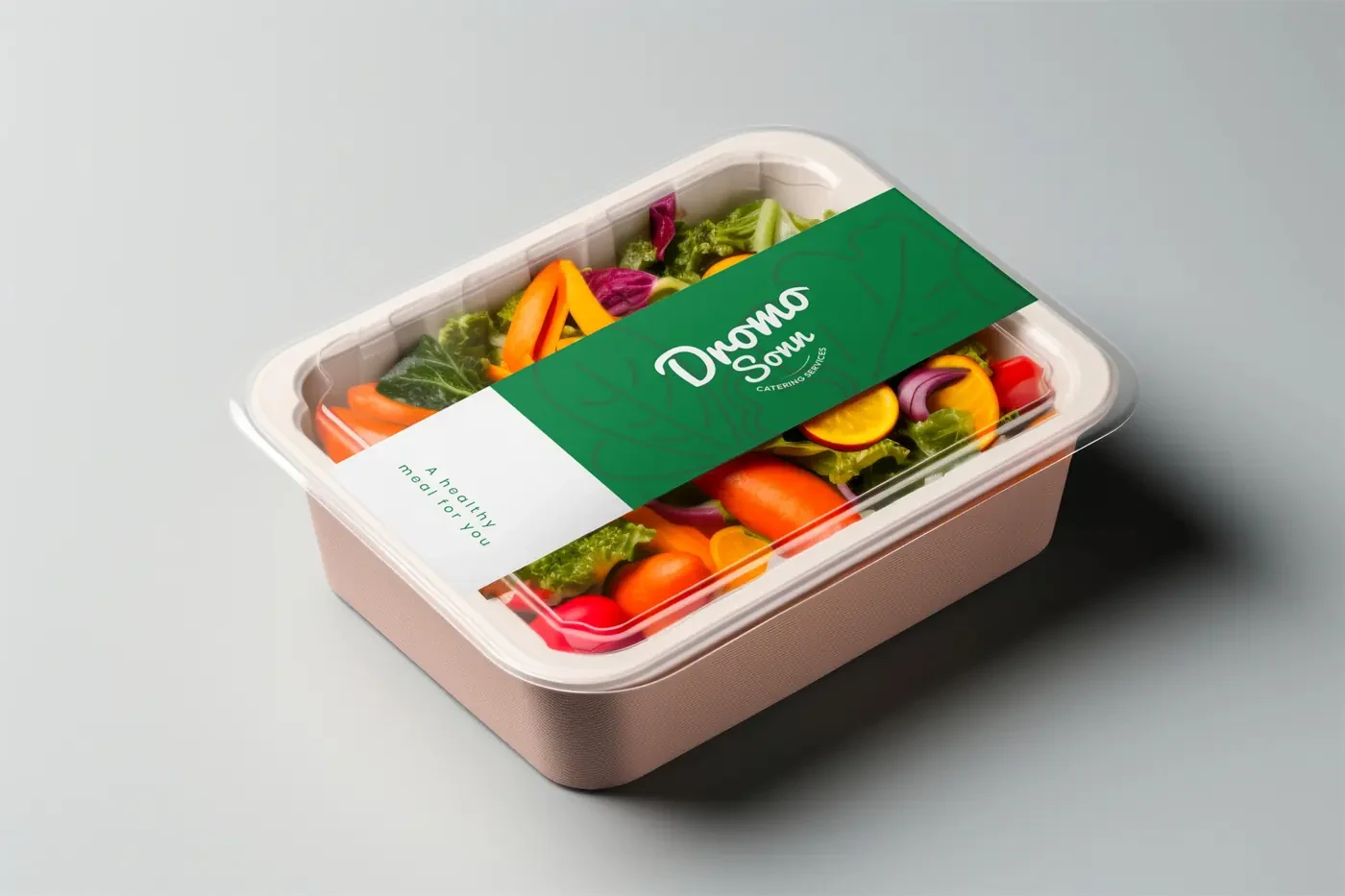
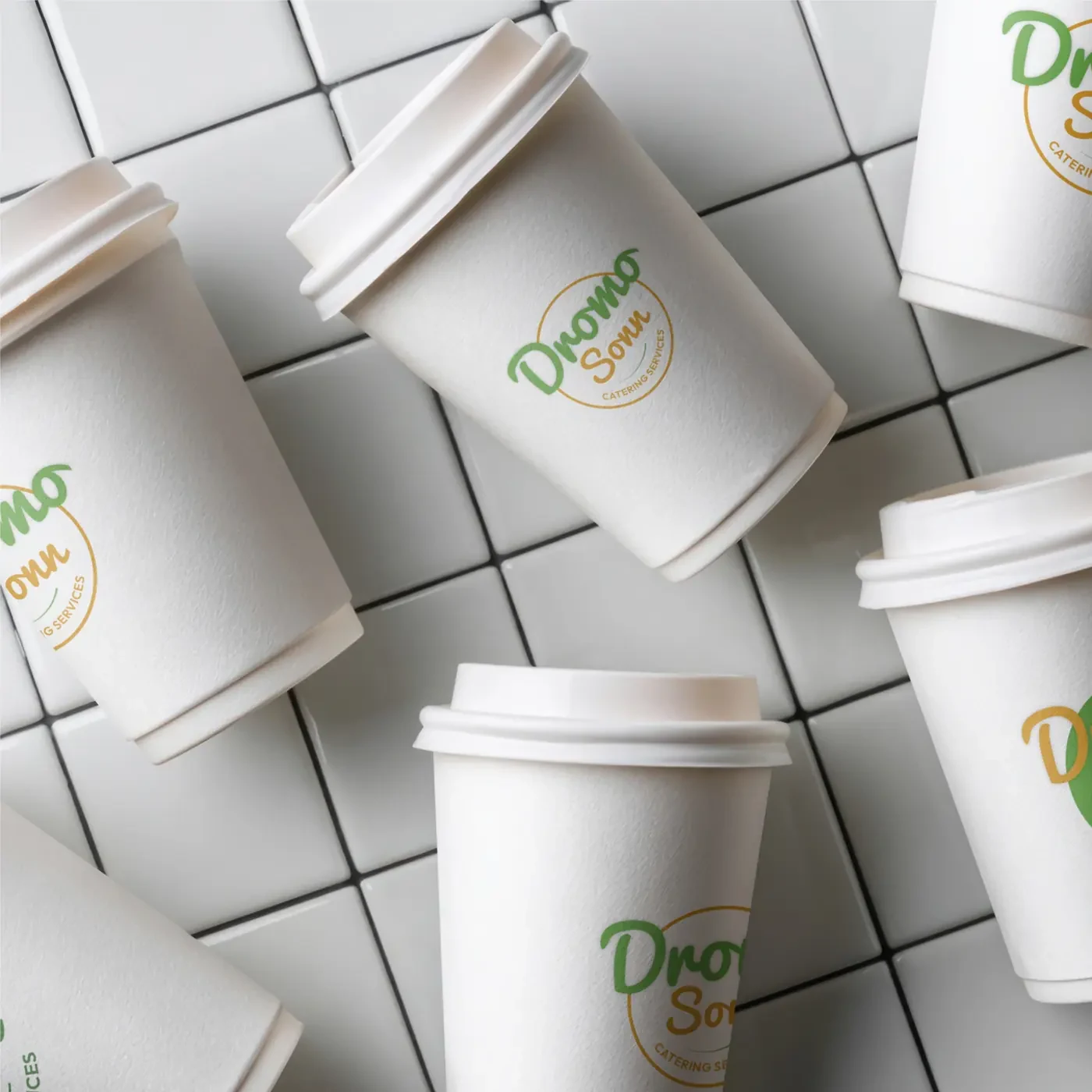
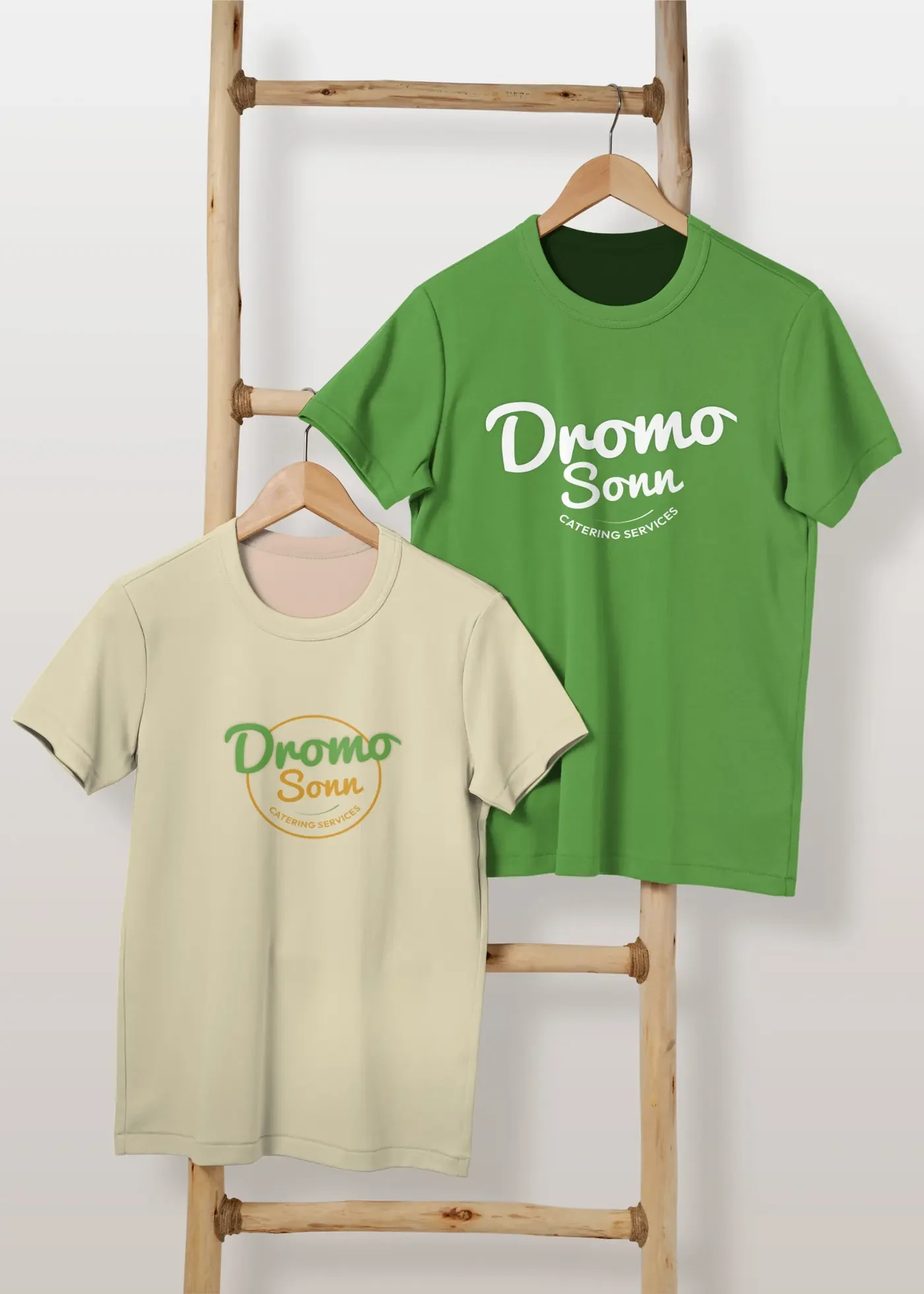
The identity also had to work in fabric — on aprons for kitchen and counter staff, and on merchandise-style tees for the wider team.

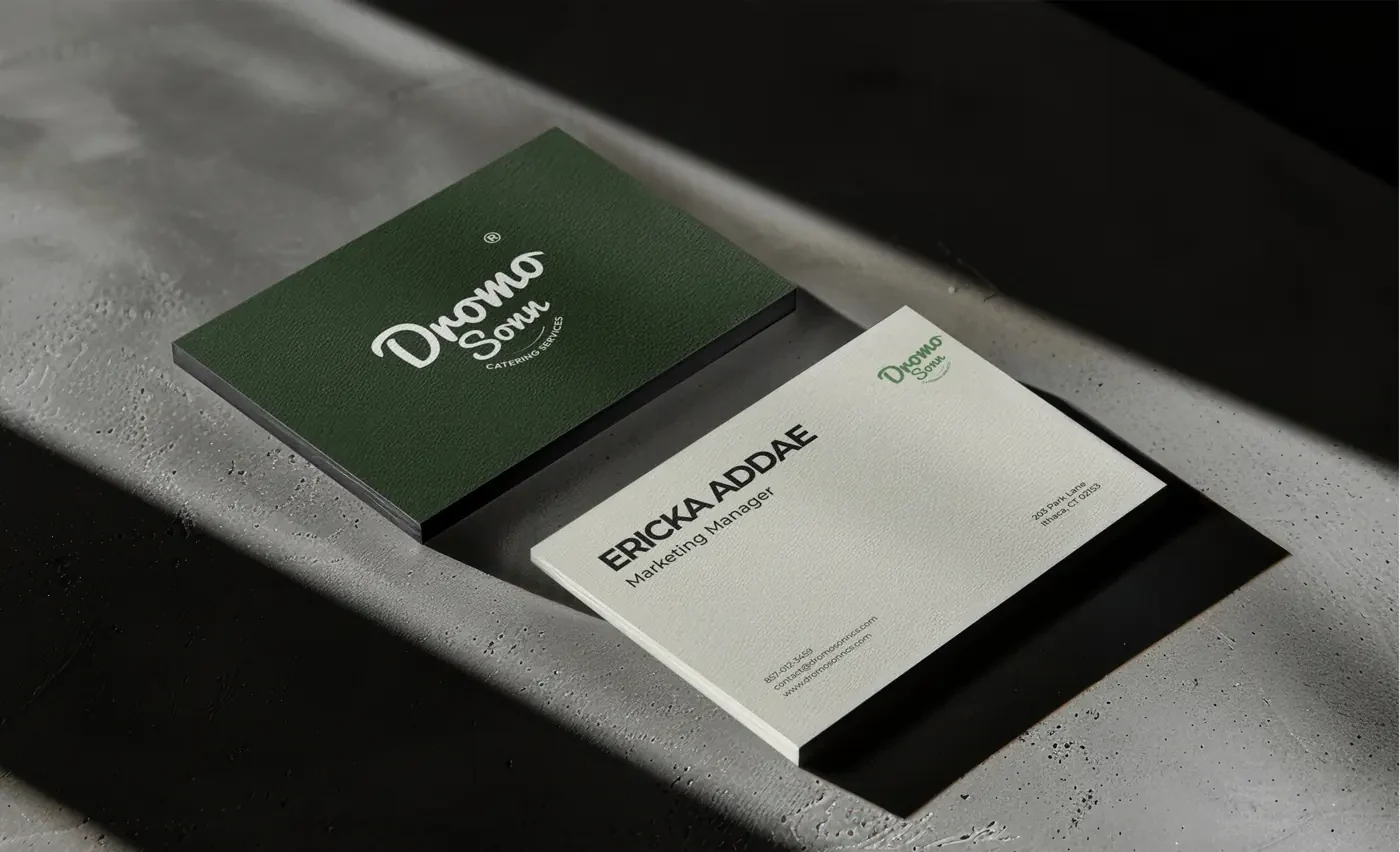
Beyond the kitchen, the brand shows up in the details guests actually hold — the wine list, a thank-you card, and the business cards staff hand out.
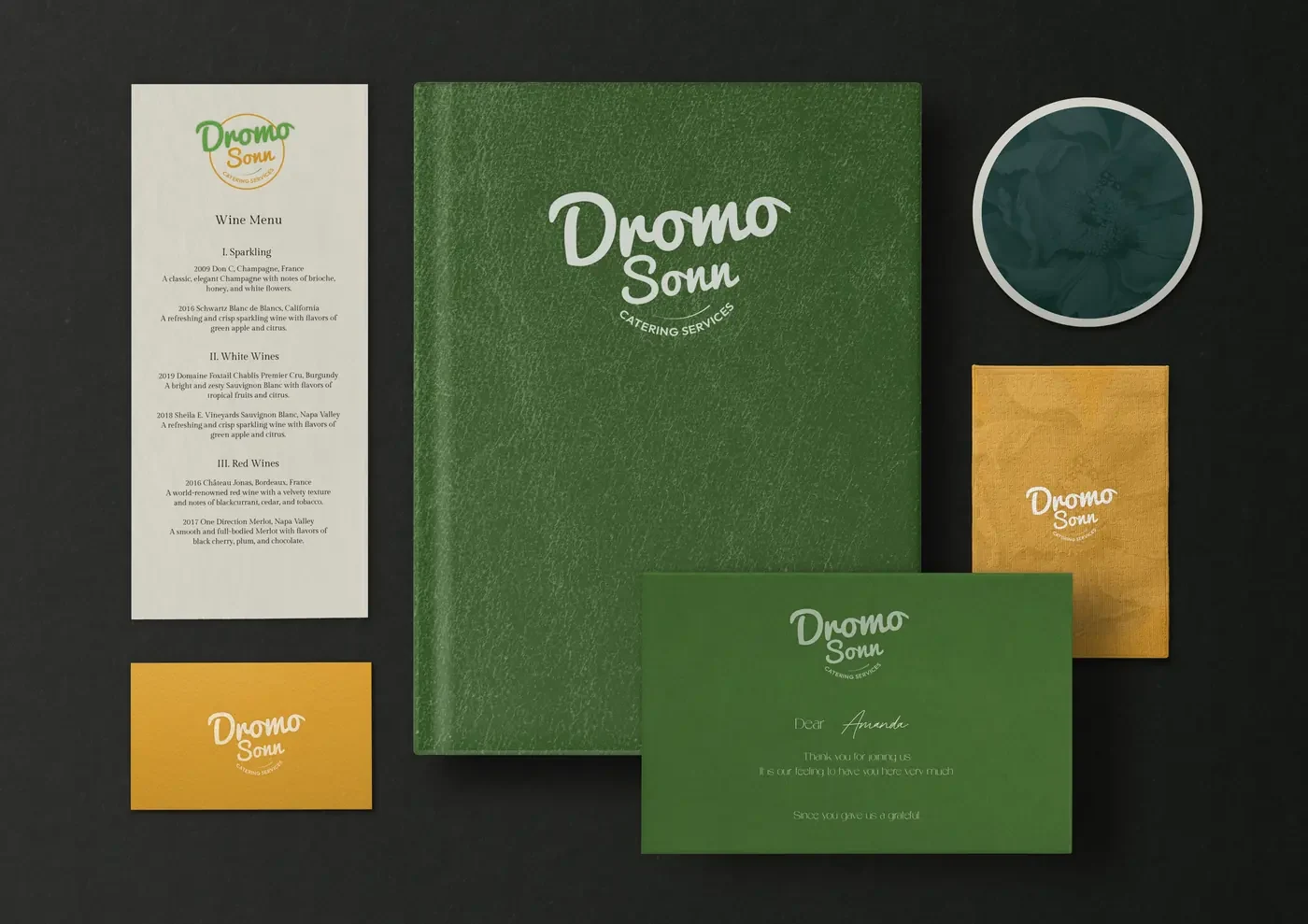
Alongside the catering identity, Dromo Sonn's brand extends into a small juice line celebrating authentic Ghanaian flavors — Pine-Orange, Asaana (fermented corn), and Sorrel-Hibiscus — through packaging built to feel refreshing, modern and proudly local. Each label tells its own flavor story through color: energetic yellows for Pine-Orange, earthy browns for Asaana, rich reds for Sorrel-Hibiscus — tied together with clean typography and natural ingredient visuals so the range reads as one family while standing out on a crowded shelf.
Role: Brand identity designer, packaging designer, product visualization, creative direction.
My journey into design began with a love for storytelling and turning ideas into something people can see and feel. Today that shows up across UI/UX design, branding, packaging and event branding — helping individuals, businesses and ministries express their identity with clarity and confidence.
That love of storytelling also extends into motion. I create motion graphics for campaigns and events, and I've directed and produced short films and animation — from a live-action VFX short and a 3D animated comedy built in Blender, to an AI-assisted cinematic series. Whether still or moving, I enjoy bringing ideas to life from first sketch to final cut.
Whether I'm designing an interface, a flyer, or a brand's online presence, I bring intentionality, empathy, and strategy to the work. Great design, for me, goes beyond beauty — it creates experiences that connect, communicate, and inspire action.
Hiring for a design role, or have a project in mind? Send me a message below or book a call straight into my calendar. I usually reply within 24 hours.
Calendar not loading? Open it in a new tab.
Elsewhere
A packaging and brand identity system for a Ghanaian wellness tea brand, built to elevate a traditional herbal remedy into a premium, shelf-ready product with modern appeal.
Hibiscus tea is a beloved herbal staple across West Africa — brewed for wellness, shared at gatherings, and trusted for generations. This project transforms that familiarity into a retail identity that feels both authentic and contemporary, giving Laveeda Foods a product that earns its place on a premium shelf.
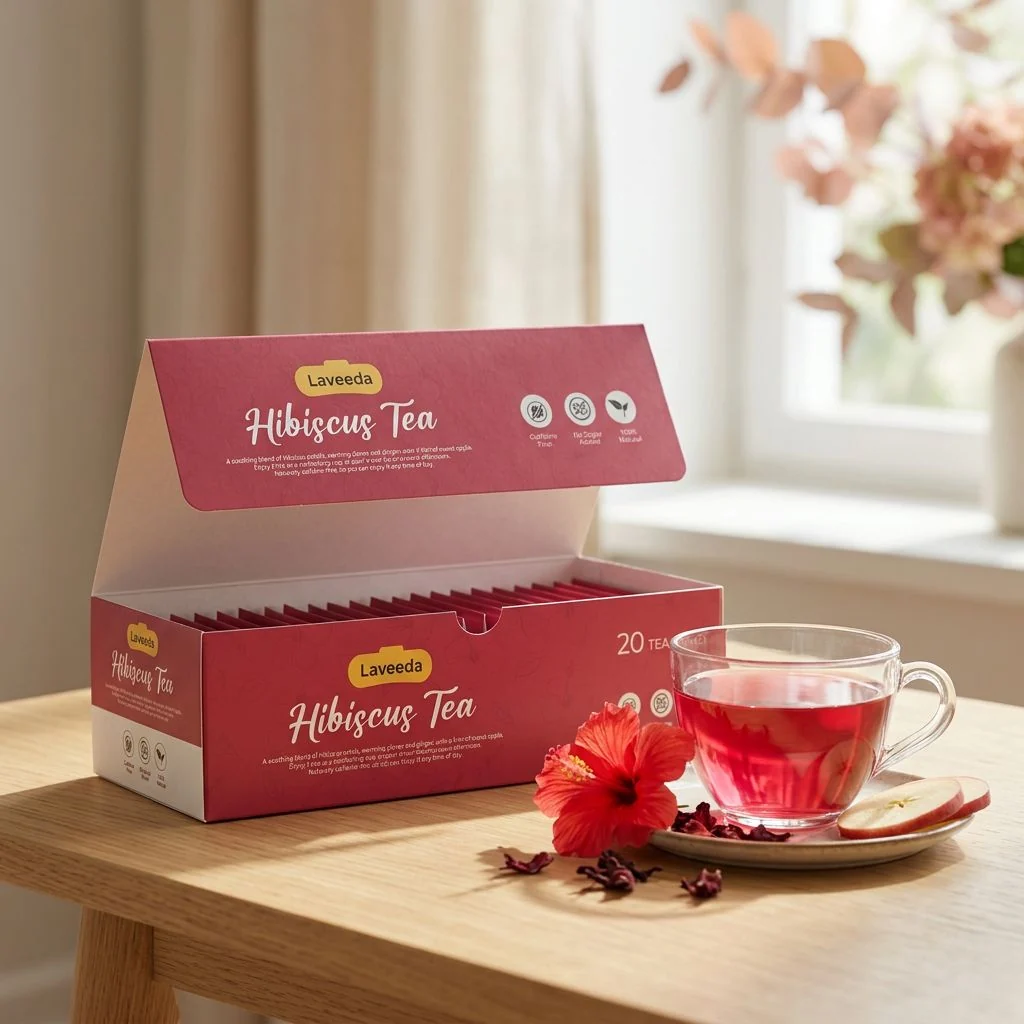
A bold magenta-and-white palette carries the vibrance and femininity of the hibiscus flower while remaining clean and legible in both print and digital contexts. The typographic pairing of a script hero mark with geometric sans brings warmth and modernity together in one system that scales from a tea bag tag to a retail carton.
Fig. 02 — Color palette & design process
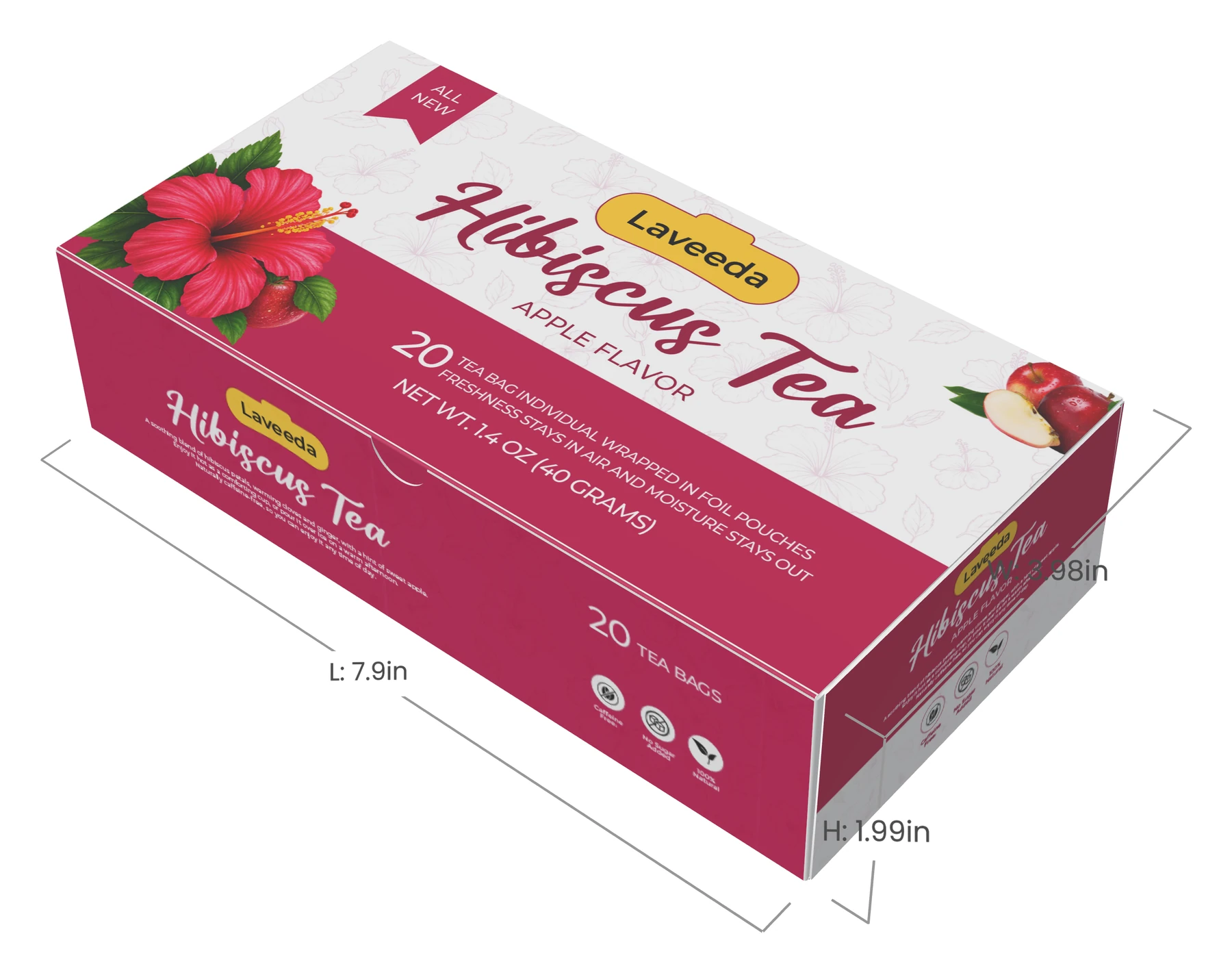
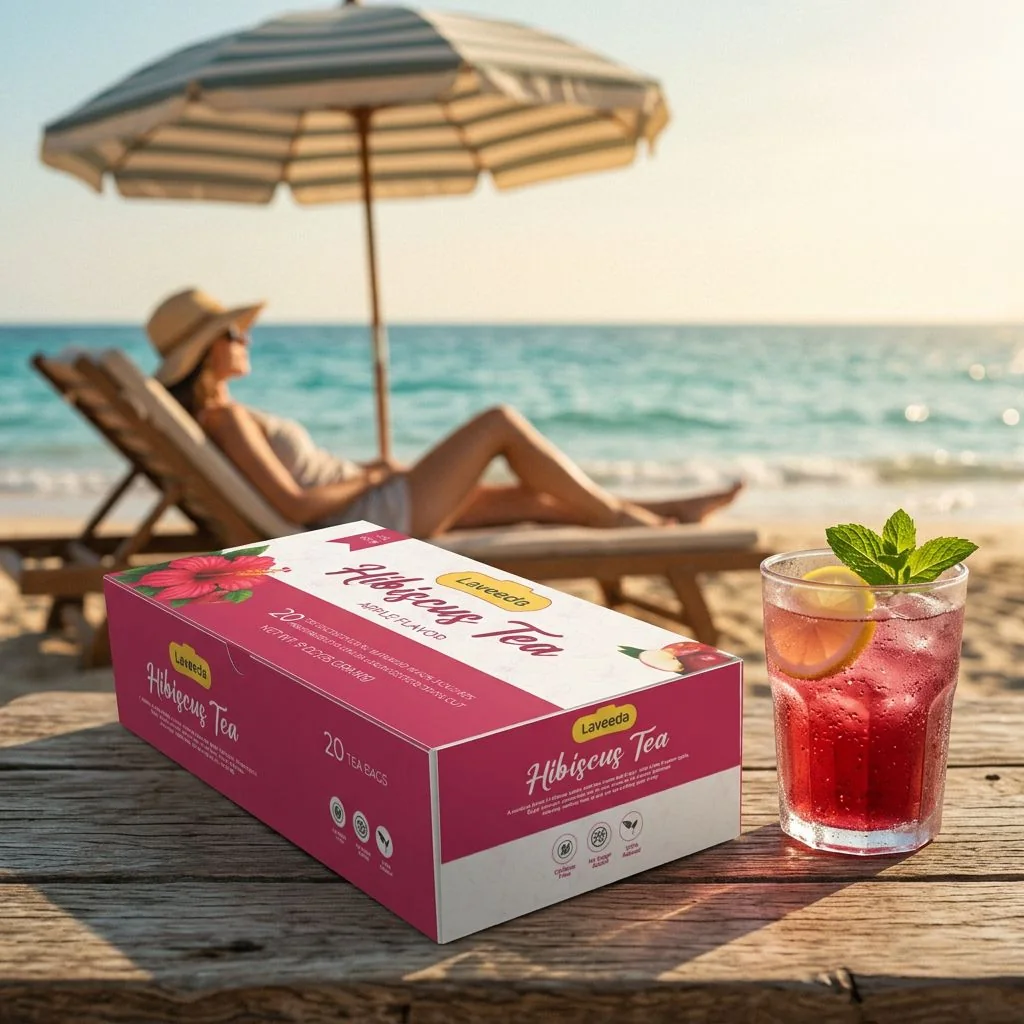
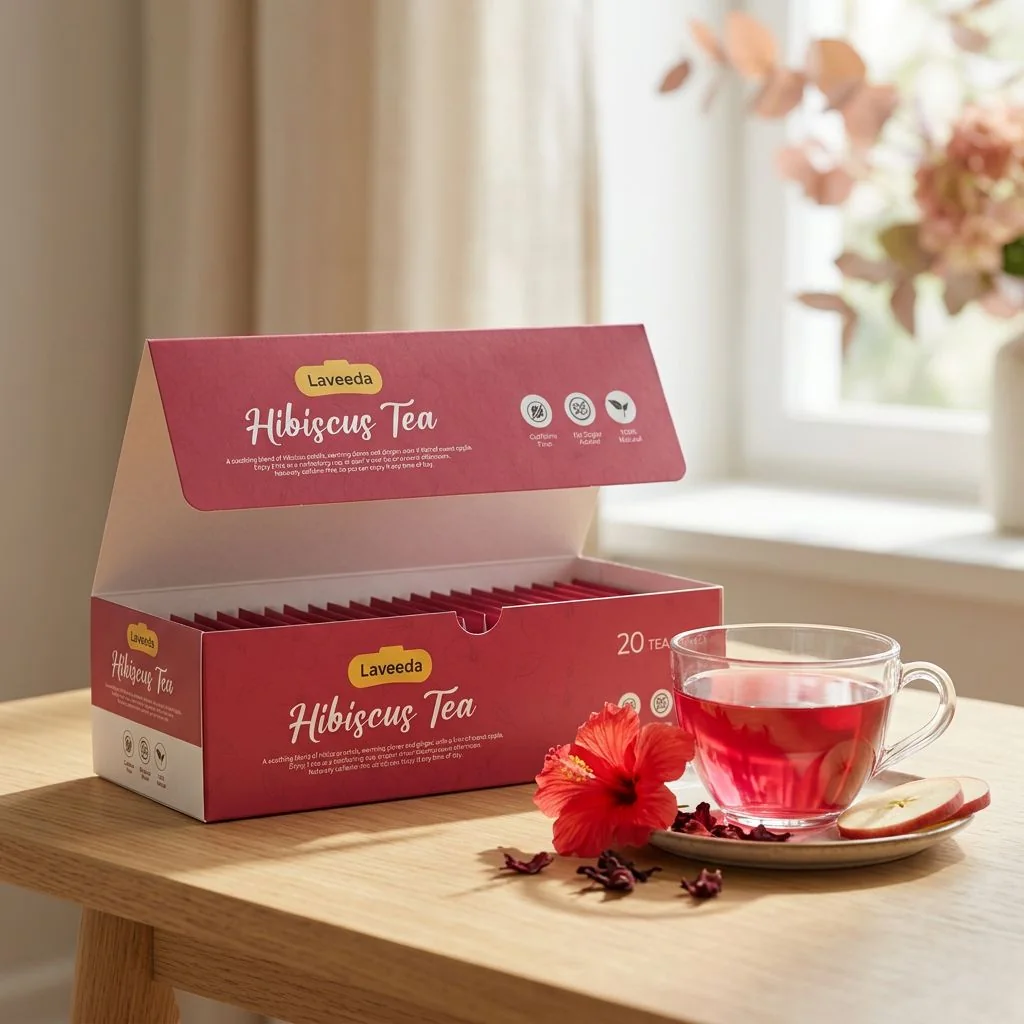
The packaging was rendered across 3D product environments to show how the brand performs in real-world retail and lifestyle contexts.
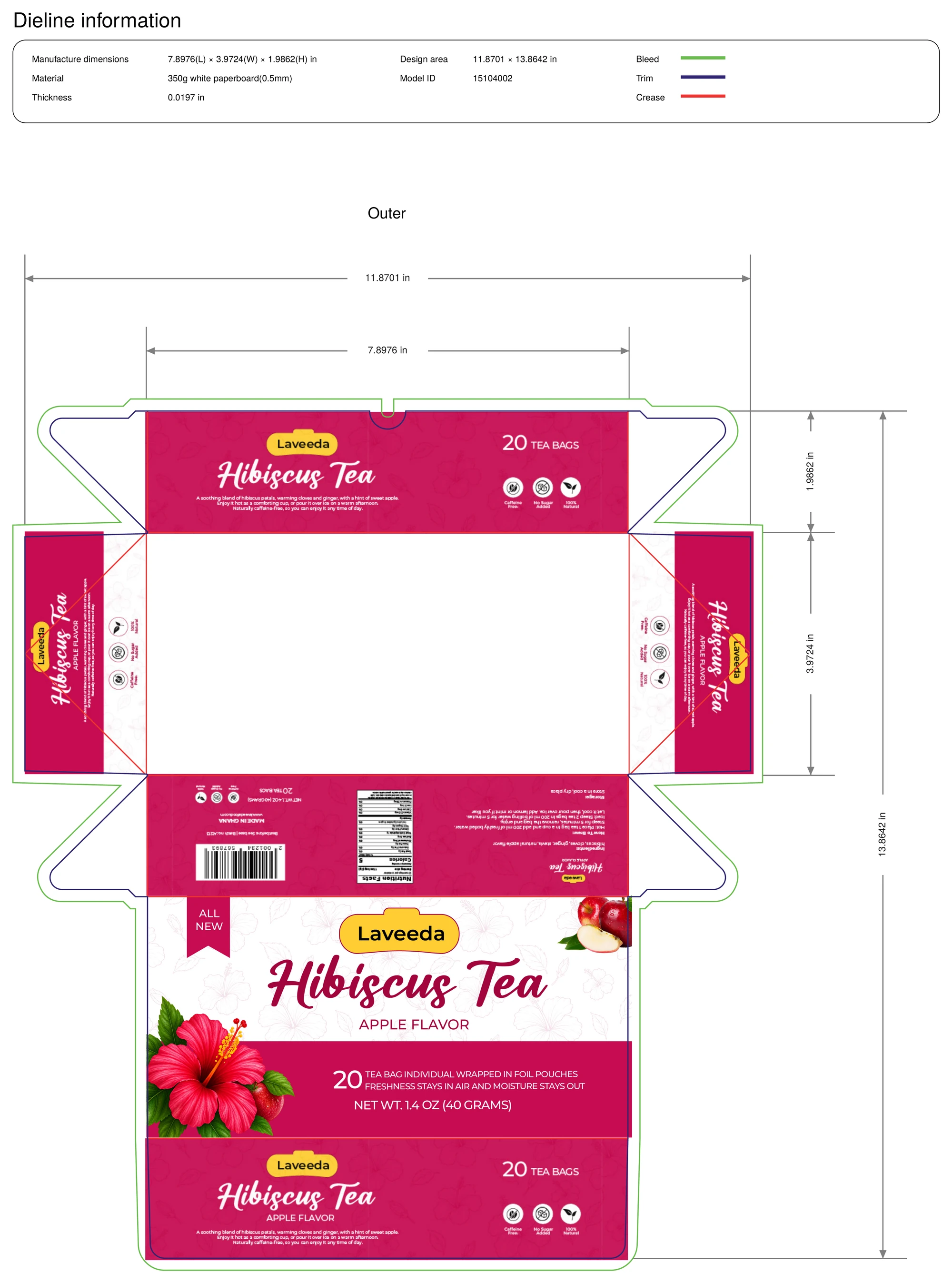
The redesign wraps one system around every face of the box: a front label that leads with the hibiscus, the Laveeda badge and the flavour; a long side that tells the product story with three quick promises — caffeine free, no sugar added, 100% natural; a back panel with everything a shopper needs to know — ingredients, how to brew, nutrition and the barcode; a compact end panel for the shelf; and a quiet hibiscus line-art pattern on the base that ties every panel together.
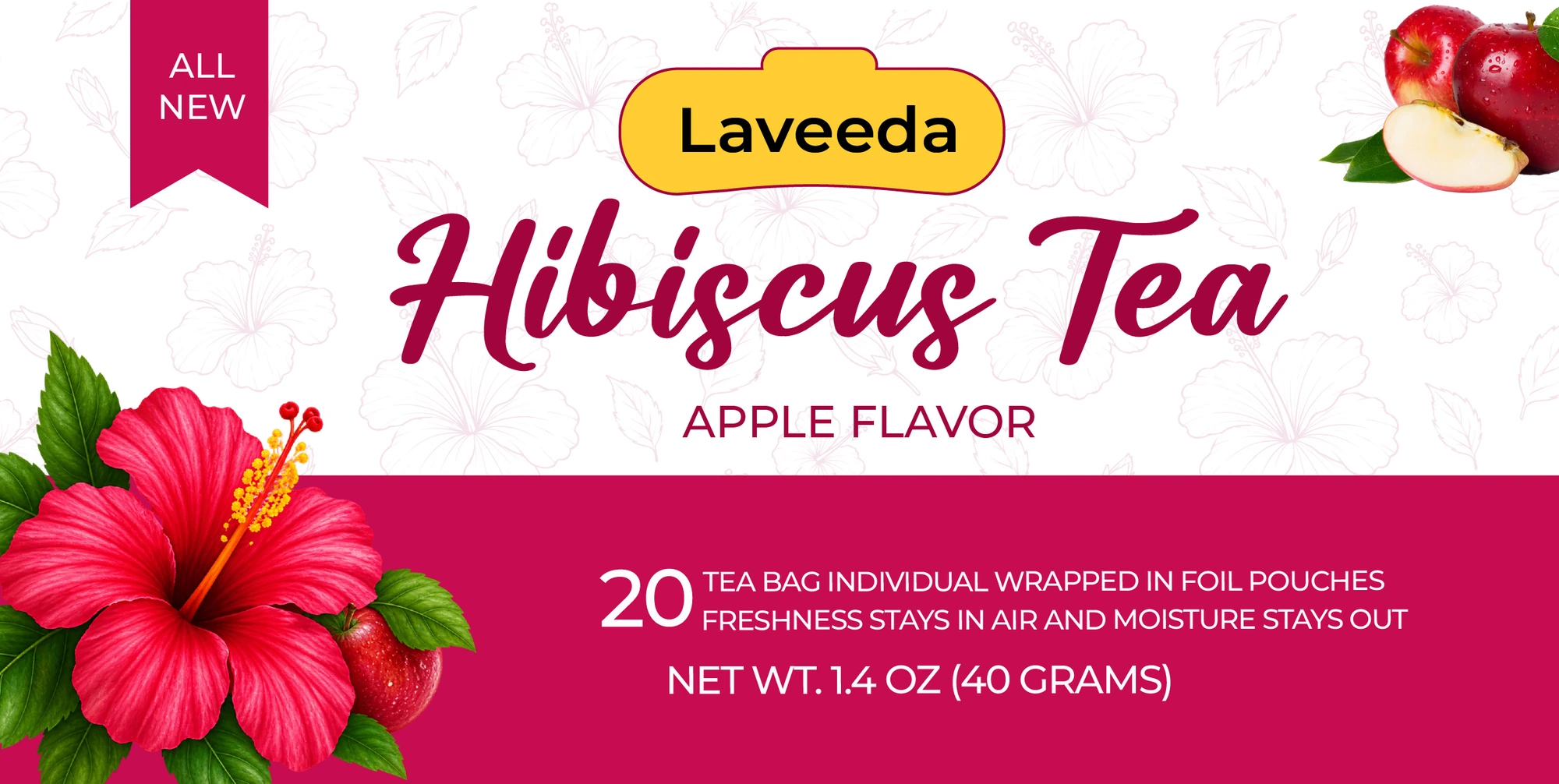
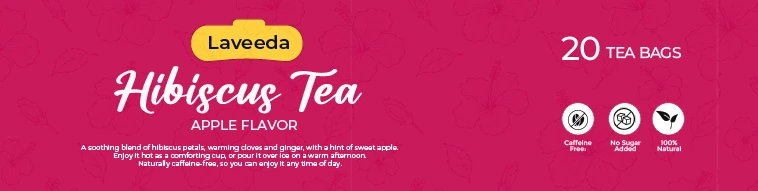
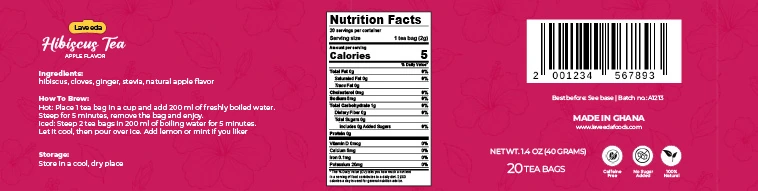
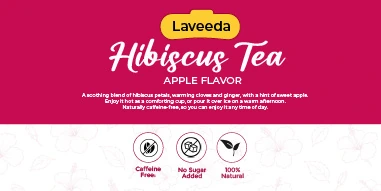
Fig. 04 — The redesigned label system
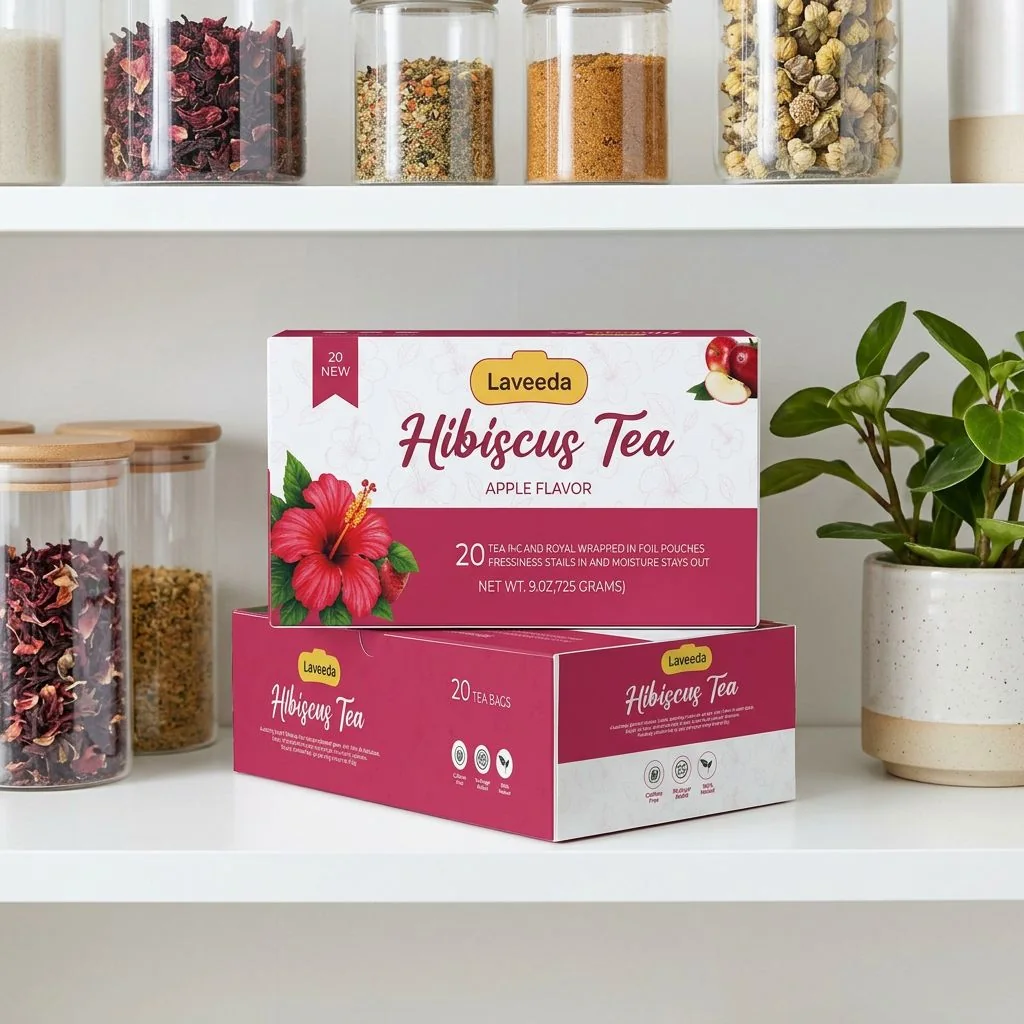
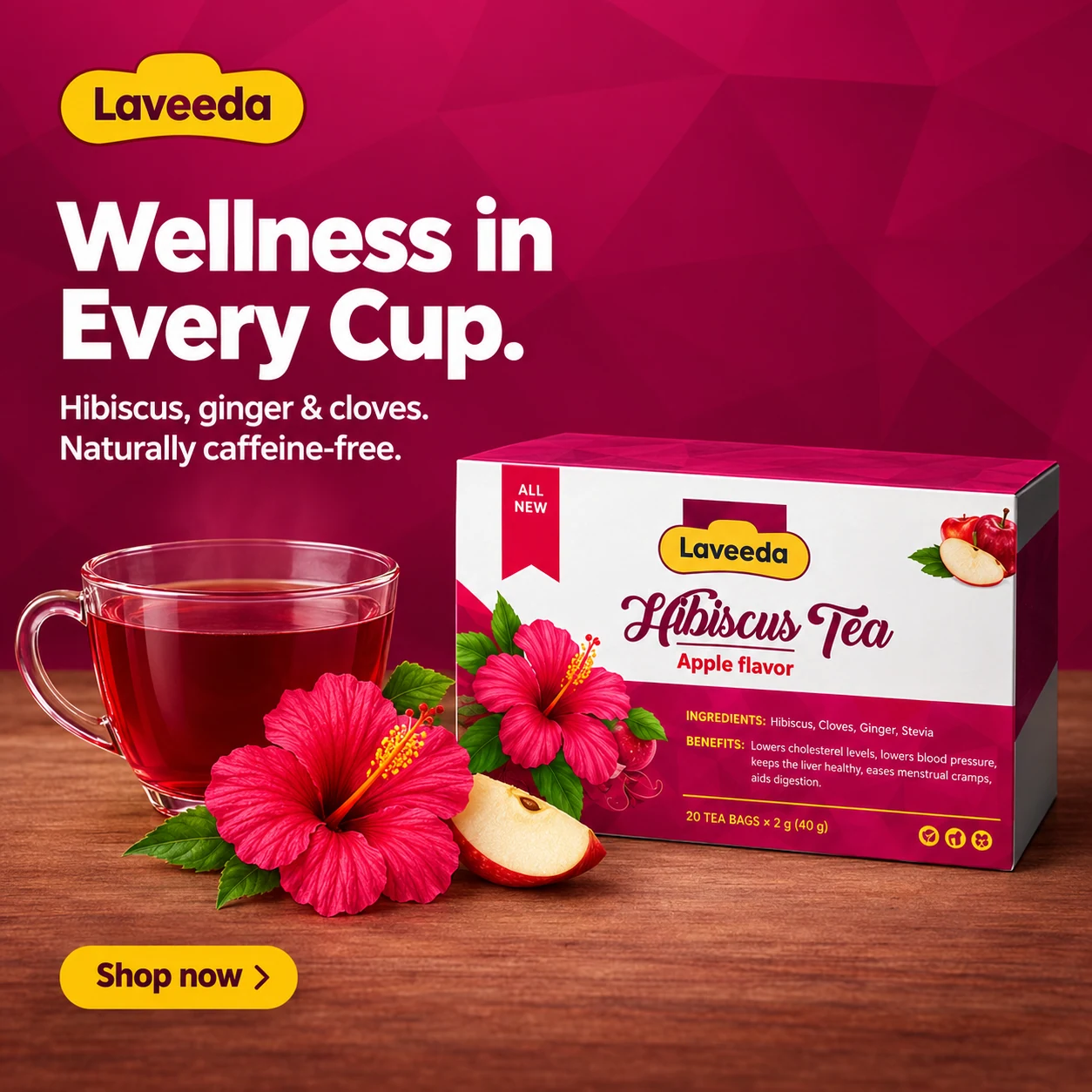
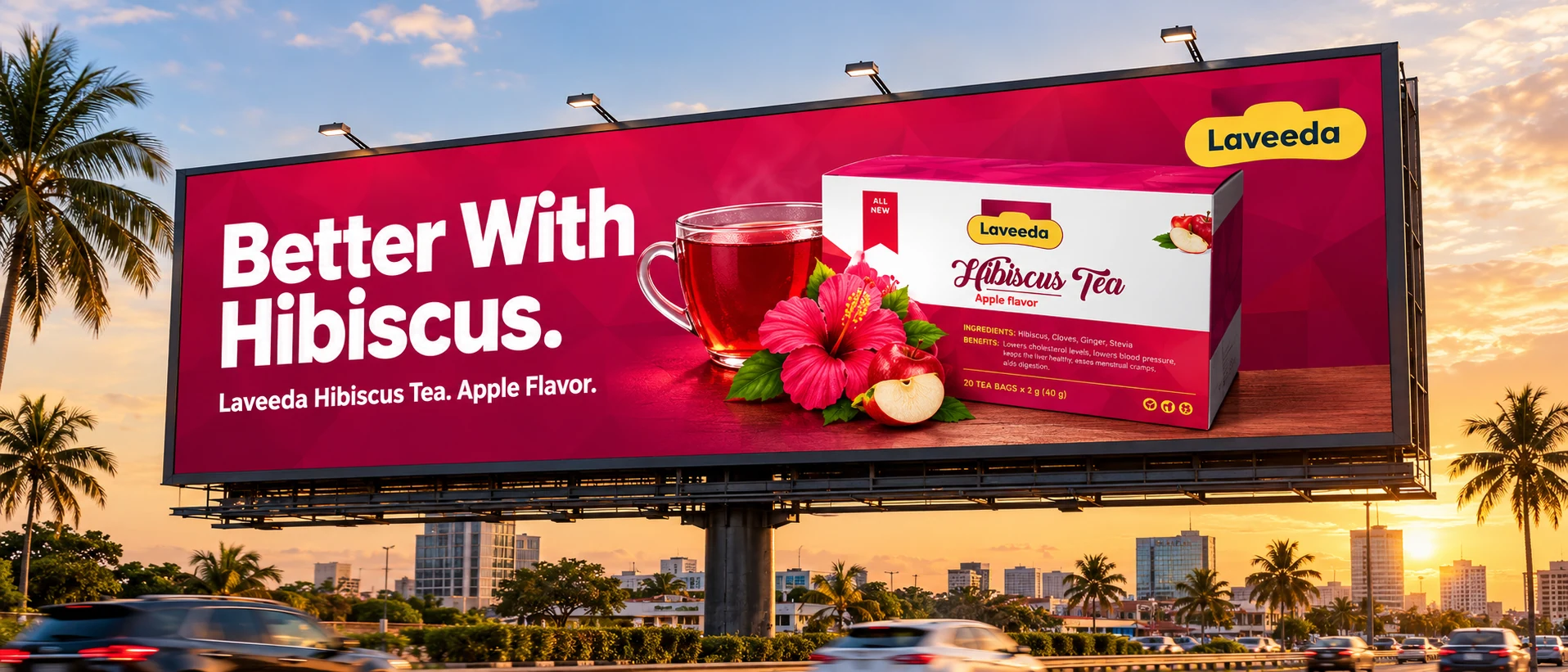
The packaging language extended into advertising visuals for social and in-store use, built around the same palette and wellness-forward brand voice.


Role: Brand identity designer, packaging designer, product visualization, creative direction, print preparation.